Back up your photo collection before you move
If you make a local copy before packing, check in advance that the files open after copying. The BSI points out that having a backup does not automatically mean it can be restored.


Choose an external SSD with enough usable capacity for your photos, plus some room to spare, and make sure it works with your device and backup method. Before you move, check the copy by opening a selection of files, and transport it separately from the original. A protective case is no substitute for another backup kept elsewhere. The Federal Office for Information Security (BSI) recommends keeping a backup outside the affected premises in the event of damage to a building.
If you make a local copy before packing, check in advance that the files open after copying. The BSI points out that having a backup does not automatically mean it can be restored.
If you have a large collection or use several computers, you’ll need enough usable storage, compatible connections and a backup method that works across the devices involved. The BSI recommends matching the backup medium’s capacity to your storage needs.
If you’re taking the copy with you during the move, dust and splash protection, access security and separate storage may all matter. Protection ratings vary by model and are no substitute for another backup.
Start by working out how much storage you need and how you plan to back up your files. Then check the connections and transport conditions. A higher quoted transfer speed matters most if you regularly copy large amounts of data and your device and cable support it.
| Priority | What to check before buying | Who is it important to? |
|---|---|---|
| Recoverable copy | Enough usable capacity; open a few files to test them after copying. | If I want to retrieve individual pictures after the move, I need a complete copy and an opening test. Around 28% of consumers cite recoverability as their main priority. |
| Storage space and copying effort | Check the folder size on the source device and leave room to spare; the full stated capacity is not available for storing files. | With a large or growing collection, I want to fit all the folders I’ve chosen, with some room to spare. Around 22% of consumers prioritise storage space and the effort involved in copying. |
| Protection during transport | Check the protection rating for the exact model and the conditions it applies to; transport the SSD protected and separately from the original. | If I’m taking the SSD with me during the move, I check which protection claims are suitable for possible contact with dust or splashes. Around 22% of consumers cite transport protection as their main priority. |
| Connection and backup method | Check the connections on both the source and destination devices, the cable, and compatibility with your planned backup method. | If I want to reopen the backup on a particular computer, the drive and backup method need to work with my devices. Around 17% of consumers prioritise device compatibility. |
| Privacy | Choose a suitable encryption option and keep your password or recovery method somewhere safe. | With private photos, I want to make sure someone can’t simply access them if the SSD is lost. Around 11% of consumers put privacy first. |
If both copies are exposed to the same damage to a building, the SSD may fail to serve its purpose as a backup. The BSI recommends keeping it somewhere else in such cases.
Create and check the copy before you leave, then transport it separately from the original. If possible, keep another copy outside the affected premises.
Protection claims apply under specific test conditions and don’t guarantee that files will survive every kind of damage. Samsung expressly excludes liquid and dust damage from the T7 Shield warranty.
Read the details for the exact model and keep an independent backup as well.
The quoted maximum speed depends on using compatible devices and cables. Kingston says the XS2000 needs USB 3.2 Gen 2x2 and a suitable cable to achieve optimum performance.
Check the capacity and connection first. Then consider whether you regularly copy large collections and whether your device supports the stated interface.
The T7 Shield could be a good fit if you want a stated protection rating and password protection for transport. The details here refer to the black 2 TB version, MU-PE2T0S/EU.
The X9 is a compact option for photo copies; Crucial says the X9 Pro has an IP55 rating. The protection claims differ between the model ranges.
The XS2000 is worth considering for frequent, larger transfers if your computer and cable support USB 3.2 Gen 2x2.
The Ultra Compact SSD is a small option with a built-in USB-C connector if you want to take the copy with you.
The selection below includes portable external SSDs from 512 GB to 2 TB. Before buying, check that the capacity, connection and backup method are right for your devices and photo collection.
 No image available
For a local photo copy if 512 GB is enough for the files you’ve chosen, with room to spare.
USB 3.1, USB-C and speeds of up to 500 MB/s are stated. The description says it is compatible with PC, Mac and Android.
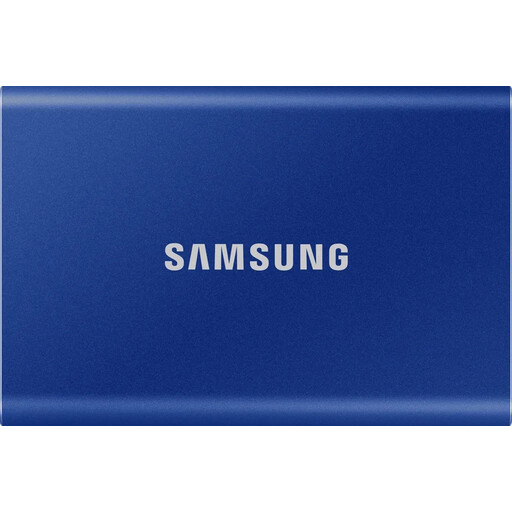 No image available
An option for a local copy if 1 TB suits your collection and you want to use password protection.
USB 3.2 Gen 2 and read speeds of up to 1.050 MB/s are stated. The product description mentions AES-256 encryption, drop resistance from heights of up to 2 m, and cables for USB-C and USB-A.
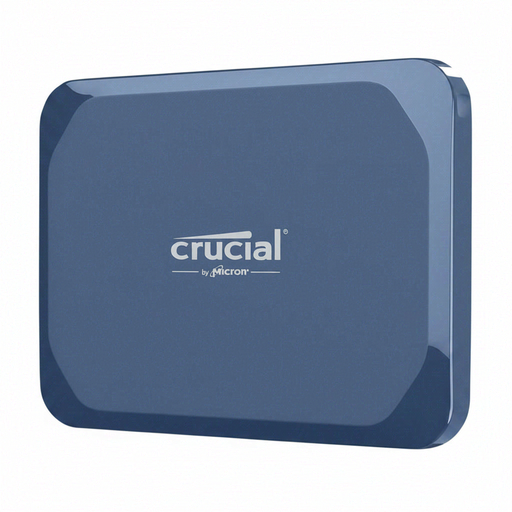 No image available
For a portable photo copy if 1 TB is enough and the stated protection rating matters for your journey.
The product description lists IP65, hardware encryption, read speeds of up to 2.100 MB/s and write speeds of up to 2.000 MB/s. It also lists USB-C 3.2 Gen 2x2 and compatibility with Windows, Mac, Android, iPad and Linux. Do not immerse in water or expose to high-pressure water for extended periods.
 No image available
For a local photo copy if 1 TB suits your collection and you can use the stated USB-C interface.
USB 3.2 Gen 2x2, read speeds of up to 2.060 MB/s and write speeds of up to 1.800 MB/s are stated. The description also mentions a magnetic attachment for iPhone 12–15.
 No image available
An option for a larger local photo copy if 2 TB is enough for your collection, with room to spare.
USB 3.2 Gen 2, read speeds of up to 1.050 MB/s and write speeds of up to 1.000 MB/s are stated. The description mentions hardware encryption, drop resistance from heights of up to 2 m, and cables for USB-C and USB-A.
Only if all the files you want have been copied and you can open the copy. Spot-check some photos and keep the SSD separately from the original; the BSI recommends keeping a backup outside the affected premises in the event of damage to a building.
Apple supports using an external storage device connected to a compatible Mac port as a Time Machine destination. Check the setup and whether formatting is required on your Mac before entrusting your photo collection to that drive alone.
Encrypt the backup if you want to prevent unauthorised access. Apple offers an encryption option for a Time Machine backup volume; keep the password you need somewhere safe so you can open your files again after the move.
According to the European Data Protection Board’s interpretation, the household exemption applies to purely personal or family activities. Simply storing photos privately therefore does not mean you need GDPR consent. This does not necessarily apply to professional use or sharing photos publicly.