First, choose enough storage for your photo archive and the growth you expect. Then check that the SSD, your computer’s connection and your backup method all work together. A faster SSD is most useful if you regularly transfer large files and your computer and cable support the higher data rate. To make sure your backups can be restored reliably, Germany’s Federal Office for Information Security also recommends testing data recovery and keeping another copy away from your workspace.
Which solution is right for you?
A growing photo archive
If you’re backing up an existing photo collection, allow for new photos and the backup versions you want to keep, as well as your current storage needs. For Time Machine, Apple recommends using a storage device with at least twice the capacity of your Mac. This recommendation applies to this use case.
A backup you can restore from
If you rely on your photos, set up regular backups and check that you can restore individual files. Germany’s Federal Office for Information Security stresses that both backing up and restoring data must be reliable.
Frequent transfers of large photo collections
If you regularly move large photo or video files, check that your computer and cable support the connection you want to use. Samsung says USB 3.2 Gen 2x2 is required to reach the T9’s maximum sequential speeds.
What should you look for when buying?
| What matters |
What to check before buying |
Who should pay particular attention |
| Space for your existing photos and future growth |
The capacity of the specific model and the space you’ll need for new photos or backup versions; if you use Time Machine, bear Apple’s recommendation for Mac in mind. |
If my photo archive is growing, I want to allow enough room for my existing photos and future backups. Around 36% of consumers say capacity is their top priority. |
| Restoring your files |
Whether the drive supports your chosen backup method and lets you test restoring files. |
If I want to be able to recover deleted or damaged photos, I need regular backups that I can check. Around 29% of consumers put recoverability first. |
| Connection and setup |
The USB port on your computer, the cables or adapters included, and the requirements of your backup software. |
If I want to set up the SSD and backup software on my work computer, I’ll check the connections and formatting first. Around 21% of consumers who prioritise compatibility say it’s their main concern. |
| Speed when transferring large files |
The data rate supported by your computer and cable; don’t assume the SSD’s peak speeds reflect the speed you’ll get at your own workstation. |
If I often transfer large photo collections, I want to know whether my computer can use the faster connection. Around 14% of consumers put transfer speed first. |
Common photo backup mistakes
-
Relying on an SSD on the same desk as your only backup
Damage to the place where your equipment is kept could affect both your computer and your local backup.
Keep another copy somewhere else and test that you can restore your photos from it. Germany’s Federal Office for Information Security recommends keeping backups away from your home.
-
Assuming a USB-C connector guarantees top speeds
The connector shape alone doesn’t tell you whether your computer and cable support the data rate required to reach the advertised peak speed.
Before buying, check which connection your computer supports and which cable you’ll need. To reach the Samsung T9’s maximum sequential speeds, both the host device and the cable must support USB 3.2 Gen 2x2.
-
Reformatting an existing backup drive without checking it first
Reformatting a Windows-formatted volume for Time Machine can erase the data stored on it.
Back up any existing files elsewhere and check the file system before setting up the volume as a Time Machine destination. Apple warns that reformatting can result in data loss.
Key brands to consider
Kingston
The XS1000 is a compact option for USB 3.2 Gen 2, while the XS2000 is designed for computers with USB 3.2 Gen 2x2 and may also suit occasional use on the go.
- Kingston lists the XS1000 with capacities of up to 2 TB, and includes a USB-A cable and a USB-C adapter.
- For the XS2000, Kingston lists capacities of up to 4 TB, an IP55 rating with a removable sleeve, and speeds of up to 2,000 MB/s. You’ll need a compatible connection to reach the stated peak speed.
Samsung
The T9 is designed for large transfers on a compatible computer with USB 3.2 Gen 2x2. The T7 Shield may be worth considering if its stated enclosure rating matters when you’re carrying it around.
- Samsung lists speeds of up to 2,000 MB/s for the T9, provided both the host device and cable support USB 3.2 Gen 2x2.
- Samsung gives the T7 Shield an IP65 rating under controlled test conditions. According to Samsung, damage caused by liquids and dust isn’t covered by the warranty.
Crucial
The X9 is a USB-C option for photo backups, while the X10 Pro may suit frequent large transfers when connected to a compatible, faster host device.
- Crucial lists read speeds of up to 1,050 MB/s for the X9.
- For the X10 Pro, Crucial lists read speeds of up to 2,100 MB/s, write speeds of up to 2,000 MB/s and an IP55 rating. Peak speeds apply under specific test conditions; you’ll need a compatible USB-C host to reach maximum performance.
External SSDs at Joybuy
This selection includes external SSDs in capacities from 1 TB to 4 TB for local photo backups at your home office.
 No image available
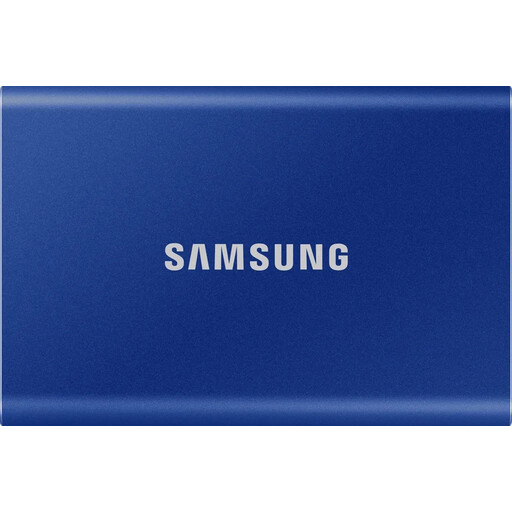
Samsung T7 1 TB, Indigo Blue
The 1 TB model could suit a local photo archive if its capacity meets your needs.
USB 3.2 Gen 2; stated sequential maximum speeds of 1,050 MB/s read and 1,000 MB/s write; AES-256 hardware encryption listed as an option. USB-C and USB-A cables are listed; Windows and macOS are supported.
View at Joybuy
 No image available
Samsung T7 2 TB, Indigo Blue
The 2 TB model offers more stated storage space for a larger photo archive or future growth.
USB 3.2 Gen 2; stated sequential maximum speeds of 1,050 MB/s read and 1,000 MB/s write; AES-256 hardware encryption listed as an option. USB-C-to-C and USB-C-to-A cables are listed; Windows and macOS are supported.
View at Joybuy
 No image available
KIOXIA Exceria Plus G2 2 TB
The 2 TB model is an option for a local photo archive if its capacity suits your existing collection and expected growth.
USB 3.2 Gen 2; stated sequential maximum speeds of 1,050 MB/s read and 1,000 MB/s write. Windows and macOS are listed as compatible systems; USB-C-to-A and USB-C-to-C cables are included.
View at Joybuy
 No image available
Samsung T7 4 TB, Titanium Grey
The stated 4 TB capacity may suit a larger photo archive and future growth.
USB 3.2 Gen 2; stated sequential maximum speeds of 1,050 MB/s read and 1,000 MB/s write; AES-256 hardware encryption listed. USB-C-to-C and USB-C-to-A cables are included; Windows and macOS are supported.
View at Joybuy
 No image available
Samsung MU-PG2T0B 2 TB
The 2 TB model could suit a local photo archive if its capacity meets your needs.
USB Type-C and USB 3.2 Gen 2 are listed; sequential maximum speeds of up to 2,000 MB/s are stated. USB-C-to-C and USB-C-to-A cables are included. The speed you actually get depends on your connection.
View at Joybuy
Frequently asked questions
How do I automatically back up photos to an external SSD?
On Windows, File History can back up files to an external drive; check that it includes the photo folders you want to save. On a Mac, you can use an external volume with Time Machine. Once it’s set up, test that you can restore individual photos.
Can I use a Windows SSD that already contains photos with Time Machine?
Not as it is, if you want to use it as a Windows-formatted Time Machine volume. Apple warns that reformatting a volume for Time Machine can erase the data already stored on it. So back up your files somewhere else first.
Does a long manufacturer’s warranty cover lost photos too?
Don’t treat a product warranty as a replacement for backing up lost photos. Germany’s consumer advice centre distinguishes between your statutory rights against the seller for faulty goods and a voluntary manufacturer’s warranty. Check the terms for the specific product and keep another backup regardless.
Can I put an old backup SSD in the household bin?
No. Germany’s Federal Environment Agency says that electrical waste must be collected separately. You can, for example, take it to a recycling centre. Before handing it in, back up any photos you want to keep to another device.


