Which option is right for you?

Podcast archive with lots of project folders

If you want to keep your raw recordings, editing projects and finished episodes, start by working out how much storage you currently need, then allow room for future files. Choose a capacity that suits your archive.

Podcast team that needs backups

If you need projects to remain available after a device failure or accidental deletion, don’t treat an external SSD as your only copy. The German Federal Office for Information Security recommends backing up data regularly, and you should also check that you can restore it.

Podcast workflow across multiple computers

If you move project folders between devices or operating systems, check the file system, port and cable before transferring files. Kingston notes that the XS2000 does not reach its advertised Gen 2x2 performance on a Mac.

What should you look for when buying?

What matters What to look for Who should pay particular attention?
Space for project folders Measure the folders you want to keep, allow for future growth and check the capacity of the specific version. Usable capacity may differ from the stated figure. I want to keep raw recordings, editing versions and finished episodes together. Around 36% of consumers put having enough storage first.
Recovery and data protection Plan another copy, decide where to store it and test recovery regularly. If you have confidential files, check the encryption options too. If a project needs to be available again after a failure or accidental deletion, a backup I can verify matters to me. Around 29% of consumers prioritise being able to recover their projects.
File system and connection Check the operating systems, file system, computer’s USB standard and the right cable before transferring your archive. I use several computers and want to be able to read and edit my folders on every device I plan to use. Around 21% of consumers put device compatibility first.
Transfers and portability Consider how often you transfer large folders and whether your ports support the advertised speed. Check protection and warranty terms separately. If I regularly transfer large files or carry my drive around, I also pay attention to the connection and casing. Around 14% of consumers give particular weight to transfer speeds and portability.

Avoiding buying pitfalls

  • Using your new SSD as the only archive copy

    A single storage device won’t protect you against failure, loss or accidental deletion. The German Federal Office for Information Security recommends backing up data regularly.

    Make another copy and check that you can restore files from it.

    An additional backup requires another storage device or a different storage location.

  • Assuming USB-C means you’ll get the advertised top speed

    The connector alone doesn’t tell you whether your computer and cable support the required USB standard. Kingston notes that the XS2000 does not reach its advertised Gen 2x2 performance on a Mac.

    Check the USB standard supported by the computer you’ll actually use before choosing a drive for its faster transfer rate.

  • Reformatting a full drive without backing it up

    Apple warns that formatting a drive deletes the files stored on it.

    Choose your file system before adding files for the first time. If you reformat the drive later, back up the folders you need somewhere else first.

  • Assuming a protective casing guarantees against damage

    Samsung says the T7 Shield was tested to IP65 under controlled conditions, but its warranty excludes liquid and dust damage.

    Check the protection rating and warranty terms separately, and keep an independent backup when you’re out and about.

Key brands at a glance

Kingston

The XS2000 is worth considering for frequent large transfers, provided your computer and cable support USB 3.2 Gen 2x2.

  • Kingston specifies speeds of up to 2,000 MB/s and versions with capacities of up to 4 TB for the XS2000.
  • According to Kingston, the XS2000 does not reach its advertised Gen 2x2 performance on a Mac. Actual speed depends on the host device.

Samsung

The T7 Shield could be a good option if you need both storage capacity and a protective casing for carrying your drive around.

  • Samsung says the 4 TB version of the T7 Shield has been tested to IP65.
  • Samsung’s warranty excludes damage caused by liquids and dust. Stated performance depends on the host device and cable.

Crucial

The X9 Pro is a USB 3.2 Gen 2 option if you don’t need a Gen 2x2 port.

  • Crucial lists versions with capacities of up to 4 TB and speeds of up to 1,050 MB/s under its own test conditions.
  • Actual performance may vary. Check the exact X9 Pro version before you buy.

SanDisk

The Extreme Portable SSD is another option if you’re looking for an external SSD with USB 3.2 Gen 2 and a high capacity.

  • For model SDSSDE61-4T00-G25, SanDisk specifies a 4 TB capacity and sequential read speeds of up to 1,050 MB/s.
  • The manufacturer’s figure doesn’t show how quickly a podcast project folder will copy.

Verbatim

The TurboMetal USB4 is worth considering for frequent large transfers if you have a compatible USB4 port and suitable cable.

  • For the 2 TB version, Verbatim specifies read speeds of up to 3,700 MB/s and write speeds of up to 3,600 MB/s with a suitable USB4 connection.
  • According to Verbatim, the Nero backup software included with the drive only supports Windows.

SSD selection at Joybuy

This selection of portable SSDs includes 1 TB and 2 TB versions with different connections. Compare the capacity with your archive and check device compatibility before transferring files.

Samsung Portable SSD T7, 2 TB, Indigo Blue

Samsung Portable SSD T7, 2 TB, Indigo Blue

The 2 TB version could be a good fit if its capacity suits your archive and expected growth.

The product details list USB 3.2 Gen 2, PC and Mac compatibility, and USB-C to USB-C and USB-C to USB-A cables. If you plan to use the drive with several computers, check the file system too.

A single SSD is no substitute for an independent backup of important project folders.

View at Joybuy

KIOXIA Exceria Plus G2 Portable SSD, 2 TB

KIOXIA Exceria Plus G2 Portable SSD, 2 TB

This portable SSD could be a good fit if 2 TB is enough for the project folders you want to keep and your planned growth.

The product details list USB 3.2 Gen 2, Windows and macOS compatibility, and USB-C to USB-C and USB-C to USB-A cables. Check that the file system is compatible with all the computers you plan to use.

You’ll still need an additional backup if you want to be able to recover your projects.

View at Joybuy

Samsung T9 external portable SSD, 1 TB

Samsung T9 external portable SSD, 1 TB

The T9 could be a good option for frequent large transfers if 1 TB is enough for your archive and your computer supports the right connection.

The product details list USB 3.2 Gen 2x2, PC and Mac compatibility, and USB-C to USB-C and USB-C to USB-A cables. Check your computer’s USB standard and how much storage you need before choosing this capacity.

You’ll also need an independent copy if you want to be able to recover your files.

View at Joybuy

Lexar ES5 Portable SSD, 1 TB

Lexar ES5 Portable SSD, 1 TB

This 1 TB version could be a good fit if its capacity suits your projects and you want a protective casing when carrying it around.

The product details list USB 3.2 Gen 2x2 and IP65. They also warn against submersion and prolonged exposure to high-pressure water; a protective casing is no substitute for a backup.

Before you buy, check that your computer’s USB standard meets your transfer needs.

View at Joybuy
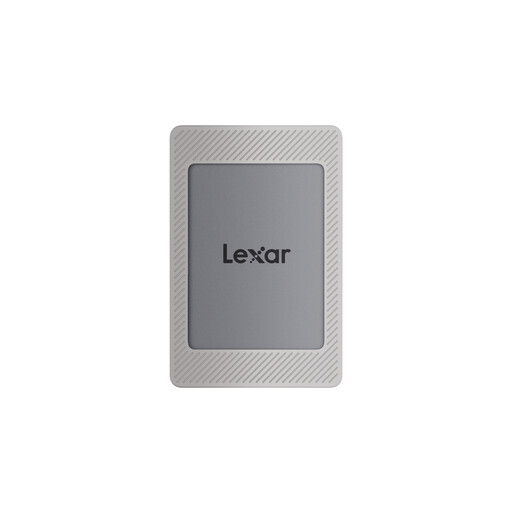
Lexar ES4 Portable SSD, 2 TB, Magnetic Set

Lexar ES4 Portable SSD, 2 TB, Magnetic Set

The 2 TB version could be a good fit if you want to transfer project folders between compatible computers.

The product details list USB 3.2 Gen 2, PC and Mac compatibility, and USB-C to USB-C and USB-A to USB-C cables. Check the file system on the devices you plan to use before transferring files.

A single SSD is not an independent backup copy.

View at Joybuy

Frequently asked questions

How do I choose the right capacity?

Add up the folders you want to keep, then allow room for new episodes and additional project versions. Check the capacity of the specific version; the full stated capacity won’t be available for storing files.

Can I write to the same archive SSD on both Mac and Windows?

That depends on the file system. Apple lists exFAT as a format option for drives over 32 GB that you want to use with both systems. According to Apple, a Mac can read an NTFS drive but can’t edit it. Back up any existing files before formatting, as they will be deleted.

Is an external SSD enough as my only archive?

No, not if you want to be able to recover your projects. Make another copy and check from time to time that you can open or restore files from it. The German Federal Office for Information Security recommends backing up data regularly.

What other storage and warranty terms should I consider?

An additional backup requires another storage device or a different storage location. Check the warranty terms for the specific model: Samsung excludes liquid and dust damage for the T7 Shield, even though its casing is described as tested to IP65.

How should I dispose of an old external SSD in Germany?

In Germany, waste electrical and electronic equipment must be collected separately from unsorted household waste. The German Environment Agency explains this requirement; contact your local authority to find a suitable collection point.