What to consider when choosing
Start by working out how large your existing RAW collection is and how quickly it’s growing. Then match the connection and file system to the computers you actually use. Treat your working drive and your backup as separate requirements.
| Consideration |
What to check before buying |
Who will find this especially important? |
| Storage space and growth |
Work out the size of your current collection and expected additions; check the usable capacity and exact model variant. |
If I need to plan for my existing RAW collection as well as future photos, I don’t want to underestimate how much storage I’ll need. Around 25% of consumers prioritise capacity and future growth. |
| Backup and restoration |
Decide where you’ll keep a separate copy and whether you can successfully test a restoration. |
I want to make sure that a drive failure or accidental deletion won’t affect my only copy. I should be able to test that restoration works in practice. Around 25% of consumers prioritise data protection and the ability to restore files. |
| Transfer speed |
Check that the connection and cable on the computers you use meet the SSD’s requirements. |
If we regularly transfer large RAW files, speed only matters to me if our computers and cables support the SSD’s connection. Around 19% of consumers prioritise transfer times. |
| Using the drive with multiple devices |
List the computers, operating systems, connections, any adapters you’ll need and the file system you plan to use. |
When we switch between computers, I want to know that everyone can actually open the files; checking the plug type alone isn’t enough to confirm compatibility. Around 19% of consumers prioritise switching between devices. |
| Keeping access to photos of people private |
Check who needs access and whether the specific password feature actually encrypts the data. |
If people are identifiable in the photos, I want to agree on access rights and protection features in advance. Around 12% of consumers put privacy for photos of people first. |
Joybuy products at a glance
The Joybuy products below are external SSDs for portable storage and handing over RAW files. Match the capacity and connection to your collection and the computers you use, and plan for a separate backup as well.
 No image available
Kexin M.2 SATA Portable External SSD, 256 GB
Could be suitable for portable storage if 256 GB is enough for the files you plan to keep on it.
Listed in the product name: USB 3.1, up to 500 MB/s and 256 GB.
Remember to plan for a separate copy that you can restore from.
View at Joybuy
 No image available
KEXIN External SSD, 512 GB
Could be suitable for handing over files if the stated capacity is right for the collection you plan to store.
Listed in the product name: USB 3.1, up to 500 MB/s and 512 GB.
Remember to plan for a separate copy that you can restore from.
View at Joybuy
 No image available
Samsung Portable SSD T7, 1 TB, Grey
Could be suitable for handing over files between computers if they support USB 3.2 Gen 2 and the stated capacity meets your needs.
Listed in the product name: 1 TB and USB 3.2 Gen 2.
Remember to plan for a separate copy that you can restore from.
View at Joybuy
 No image available
Samsung SSD External Storage T7, 2 TB, Indigo Blue
Could be suitable for a larger portable RAW collection if the capacity meets your group’s needs.
Listed in the product name: 2 TB.
Remember to plan for a separate copy that you can restore from.
View at Joybuy
 No image available
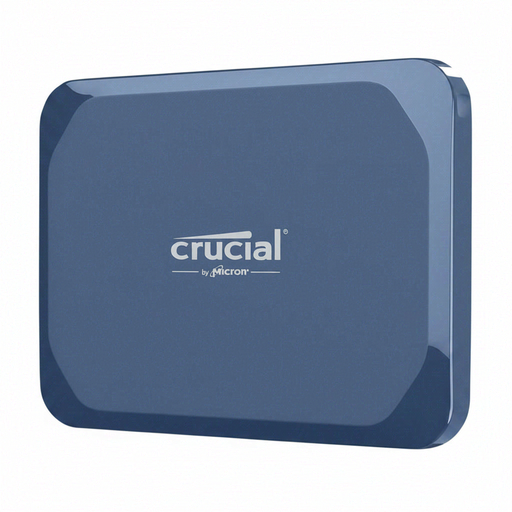
Crucial X10 Portable SSD, 1 TB
Could be suitable for portable storage if 1 TB is enough for the files you plan to keep on it.
Listed in the product name: 1 TB.
Before using it with multiple computers, check that the connection and file system work with your devices. Remember to plan for a separate copy that you can restore from.
View at Joybuy
Frequently asked questions
How do I set up an SSD for several group members?
First, list the devices and connections you use. Test your chosen file system on each device, and agree on who is allowed to edit the master files. Crucial notes that formatting and host features can affect compatibility.
Can my only external SSD also serve as my backup?
No. If all your RAW files are stored on this drive alone, you won’t have a separate copy. Germany’s Federal Office for Information Security recommends regular backups and points out that you also need to be able to restore your files.
What should I consider if a drive fails and I need to make a claim?
Plan for a separate copy as well as your working drive, and check who your contractual seller is and what warranty terms apply to your purchase. The consumer advice centre Verbraucherzentrale distinguishes between your statutory rights against the seller and a voluntary manufacturer’s warranty.
What applies to RAW photos in which people are identifiable?
According to the data protection authority in Rhineland-Palatinate, identifiable people in photos count as personal data. Check the legal basis for using your specific collection and decide who needs access. The RAW format and buying an SSD don’t automatically give you permission to store or share every photo.
Is a password on the drive enough to encrypt it?
Not necessarily. Germany’s Federal Office for Information Security notes that some hard-drive passwords simply block access, while the data remains unencrypted. Check what the feature actually does and organise access for authorised members.


