What should you look for when buying?
Start by checking how much storage your projects need, then check the USB mode supported by your workstation and cable. Remember to plan for a separate backup, and take the protection and access requirements of your work into account.
| Consideration |
What to check before buying |
Who it matters most to |
| Capacity for RAW projects |
The size of your existing projects and expected growth; the capacity of the specific model. |
If I carry large RAW shoots with me, I want enough room for my current projects and future growth. Around 28% of consumers put capacity first. |
| Speed you can achieve |
The USB data mode supported by your workstation and cable; consider read and write speeds separately. |
For frequent large transfers, I want to know whether my port supports the advertised mode. Around 22% of consumers prioritise speed and connectivity. |
| Separate data backup |
Whether a separate copy is kept and how you check that it can be restored. |
After importing my files, I want to keep a separate copy that I can restore. Around 22% of consumers prioritise data backups. |
| Protection when working on location |
The protection rating and test conditions; the case and contents included with the specific model. |
If I take my SSD to shoots, I check its stated protection rating and its limitations. Around 17% of consumers prioritise outdoor use. |
| Access protection |
Whether the files contain personal data and which protection measures are appropriate for the work. |
For sensitive images, I want to protect access to the files in a way that suits my work. Around 11% of consumers put access protection first. |
Joybuy products for mobile RAW workflows
This selection includes compact USB 3.2 Gen 2 and Gen 2x2 SSDs for mobile RAW workflows. Match the capacity and connection mode to your workstation.
 No image available
Samsung T7 2 TB, USB Type-C 3.2 Gen 2
An option for RAW projects if a compact Gen 2 SSD suits your workstation and storage needs.
This model is listed with 2 TB of storage and USB Type-C 3.2 Gen 2.
Joybuy
 No image available
Samsung MU-PG2T0B 2 TB, USB Type-C 3.2 Gen 2
This 2 TB model is designed for portable storage with a compatible Gen 2 workstation.
The product name specifies USB Type-C 3.2 Gen 2.
Joybuy
 No image available
Samsung T9 1 TB, USB 3.2 Gen 2x2
The T9 is worth considering for frequent large transfers if your workstation and cable support Gen 2x2.
Samsung quotes read and write speeds of up to 2,000 MB/s for this model. Samsung says UASP must also be enabled to achieve the maximum speed.
Joybuy
 No image available
Lexar ES5 Portable SSD 1 TB, USB 3.2 Gen 2x2
An option for mobile use if the Gen 2x2 interface and stated protection features suit your workflow.
The 1 TB model is listed with read and write speeds of up to 2,000 MB/s and an IP65 rating. Check the conditions attached to the protection rating for your use.
Joybuy
 No image available
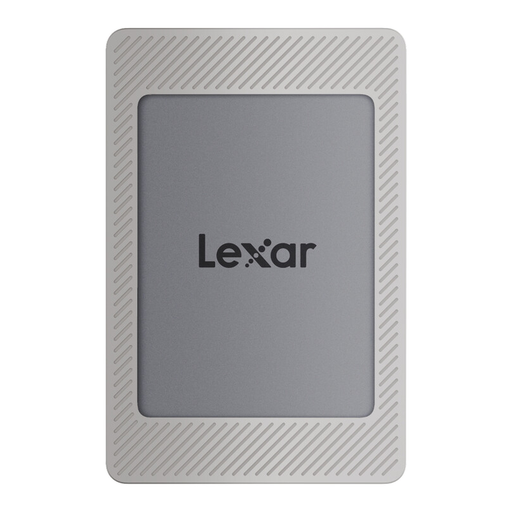
Lexar ES4 Portable SSD with magnetic set, 2 TB
This 2 TB model is worth considering for mobile RAW projects if its capacity and Gen 2 connection suit your workflow.
The product name specifies USB 3.2 Gen 2.
Joybuy
Frequently asked questions
Is a USB-C port enough for 2,000 MB/s?
No. The USB Implementers Forum lists USB 3.2 data rates of 5, 10 and 20 Gbit/s. To reach the maximum speed of a Gen 2x2 model, your host device and cable must support the required mode. The manufacturer’s conditions also apply.
What should I check before importing RAW files for the first time?
Check the file system and compatibility with your workstation, and set up a separate backup. Crucial lists exFAT as the pre-formatted file system for the X10 Pro and notes that reformatting will erase any data already on the drive.
Is a manufacturer’s warranty the same as statutory warranty rights?
No. A manufacturer’s warranty is a voluntary service with its own terms and conditions; statutory claims for defects are generally made against the seller. For ordinary claims relating to defects under German sales law, Section 438 of the German Civil Code (BGB) generally sets a period of two years from delivery. Any exceptions and the circumstances of the individual case should be considered separately.
Can I cancel an online SSD purchase in Germany?
Consumers generally have a right to cancel distance purchases, subject to certain requirements and exceptions. The cancellation period is generally 14 days and, for goods ordered, usually starts when they are received. The right to cancel is separate from claims relating to faulty goods.
Do I need to encrypt sensitive RAW files?
Whether specific protection measures are needed depends on whether the images contain personal data and the context in which they are processed. Germany’s Federal Office for Information Security describes software and hardware encryption as possible approaches. You should also consider how encryption keys and recovery are managed in your workflow.


