What should I look for when buying a drive for local research notes?
For an archive without cloud storage, capacity is only part of the picture. You should also consider recoverability, confidentiality and access on the devices you plan to use.
| What matters |
What to check before buying |
Who is this most important for? |
| Recoverable backups |
Check that your backup routine lets you restore older files and includes another copy kept separately. |
If I need to recover notes after a fault or accidental deletion, a tested recovery process matters more than extra storage space. Around 33% of consumers prioritise recovery. |
| Confidentiality without the cloud |
Check that you can set up encryption and unlock files on your devices, and decide where to store the recovery key. |
If my notes are confidential, I want to limit access if the drive is lost and keep the key somewhere secure and accessible. Around 27% of consumers prioritise confidentiality. |
| Access across multiple devices |
Check that the ports and cables, file system and, where applicable, encryption work with every device you plan to use. |
If I need to open the same archive on several devices, I want to be sure the files can actually be read and, if necessary, unlocked on each one. Around 20% of consumers prioritise access across devices. |
| Room for a growing archive |
Measure your current data and allow for your own future needs; usable capacity may be lower after formatting. |
If I keep scans, attachments and older versions, I need enough space for what I have now and what I plan to add. Around 20% of consumers prioritise room for their archive to grow. |
Joybuy products for storing research notes locally
The Joybuy products below are external SSDs for local storage. The selection includes different capacities and USB specifications.
 No image available
Kexin M.2 SATA Portable External SSD, USB 3.1, 256 GB
Could suit a local archive of notes if 256 GB is enough for your data.
USB 3.1; up to 500 MB/s; 256 GB.
View at Joybuy
 No image available
KEXIN External SSD, USB 3.1 Type-C, 512 GB
Could suit a local archive if you’re planning for 512 GB of storage.
USB 3.1 Type-C; up to 500 MB/s; 512 GB.
View at Joybuy
 No image available
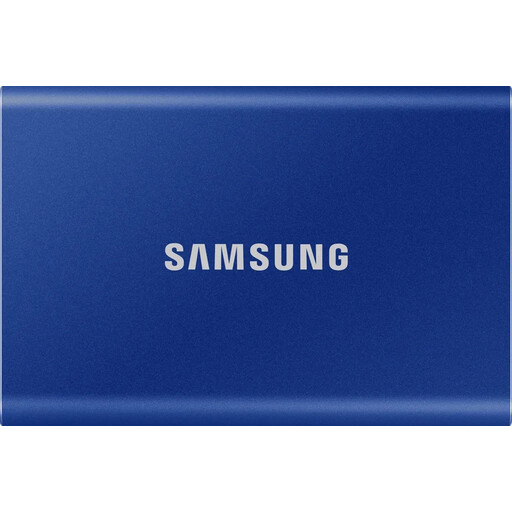
Samsung Portable SSD T7, 1 TB, Indigo Blue
This version may suit a local archive if you’re planning for 1 TB of storage.
Capacity: 1 TB.
View at Joybuy
 No image available
Samsung Portable SSD T7, 2 TB, Indigo Blue
This version may suit a local archive if you’re planning for 2 TB of storage.
Capacity: 2 TB.
View at Joybuy
 No image available
MOVESPEED Portable SSD, 1 TB, Model YSPSRX20M-1TTG
Could suit a local archive if you’re planning for 1 TB of storage.
USB 3.2; up to 2,060 MB/s; 1 TB. According to the product details, the stated top speeds require a suitable host device and compatible cable.
View at Joybuy
Frequently asked questions about external SSDs for research notes
Is one external SSD enough as the only archive for my research notes?
No, not if you want to be prepared for that SSD failing. Keep separate copies and check that you can actually restore your notes. The German Federal Office for Information Security points out that the lifespan of storage media cannot be predicted precisely.
What should I set up before my first backup?
Check the connection and file system on the devices you’ll use to back up and restore files. Set up encryption if needed, store the recovery key securely and test recovery with a file that doesn’t matter. Don’t reformat an SSD containing files without thinking it through.
How should I look after an offline archive I’m keeping for the long term?
Check your backups and that you can restore them regularly, and make sure your files are in formats that can still be read. The German Federal Office for Information Security points out that storage media can have a limited lifespan that cannot be predicted precisely.
Does a manufacturer’s warranty replace my rights against the seller?
No. Your Europe, the European Union’s portal, explains that consumer purchases from business sellers in the EU come with a statutory guarantee of at least two years for faulty goods. This is separate from a voluntary manufacturer’s warranty. Before buying, check who the seller is and what warranty conditions apply.
Does using a local SSD automatically make storing personal research data compliant with data protection law?
No. Whether you meet your data protection obligations depends on how you process personal data and the safeguards required for that processing. Using a local SSD alone is not enough to show compliance. The German Federal Commissioner for Data Protection and Freedom of Information explains the scope of the General Data Protection Regulation.


