Anyone with a growing scan archive
If you’re regularly digitising documents, allow for new scans and possible file versions as well as your current storage needs. For example, Kingston offers the XS1000 in 1 TB and 2 TB capacities.


Start by checking how much storage your scan archive uses, then allow room for new files and, if needed, older versions. Choose the capacity to suit your needs rather than paying for top speeds you may not need for documents. An external SSD is no substitute for a separate backup. Also check that its connections and any encryption options work with your devices.
If you’re regularly digitising documents, allow for new scans and possible file versions as well as your current storage needs. For example, Kingston offers the XS1000 in 1 TB and 2 TB capacities.
If you don’t want to lose important scans, you’ll need a separate backup location as well as your SSD, along with a process for restoring files. Germany’s Federal Office for Information Security (BSI) recommends backing up data to protect documents and other files.
If you store sensitive scans on a portable or shared drive, check that a suitable encryption option works on all the devices you use. The BSI describes software-based encryption for files, folders or entire storage devices.
For a growing scan archive, the right capacity and a separate backup come first. Choose the connection, access protection and speed to suit your devices and how you’ll actually use the drive.
| What to consider | What to check before buying | Who should pay particular attention? |
|---|---|---|
| Archive capacity | Compare the storage you’re using, expected additions and any versions you want to keep with the drive’s stated and available capacity. | If you scan regularly, you’ll want room for new files and older versions. Around 33% of consumers rank capacity as their top concern. |
| Separate backup | Choose a second storage location and set up a regular backup routine. Check occasionally that you can restore files from it. | If you don’t want important documents stored in just one place, plan to keep an extra copy. Around 27% of consumers prioritise protection against data loss. |
| Connections and compatibility | Check the USB-A and USB-C ports on your devices, as well as the cables you’ll need and the compatible file system. | If you want to access your scans on several devices you already own, make sure the drive and connection work with them. Around 20% of consumers focus mainly on ports and device compatibility. |
| Access protection | Check that you can set up and unlock password protection or suitable software encryption on the devices you need to use. Keep recovery keys somewhere separate. | If sensitive documents are portable or shared, you’ll want to make unauthorised access more difficult. Around 13% of consumers prioritise protecting confidential scans. |
| Speed for large transfers | Consider whether you regularly transfer large amounts of data, then check that your computer’s port and cable support the advertised USB standard. | If you regularly move large batches of scans, the connection your devices support may matter. Around 7% of consumers prioritise speed for large transfers. |
A fault, loss or problem at the storage location could put your scan archive at risk too. The BSI explains that an additional backup can help protect against data loss.
Keep a separate copy and occasionally check that you can open or restore files from it.
A second storage location and regular backups need to be maintained and may require an additional storage device.
Samsung and Kingston specify that the maximum speeds of their USB 3.2 Gen 2x2 models require a compatible host port and cable. The shape of the connector alone doesn’t tell you whether this connection is available.
Before buying, check the USB standard supported by your computer and the cable you’ll use. Choose a Gen-2x2 model for its speed only if your devices support that connection.
In 2023, SanDisk reported a firmware issue affecting certain Extreme PRO Portable SSD V2 drives that could cause unexpected disconnections. This warning does not apply to every SanDisk SSD.
Check the full model name and, where relevant, the serial number against the manufacturer’s notice. Don’t rely on the product range name alone.
The XS1000 range includes 1 TB and 2 TB options for storing files and backups. With USB 3.2 Gen 2x2, the XS2000 is designed for frequent, larger transfers.
The T7 Shield is a portable SSD tested to IP65, according to the manufacturer, and features USB 3.2 Gen 2. The T9 adds USB 3.2 Gen 2x2 and model-specific password protection.
According to the manufacturer, the X9 is an external USB-C SSD for storing files and backups. Options are available in capacities of up to 4 TB.
The Extreme PRO Portable SSD range is designed for high transfer speeds. Make sure you check the exact model version when comparing options.
These external SSDs offer storage options for a growing scan archive. Choose a capacity that suits what you already have and what you expect to add.
 No image available
The 4 TB option gives you plenty of storage if your scan archive is growing and you need room for a larger collection.
4 TB; USB Type-C; USB 3.2 Gen 2.
 No image available
The 2 TB option could suit you if it offers enough space for your existing scans and the additional files you expect to store.
2 TB.
 No image available
The 2 TB capacity could suit a growing scan archive, as long as it leaves enough room for new files.
2 TB.
 No image available
Check that the 2 TB capacity suits your archive and that the stated USB connection works with your devices.
2 TB; USB Type-C; USB 3.2 Gen 2.
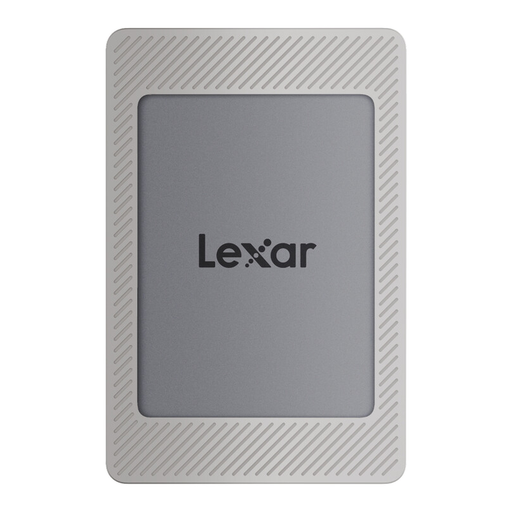 No image available
The 2 TB option could work for a growing scan archive, provided the capacity suits the collection you expect to build.
2 TB; USB 3.2 Gen 2; up to 1.050 MB/s read and up to 1.000 MB/s write, according to the product name.
For important or irreplaceable scans, you should keep more than one copy. Germany’s Federal Office for Information Security describes backups as protection against issues including device faults, accidental deletion and theft. To guard against damage to the whole storage location, it can be worth keeping an additional copy away from home.
First, check that your device recognises the SSD and that you can open the files. Then set up a regular backup routine and test that you can restore individual files. Before reformatting the drive, check which file system you need and back up any existing data.
A manufacturer’s warranty for the drive is no substitute for backing up your data. In Germany, statutory consumer rights against the seller are separate from a voluntary manufacturer’s warranty; the warranty terms determine what is covered.
This depends on who is keeping the documents and what they are. Under § 14b of the German VAT Act (UStG), businesses are generally required to retain the invoices specified there for eight years. This does not mean that all personal scans are subject to a blanket eight-year retention period. The GoBD rules for electronic invoices were amended in 2025: under the conditions set out there, retaining the structured part of an e-invoice may be sufficient. An SSD alone does not prove that records have been retained correctly.