Who is this selection for?

Collectors with large scan archives

If you’re building up lots of letters in growing project folders, plan for both your existing storage needs and future growth. The Federal Office for Information Security recommends allowing enough space for backups, while Crucial offers external SSDs in several capacities.

Those preserving irreplaceable letters

If you need your scans to remain available after a drive failure or accidental deletion, you’ll need a separate backup and should check that you can restore and open the files. The Federal Office for Information Security notes that it’s difficult to predict exactly how long storage media will last.

People working across multiple devices

If you use the same project folders on several devices, check that the connections, cables or adapters you need, and the file system are suitable for every device. Crucial notes that compatibility and performance depend on certain conditions in its product information.

What should you look for?

Start by measuring your existing collection and allowing for future growth. Then compare your connection and backup needs with the features of each SSD.

What matters What to check before buying Who is this important to?
Room for growing folders Measure your folder sizes and expected growth; consider usable capacity, not just the advertised figure. If my scan folders are growing, I want room for both my existing files and future additions, rather than relying on the stated capacity alone. Around 33% of consumers put storage space first.
Ability to restore files Plan for a separate backup and test whether you can restore and open files. If I have irreplaceable letters, I don’t want to rely on a single drive, and I want to be able to test recovery. Around 27% of consumers prioritise a backup they can verify.
Access across multiple devices Check the connections, cables or adapters, and file system on every device you plan to use; back up existing files before reformatting. If I open the same letters on several devices, I want to know in advance whether the drive and file system will work with them. Around 20% of consumers put device compatibility first.
Copying and portability Check your actual copying needs and your computer’s USB features; if you’ll be carrying the drive around often, check the stated casing specifications. If I often transfer large folders or take the drive with me, I want suitable connections and protection that matches how I’ll transport it. Around 20% of consumers prioritise transfer speeds or portability.

Avoid common misconceptions

  • Confusing a fast SSD with a complete archiving plan

    Even with an external SSD, it’s difficult to predict exactly how long a drive will last. Without a separate copy, a fault, loss or accidental deletion could affect your only archived version.

    Keep an additional copy separately and test a selection of letters to make sure you can restore and open the files.

    An additional backup option and time for recovery checks are part of planning an archive.

  • Assuming the maximum MB/s figure applies to every computer

    Crucial’s maximum stated speed for the X9 Pro depends on a suitable USB 3.2 Gen 2 connection; performance may vary between devices.

    Check your host device, connection and cable before deciding whether the stated transfer rate matters for your copying workflow.

    According to Crucial, a USB-A adapter for the X9 Pro is available separately. Check in advance whether your devices need a suitable cable or adapter.

  • Taking IP65 as a guarantee against water and dust damage

    Samsung gives the T7 Shield an IP65 rating based on controlled tests, but excludes liquid and dust damage from its warranty.

    Choose a level of casing protection that suits the conditions in which you’ll carry the drive, and continue to keep a separate backup.

Relevant brands at a glance

Crucial

External SSDs in several capacities. The X9 Pro is worth considering if you need both storage space and frequent transfers.

  • For the X9 Pro, Crucial states a maximum sequential read and write speed of up to 1,050 MB/s under the specified test conditions.
  • The highest stated speed requires a suitable USB 3.2 Gen 2 host and a USB-C to USB-C cable. According to Crucial, a USB-A adapter is available separately; these figures are the manufacturer’s specifications for this model.

Samsung

The T7 Shield is an option if you’ll be carrying a portable SSD around often and casing specifications are an important part of your decision.

  • For the T7 Shield, Samsung states an IP65 rating and speeds of up to 1,050 MB/s for reading and 1,000 MB/s for writing under the specified connection conditions.
  • Samsung says that liquid and dust damage aren’t covered by the warranty, despite the protection rating. These details apply to the T7 Shield, not to all Samsung models.

Kingston

The XS1000 is another option to compare; choose a capacity and specific variant that suit your archive.

  • On 16 August 2026, COMPUTER BILD placed the 2 TB XS1000 fourth in its general test list and described it as small and lightweight.
  • The review noted that its connection cable was a little short. The result applies to the tested 2 TB variant and isn’t a general statement about all Kingston drives.

Lexar

The SL500 is another option to compare if you transfer files often. Check the specific capacity variant and the USB features of the devices you use.

  • Lexar offers the SL500 in 1, 2 and 4 TB variants, with speeds of up to 2,000 MB/s for reading and 1,800 MB/s for writing.
  • According to Lexar, performance is lower on Macs and other systems without USB 3.2 Gen 2×2. These are manufacturer specifications, not a measurement of performance on your computer.

Related products at Joybuy

The portable external SSDs below offer a range of stated capacities. Choose one based on the size of your measured archive, and check that its connections are compatible with your devices.

KEXIN external SSD, 256 GB

KEXIN external SSD 256 GB

May be worth considering if your measured archive, including expected growth, will fit in 256 GB.

Stated in the product title: USB 3.1 Type-C and speeds of up to 500 MB/s.

View at Joybuy
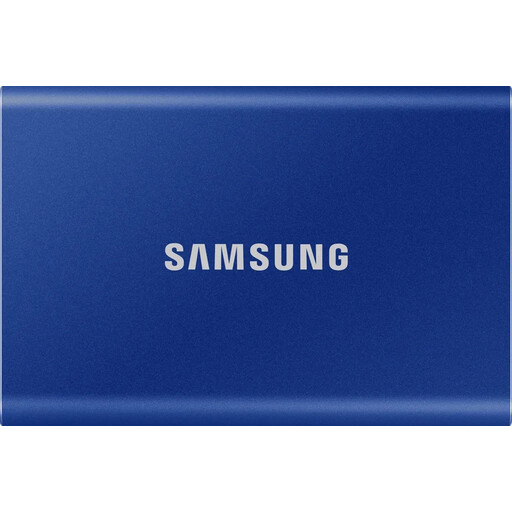
Samsung Portable SSD T7, 1 TB, Indigo Blue

Samsung Portable SSD T7 1 TB, Indigo Blue

May be suitable if your measured archive, including planned growth, will fit in 1 TB.

View at Joybuy

KIOXIA Exceria Plus G2 Portable SSD, 2 TB

KIOXIA Exceria Plus G2 Portable SSD 2 TB

May be worth considering if your measured archive, including planned growth, will fit in 2 TB.

Stated capacity: 2 TB.

View at Joybuy

MOVESPEED Portable SSD, 1 TB, model YSPSRX20M-1TTG

MOVESPEED Portable SSD 1 TB, model YSPSRX20M-1TTG

May be suitable if 1 TB is enough for your measured archive and expected growth.

Stated in the product title: USB 3.2 and speeds of up to 2,060 MB/s.

View at Joybuy

Samsung Portable SSD T7, 2 TB, Titanium Grey

Samsung Portable SSD T7 2 TB, Titanium Grey

May be suitable if your measured archive, including expected growth, will fit in 2 TB.

Stated in the product title: USB Type-C 3.2 Gen 2.

View at Joybuy

Frequently asked questions

Is an external SSD enough as the only archive for scanned letters?

No, not if you need to keep your scans after a fault or loss. Back up important files elsewhere and check that you can restore them. The Federal Office for Information Security notes that it’s difficult to predict exactly how long storage media will last, and that recovery should be tested separately.

What should I check before using the drive with several computers?

Check the connections and cables, and make sure the file system is recognised by the devices you plan to use. Certain USB features may be required to reach the maximum stated speed. Back up any existing files before reformatting a drive.

Are scans of private letters in Germany automatically subject to GDPR requirements?

No, not when individuals process personal data solely for personal or family activities. According to the Federal Commissioner for Data Protection and Freedom of Information, the GDPR does not apply in this case. For work projects or uses outside this scope, you shouldn’t assume the exemption applies; the specific purpose needs to be assessed separately.

Does the IP65 rating on the Samsung T7 Shield mean liquid damage is covered by the warranty?

No. Samsung describes the IP65 rating as the result of controlled tests and states that liquid and dust damage aren’t covered by the warranty.