Who is this guide for?

Projects shared between school and home

If you want to open the same music project folder on more than one computer, check not only the connection but also that it contains all the audio files you’ve used and that any required plug-ins are available on the target computer. Ableton points out that plug-ins aren’t copied to the project folder; Steinberg also notes exceptions when backing up projects, including files from VST Sound archives.

School projects with lots of recordings

If you’re collecting multiple takes, samples and exports, choose your storage capacity based on the complete project folder, not just the project file. Ableton and Steinberg’s project features show which media files are included when you collect or back up a project.

Frequent use across different devices

If you take the SSD with you regularly, compare its format, the connection accessories you’ll need and the protection specifications for the specific model. Samsung gives the T7 Shield an IP65 rating under controlled test conditions; this is not a guarantee against damage from dust or liquids.

What should you look for when buying?

What matters What to check before buying Who is this important for?
Complete project and backup Collect the audio files you’ve used; test a copy on the target computer and keep another backup separately. If I want to hand in or continue working on my project on a second computer, the audio files I’ve used need to come with it; I’ll check for any required plug-ins separately. Around 33% of consumers prioritise a complete project handover and a separate backup.
Connection and usable speed Check the USB mode supported by the SSD, computer and cable, along with any adapters you’ll need. If I use the same SSD on school and home computers, the connection and cable need to work with both devices for the quoted speed to be relevant. Around 25% of consumers prioritise a connection and usable speed that work across different devices.
Storage for recordings and exports Work out the size of the existing project folder, including collected audio files and exports, and allow room for more recordings. If I have several takes, samples and exports, I want to size up the complete collected project folder, not just the DAW file. Around 25% of consumers prioritise storage for projects that are growing.
Portability and casing protection Compare the size and weight with your transport needs; check the conditions and limitations of any IP rating. If the SSD is often in my school bag, a compact design and the protection specifications confirmed for that model are important; they’re no substitute for a separate backup. Around 17% of consumers prioritise frequent transport and casing protection.

Common mistakes when buying and transferring

  • Copying only the DAW project file

    Audio files may be stored outside the folder you’ve copied. Ableton’s collection feature copies the audio files you’ve used, but not plug-ins; Steinberg notes exceptions when backing up projects, such as files from VST Sound archives.

    Use your music software’s feature to collect the files you’ve used and, if possible, try opening the copy on the target computer.

    You may need extra time before handing in the project to track down missing audio files or plug-ins.

  • Assuming the manufacturer’s speed claims apply to every computer

    Actual transfer speeds also depend on the computer, USB mode and cable you use. The maximum speeds quoted by Samsung and Kingston aren’t guaranteed for every school computer.

    Before buying, check the USB ports and cables on the devices you plan to use with the SSD.

  • Using the SSD you carry around as your only project copy

    If the drive is lost or fails, you could also lose the only copy of your project stored on it. The German Federal Office for Information Security recommends saving important data regularly and keeping an external backup.

    Keep another copy of the project somewhere separate and check that it opens.

  • Overlooking the firmware notice for the Extreme Pro Portable SSD V2

    In 2023, SanDisk reported that some Extreme Pro Portable SSD V2 devices may be affected by unexpected disconnections. This doesn’t mean every unit is affected, and the notice shouldn’t be applied generally to SanDisk models with different names.

    For this specific product range, check your device using the serial number checker provided by SanDisk.

Key brands and product ranges

Kingston

The XS1000 is a compact external SSD range, available in 1 TB and 2 TB capacities according to Kingston.

  • Kingston quotes read speeds of up to 1,050 MB/s and write speeds of up to 1,000 MB/s for the XS1000 over USB 3.2 Gen 2.
  • These are maximum speeds for this model, not guaranteed transfer rates on every school computer.

Samsung

The German T7 Shield variant MU-PE1T0S/EU is a 1 TB option if rated casing protection is important when you’re travelling.

  • Samsung gives this variant an IP65 rating under controlled test conditions and quotes read speeds of up to 1,050 MB/s and write speeds of up to 1,000 MB/s with a suitable USB 3.2 Gen 2 connection and UASP enabled.
  • Samsung’s warranty does not cover damage caused by liquids or dust; the quoted speeds also depend on having the right connection conditions.

Crucial

The X9 is a portable USB-C range; the confirmed 1 TB variant has the model number CT1000X9SSD9.

  • Crucial quotes read speeds of up to 1,050 MB/s for the X9 and says it comes formatted as exFAT.
  • Actual speed and usable capacity may vary. Crucial says reformatting erases the data stored on the drive.

Verbatim

The Store 'n' Go Mini Diamond SSD #32025 is a 1 TB option for carrying between devices with USB-C or USB-A.

  • Verbatim lists a weight of 35 g, USB 3.2 Gen 2 and an included USB-C-to-USB-A adapter.
  • The quoted speed of up to 1,000 MB/s is a manufacturer’s figure for this range, not a measurement taken on your computer.

SanDisk

A firmware notice from SanDisk is relevant to the specifically named Extreme Pro Portable SSD V2 1 TB.

  • SanDisk provides a serial number checker that lets you check a specific device in relation to the firmware notice.
  • SanDisk reported possible unexpected disconnections on affected devices. This doesn’t mean every unit is affected or that the notice applies to models with different names.

Joybuy products for music projects

The products below are portable external SSDs for carrying music project files; their capacities and listed USB specifications vary.

KEXIN external SSD, 256 GB

KEXIN external SSD, 256 GB

A portable option for taking project files with you; the product title lists 256 GB.

The product title lists USB 3.1 Type-C and speeds of up to 500 MB/s.

Keep a separate backup of important projects too.

Joybuy

Kexin M.2 SATA external SSD, 256 GB

Kexin M.2 SATA external SSD, 256 GB

For project files on a portable SSD; the product title lists 256 GB.

The product title lists M.2 SATA, USB 3.1 and speeds of up to 500 MB/s.

Keep a separate backup of important projects too.

Joybuy
KEXIN external SSD, 512 GB

KEXIN external SSD, 512 GB

The product title lists 512 GB for project files on a portable external SSD.

USB 3.1 Type-C and speeds of up to 500 MB/s are also listed in the product title.

Keep a separate backup of important projects too.

Joybuy

Samsung Portable SSD T7, 1 TB, Grey

Samsung Portable SSD T7, 1 TB, Grey

A portable SSD for music project files; the product title lists 1 TB.

The product title lists USB Type-C and USB 3.2 Gen 2.

Keep a separate backup of important projects too.

Joybuy
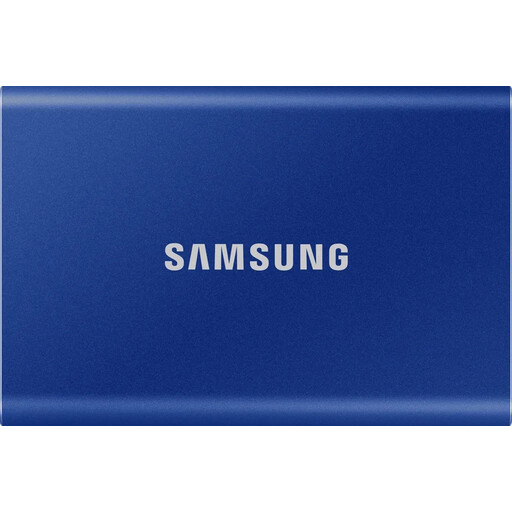
Samsung T7 external SSD, 1 TB, Indigo Blue

Samsung T7 external SSD, 1 TB, Indigo Blue

For music project files on a portable SSD; the product title lists 1 TB and the colour Indigo Blue.

Keep a separate backup of important projects too.

Joybuy

Frequently asked questions

Is it enough to copy just my music software file to the SSD?

Not necessarily. In Ableton Live, ‘Collect All and Save’ can copy the audio files you’ve used into the project folder, but it won’t copy plug-ins. Steinberg points out that a Cubase project backup doesn’t include all content from VST Sound archives. If possible, try opening the transferred copy on the target computer.

Which file system do I need for school and home computers?

It depends on the operating systems and usage policies of the devices involved. Ableton lists exFAT as compatible with Windows and APFS for newer macOS systems. Crucial warns that reformatting erases existing data on the drive. Before formatting, check which devices need write access and back up any existing files.

Does an SSD with my project on it count as a backup?

A single SSD that you carry around isn’t a separately stored backup. The German Federal Office for Information Security recommends saving important data regularly and keeping an external backup, so keep another copy of your project somewhere separate.

What should I know about warranties and complaints when buying in Germany?

Your statutory rights against the seller for faulty goods are different from a voluntary warranty, as the German Consumer Advice Centre points out. For the specified claims relating to defects, § 438 BGB generally provides for a limitation period of two years from delivery. For a typical online consumer purchase, you generally have a right to cancel, usually within 14 days of receiving the goods; statutory exceptions and the circumstances of the contract should also be taken into account.