Only choose an external SSD once your backup process can reliably restore older spreadsheet versions and the drive works with the computers you plan to use. The Federal Office for Information Security considers restoring data, as well as creating backups, an essential part of a complete backup strategy. For confidential or personal data, you should also consider access controls and the risks of using the drive in a shared studio.
Who should consider these options?
People responsible for studio backups
If you back up spreadsheet versions, you need a process that lets you restore an older version when needed. The Federal Office for Information Security describes restoration as part of a complete data backup strategy.
Teams working with confidential spreadsheets
If several people share rooms or computers, your team should decide who can read backup copies and how keys and access permissions will be managed. The Federal Commissioner for Data Protection and Freedom of Information points out that encryption on an unlocked device alone does not prevent access through that device.
Teams using different computers
If you switch between computers, you’ll need compatible connections, cables and a file system that works on the devices you plan to use. Samsung, Kingston and Crucial list different cable or operating system specifications for some models, so check the details for the exact drives and computers you intend to use.
What should you look for when buying?
| What matters |
What to check before buying |
Who will find this most important? |
| Spreadsheet versions you can restore |
Plan which versions you need to keep, then test whether you can restore and open an older spreadsheet. |
If a spreadsheet is accidentally overwritten, I want to be able to restore an older version. Around 33% of consumers put restorable spreadsheet versions first. |
| Privacy in a shared space |
Decide who needs access and whether drive or software encryption works on the computers you plan to use. |
In a shared space, I want to make sure not everyone can read backup copies containing confidential information. Around 27% of consumers prioritise access controls for their backups. |
| Using the drive with several computers |
Check the USB ports, cables and file system, as well as whether you can decrypt the drive on every device you plan to use. |
If I switch between studio computers, I want to be able to create and restore backups on every device I plan to use. Around 20% of consumers focus primarily on compatibility with several computers. |
| Space for data and older versions |
Measure the data you need to back up, and allow for the versions you plan to keep as well as other studio files. |
If I want to keep several spreadsheet versions, the capacity needs to suit the amount of data I actually have. Around 13% of consumers prioritise available storage space. |
| Transfer speeds for large additional files |
Only look for a faster USB mode if you regularly handle large files and your computer supports it. |
If I regularly back up large project files as well as spreadsheets, transfer times may matter more to me. Around 7% of consumers prioritise speed for these additional files. |
What mistakes should you avoid?
-
Mistaking a connected SSD for an independent backup
A backup that continuously copies changes can also carry over an accidental overwrite. The Federal Office for Information Security distinguishes between creating a backup and restoring data later.
Keep suitable older versions, disconnect the drive after backing up, and regularly test whether you can restore a spreadsheet.
-
Choosing a spreadsheet backup mainly for its advertised top speed
Manufacturers’ USB mode and maximum speed figures don’t tell you how quickly your spreadsheets will be backed up. There’s no evidence that exceptionally high peak speeds offer an advantage for spreadsheets alone.
Check the backup process, capacity and connections first. A faster USB mode is worth considering mainly if you regularly transfer large additional files using a compatible computer.
-
Assuming password protection means complete access control
The Federal Commissioner for Data Protection and Freedom of Information points out that full-disk encryption on an unlocked device does not prevent access through that device.
Decide who will manage the SSD and its keys, and also check access permissions on the shared computer.
-
Overlooking SanDisk’s notice about affected devices for the SanDisk Extreme PRO Portable SSD V2
In 2023, SanDisk reported a firmware issue that can cause unexpected disconnections on affected devices. The notice does not say that every unit is affected.
Before using the drive for backups, check the specific device using SanDisk’s serial number checker.
For this model, checking the specific device may require extra effort.
Key brands at a glance
Samsung
The Portable SSD T9 may suit teams looking for manufacturer-described password protection and both USB-A and USB-C cables.
- Samsung specifies AES 256-bit hardware encryption for the T9 1 TB and speeds of up to 2,000 MB/s over USB 3.2 Gen 2x2.
- These are manufacturer specifications for this model. They don’t guarantee a particular speed in your studio or protect access on an unlocked computer.
Kingston
According to the manufacturer, the XS1000 comes with a USB-A-to-USB-C adapter. The XS2000 is a different product line with USB 3.2 Gen 2x2.
- The XS1000 gives you an additional connection option for devices with USB-A.
- Kingston’s speed specifications for the XS1000 and XS2000 are not interchangeable. Check the model and the port on the computer you’ll be using.
Crucial
The X9 Pro 1 TB is an option if your team wants to manage encryption using a suitable operating system feature.
- Crucial lists compatibility with BitLocker To Go and FileVault.
- This doesn’t mean encryption has already been set up or that you can unlock the drive on every studio computer. Check in advance how the recovery key will be stored, too.
SanDisk
With USB 3.2 Gen 2x2, the Extreme PRO Portable SSD V2 is better suited to large transfers than to teams backing up spreadsheets alone.
- SanDisk lists speeds of up to 2,000 MB/s for the 1-TB model.
- In 2023, SanDisk published a notice about unexpected disconnections on affected devices and referred customers to a serial number checker. This doesn’t mean every unit is affected.
ASUS
The TUF Gaming AS1000 is a robust alternative, but its gaming focus alone doesn’t offer any extra benefit for spreadsheet backups.
- ASUS lists USB 3.2 Gen 2x1 and IP68 for the AS1000 under its own test conditions.
- The AS1000 PLUS is a different model with Gen 2x2. This interface specification does not automatically apply to the AS1000.
Joybuy products for spreadsheet backups
The following external SSDs are worth considering for portable spreadsheet backups. Whatever model you choose, you should set up and test your backup and restoration process separately.
 No image available
Samsung Portable SSD T7 1 TB
A 1-TB external SSD for portable spreadsheet backups. Check that it has enough space for the older versions you plan to keep.
USB 3.2 Gen 2; USB-C-to-C and USB-C-to-A cables are listed.
View at Joybuy
 No image available
Samsung T9 1 TB
An option if a password-protected drive suits your planned backup process. Encryption and access controls need to be set up appropriately.
USB 3.2 Gen 2x2; 1 TB. Samsung specifies AES 256-bit hardware encryption for the T9 1 TB. USB-C-to-C and USB-C-to-A cables are listed.
View at Joybuy
 No image available
KIOXIA Exceria Plus G2 2 TB
The listed capacity may be useful if you plan to keep several spreadsheet versions. Compare it with the amount of data you actually need to back up.
2 TB; optional password protection with 256-bit AES hardware encryption is listed.
View at Joybuy
 No image available
Lexar ES5 Portable SSD 1 TB
An external SSD for portable backups. Before buying, check that its USB mode is compatible with the computers you plan to use.
1 TB; USB 3.2 Gen 2x2 and IP65 are listed.
View at Joybuy
 No image available
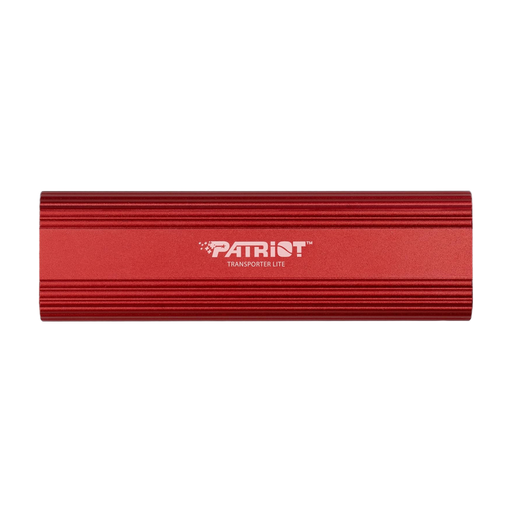
Patriot Transporter Lite 1 TB
A 1-TB external SSD for portable spreadsheet backups. Check the capacity against the versions you plan to keep.
USB 3.2 Gen 2; speeds of up to 1,000 MB/s are listed.
View at Joybuy
Frequently asked questions
Is it enough to copy spreadsheets to an SSD regularly?
Not necessarily. Keep older versions if needed, and test whether you can actually restore a spreadsheet. The Federal Office for Information Security specifically includes restoration as part of a complete data backup strategy.
How do I set up an SSD for several studio computers?
Before setting it up, check the connections, cables, file system and, if applicable, decryption on every computer you plan to use. Back up any existing data before reformatting: Crucial notes that reformatting the X9 Pro deletes the data on the drive.
Do studio spreadsheet backups need to be encrypted?
If your spreadsheets contain personal data, your security measures need to suit the circumstances. This does not automatically mean you need a particular SSD or hardware encryption. The European Data Protection Board lists encryption as one possible measure and stresses the importance of assessing the specific context. The Federal Commissioner for Data Protection and Freedom of Information also points to the need for additional measures, since encryption on an unlocked device alone does not prevent access through that device.


