Choose a capacity that can hold complete projects, including future recordings, and check your work devices’ connections first. High transfer speeds quoted by manufacturers require a suitable connection. For long-term preservation, you’ll also need a separate backup, and you should check that you can restore your files from it.
Who this guide is for
Theatre archive with a growing collection
If you keep complete performances and their project folders for the long term, you’ll need to allow for future growth, keep separate backup copies and make sure you can restore them later. Germany’s Federal Office for Information Security (BSI) notes that storage media age in different ways, so you should check that you can restore your data.
Video team that regularly shares files
If you regularly copy large projects between work devices, both the devices’ connections and the SSD’s interface matter. Manufacturer speed claims don’t automatically apply to every combination of ports and devices.
Mobile team using several computers
If you take project folders to rehearsals or venues, check the connections, file system and, where relevant, access protection on the devices you actually use. An external SSD on its own is no substitute for a separate backup.
What to consider when buying
Capacity for an archive that’s rarely accessed
A good fit if: You mainly keep complete performances and project versions, copying them only occasionally.
The trade-off: A slower interface can cost you time when transferring large files regularly. And having enough storage doesn’t replace a separate backup.
USB 3.2 Gen 2x2 for frequent transfers
A good fit if: Your computer and cable support USB 3.2 Gen 2x2, and you regularly copy large project folders.
The trade-off: Samsung and Kingston quote speeds of up to 2,000 MB/s for certain models. These are manufacturers’ peak figures, not guaranteed speeds for every computer or file transfer.
USB4 for compatible work devices
A good fit if: Frequent transfers matter and your work devices support the required USB4 connection.
The trade-off: SanDisk quotes read speeds of up to 3,800 MB/s and write speeds of up to 3,700 MB/s for the USB4 version under suitable conditions—not for every connection.
| What matters |
What to check before buying |
Who should pay particular attention |
| Space for complete projects |
Add up your current storage needs and allow for future projects. When checking the stated capacity, also factor in the space taken up by formatting, as Crucial points out. |
If I’m keeping performances alongside raw footage and edited versions, I need room for the collection to grow too. Around 25% of consumers prioritise capacity for complete projects. |
| Restoring files |
Plan to keep a separate copy and check that you can open or restore the files you need. The BSI emphasises that you can’t predict exactly how long storage media will remain functional. |
If a recording can’t easily be replaced, I don’t want to rely on a single storage device. Around 25% of consumers put restoring files first. |
| Speed when transferring large files |
Check that your computer and cable support the same USB mode. Samsung quotes speeds of up to 2,000 MB/s for the T9, but this manufacturer figure doesn’t automatically apply to every connection. |
If I regularly move large performance and editing folders, the right connection matters. Around 20% of consumers put transfer time first. |
| Using the SSD with several devices |
Check the ports, cables, formatting and host features of the devices you actually use. Crucial notes that compatibility depends on formatting and host features. |
If I want to open the same project folders on different computers I already own, they need to work on each one. Around 15% of consumers prioritise device compatibility. |
| Controlled access |
Check how access protection and password recovery work on the specific model. Samsung says the T9 has password protection with AES 256-bit hardware encryption. |
If I take recordings with me when travelling, I want to be able to control access to the files. Around 15% of consumers put access protection first. |
Common mistakes
-
Using the largest or fastest SSD as your only copy
A single storage device can fail or get lost. The BSI also notes that you can’t predict exactly how long storage media will last, and recommends checking that you can restore your data.
Keep a separate copy and occasionally check that you can open or restore the files you need from it.
-
Assuming advertised MB/s figures apply to every project folder
Manufacturer figures are peak speeds measured under specific conditions. USB 3.2 Gen 2 and USB 3.2 Gen 2x2 are different interface modes.
Before using a manufacturer’s figures as a guide to your own transfer speeds, check that your computer’s port and cable meet the SSD’s requirements.
-
Confusing a protection rating with data or access security
A rating for the casing doesn’t give you a second copy of your data or tell you who can access your recordings.
Consider physical protection, access protection and data backup as separate requirements.
SSD brands to consider
Samsung
The Portable SSD T9 is available in capacities up to 4 TB and uses USB 3.2 Gen 2x2.
- Samsung quotes read and write speeds of up to 2,000 MB/s for the T9, as well as password protection with AES 256-bit hardware encryption.
- These figures apply to the specific model with a compatible connection; they don’t guarantee the same speed on every computer.
Crucial
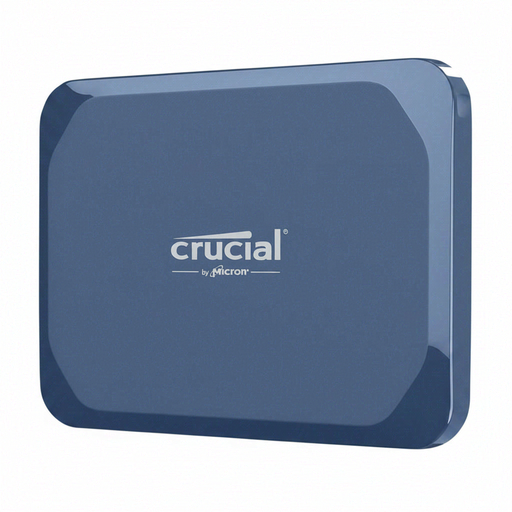
The X10 Pro is an option for setups with USB 3.2 Gen 2x2; the X9 Pro uses a different interface.
- Crucial offers the X10 Pro in capacities up to 4 TB and quotes read speeds of up to 2,100 MB/s and write speeds of up to 2,000 MB/s.
- These figures apply to the X10 Pro under the stated conditions. Crucial also notes that formatting and host features affect compatibility.
Kingston
The XS2000 is available in capacities up to 4 TB and uses USB 3.2 Gen 2x2.
- Kingston quotes read and write speeds of up to 2,000 MB/s for the XS2000, which also comes with a removable protective sleeve and an IP55 rating.
- You’ll need a compatible connection to reach the quoted speeds. The protection rating applies to the casing and is no substitute for a backup or access protection.
SanDisk
The Extreme PRO with USB4 is an option for teams with compatible USB4 work devices.
- For the 2-TB USB4 version, SanDisk quotes read speeds of up to 3,800 MB/s and write speeds of up to 3,700 MB/s. It’s also backwards compatible with older USB ports.
- These peak figures apply to the USB4 version and don’t automatically apply to older ports or other Extreme PRO variants.
Seagate
The Ultra Compact SSD is a small, easy-to-carry option with a built-in USB-C connector.
- Seagate lists capacities of up to 2 TB, speeds of up to 1,000 MB/s and an IP54 rating for this model.
- The built-in connector needs a USB-C port that’s easy to reach. The available capacity may also be limited for a larger archive.
Joybuy products for project archives
This selection features external SSDs for storing and transporting theatre project folders. Compare each drive’s capacity with your current collection and expected growth.
 No image available
Crucial X10, 1 TB
A portable 1 TB SSD for project folders, provided your calculated storage needs, including future growth, fit within this capacity.
View at Joybuy
 No image available
MOVESPEED YSPSRX20M-1TTG, 1 TB
This portable SSD offers 1 TB of storage for project files on the go. Before using it, check that it’s compatible with the ports and systems on your work devices.
The product name mentions USB 3.2 and transfer speeds of up to 2,060 MB/s. Actual speeds depend on the connection and usage conditions.
View at Joybuy
 No image available
Samsung T7, 2 TB, Titanium Grey
The 2 TB version is suitable for project folders if your calculated archive needs stay within this capacity.
Listed in the product name: USB Type-C 3.2 Gen 2.
View at Joybuy
 No image available
Samsung T7, 4 TB, Titanium Grey
The 4 TB version gives you more nominal storage for a large project archive. Still, work out what you need based on your files and expected growth.
Listed in the product name: USB Type-C 3.2 Gen 2.
View at Joybuy
 No image available
Samsung T9, 2 TB
A portable 2 TB SSD for project folders, provided your planned archive size, including future growth, fits within the available storage.
Listed in the product name: USB Type-C 3.2 Gen 2.
View at Joybuy
Frequently asked questions
Is a single external SSD enough for a long-term theatre archive?
Not if it’s your only copy. The BSI notes that you can’t predict exactly how long storage media will last. Keep another copy somewhere separate and check that you can restore the files you need.
Do I need to set up an SSD to use it with different computers?
That depends on the ports and formatting of the devices you use. Crucial notes that host features also matter. Check compatibility before formatting the drive, and make a separate backup of any existing files first.


