A growing video library
If you want to back up existing footage and planned recordings, size your SSD according to the volume of your files rather than choosing an arbitrary capacity in TB.


First, choose an external SSD with enough usable capacity for your video library and the growth you expect. Then check which USB protocol your workstation and cable support. USB4 can be worthwhile for frequent large transfers if your workstation supports it; with a slower connection, you won't be able to reach the advertised maximum speed. The Federal Office for Information Security recommends keeping a backup in a separate location and testing that you can restore it. A fast SSD alone doesn’t make a backup reliable.
If you want to back up existing footage and planned recordings, size your SSD according to the volume of your files rather than choosing an arbitrary capacity in TB.
If you regularly copy large projects between your workstation and storage, the SSD’s interface should match your workstation’s ports and cables.
If you regularly carry the drive around or switch between devices, consider its protection features and connectivity, and make sure you’ve tested that you can restore your backup.
Start by working out how much storage your entire video library needs, then check which features your workstation actually supports.
| Consideration | What to check | Who it matters to |
|---|---|---|
| Backup you can restore | Plan to keep another copy in a separate location, and test that you can restore your files. | If I want to do more than just copy my video files and need to be able to restore them if necessary, I want to know that the restore process works. Around 31 % of consumers put recoverability first. |
| Capacity for your existing files and future growth | Work out the size of all the folders you plan to back up, including expected growth, and remember that the full stated capacity won’t be available for file storage. | I want enough room for my existing library and planned recordings, rather than choosing an arbitrary number of TB. Around 25 % of consumers prioritise capacity. |
| Usable transfer speed | Check the USB protocol supported by the specific workstation port and the cable specification; USB-C alone doesn’t guarantee a particular data rate. | If I regularly copy large video projects, I care about the speed my port and cable can actually deliver. Around 19 % of consumers put usable transfer speed first. |
| Protection when travelling | Compare the specific model’s protection rating with the conditions you’ll carry it in, and check the relevant warranty exclusions. | I often take my backup SSD with me and want to choose protection features that suit the conditions I’ll encounter. Around 13 % of consumers prioritise protection on the move. |
| Use with multiple devices | Check operating systems, file systems and the included cables or adapters you’ll need before reformatting the drive for use between devices. | If I want to use the same SSD with several devices I already own, I need to know it will work with all of them. Around 12 % of consumers prioritise switching between devices. |
The Federal Office for Information Security recommends storing external backup media in a separate, secure location and checking that you can restore your files. If your workstation and drive are lost together, you could lose your backup too.
Keep another copy in a separate location and test restoring important video files.
The Kingston XS2000 needs a compatible host to deliver its stated Gen-2x2 performance. Kingston notes that the XS2000 won’t reach its advertised Gen-2x2 performance on a Mac.
Check the protocol supported by your specific workstation port and cable against the requirements of the exact drive.
The specifications for the SanDisk Extreme PRO with USB4 and 2 TB apply to model SDSSDE82-2T00-G25. Other Extreme PRO versions may have a different interface.
Before buying, check the full model number, capacity and interface.
Apple notes that formatting a drive erases the files stored on it.
Back up any existing files elsewhere before setting up a file system for the devices you plan to use.
The T7 Shield is an option for mobile backups if you need USB 3.2 Gen 2 and a stated level of enclosure protection.
The X9 Pro is worth considering if USB 3.2 Gen 2 and splash resistance meet your needs.
The XS2000 is one option for frequent large transfers on workstations with USB 3.2 Gen 2x2.
The Extreme PRO with USB4 is designed for compatible workstations and frequent large transfers; it’s important to check the full model name.
The Ultra Compact SSD is a direct-connect option for compatible USB-C devices when you want to travel light.
The SE920 is a USB4 option for workstations with a compatible port, featuring adjustable active enclosure cooling.
The SSDs below include options for regular backups and transferring video files on the go. The key is choosing a capacity and connection that suit your library and workstation.
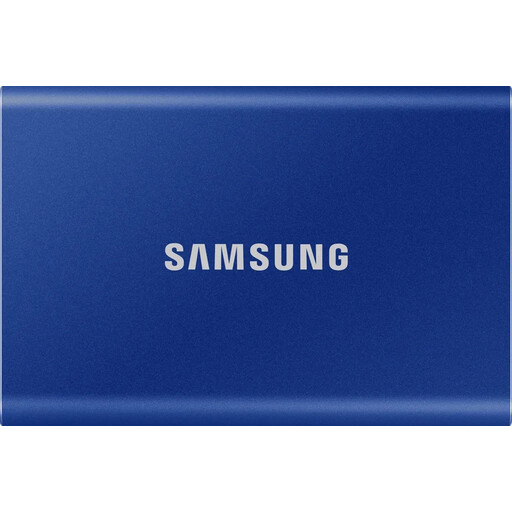 No image available
A capacity option for a library that, including planned growth, fits within 1 TB.
Capacity: 1 TB.
The product description says USB-C and USB-A cables are included; the drive should be protected from water and moisture.
 No image available
An option for frequent large transfers, provided your workstation supports the right interface.
Capacity: 1 TB. The product name specifies USB 3.2 and speeds of up to 2,060 MB/s.
The product description recommends using compatible high-speed interfaces and cables. It also advises protecting the drive from moisture, extreme heat and knocks.
 No image available
A suitable capacity option if your library and planned growth will fit within 2 TB.
Capacity: 2 TB. The product name specifies USB Type-C and USB 3.2 Gen 2.
The product description says USB-C and USB-A cables are included; the drive should be kept dry and protected from moisture.
 No image available
A higher-capacity option if your video library, including planned growth, will fit within 4 TB.
Capacity: 4 TB. The product name specifies USB Type-C and USB 3.2 Gen 2.
The product description says the drive should be protected from moisture and extreme temperatures.
 No image available
A 2-TB option for a workstation with a compatible USB port, if your existing files and planned growth fit within the capacity.
Capacity: 2 TB. The product name specifies USB Type-C, USB 3.2 Gen 2 and USB 3.1 Gen 2.
Try restoring selected files from the backup drive and opening them. The Federal Office for Information Security stresses that simply having a copy doesn’t prove you’ll be able to restore it.
Yes, you can format an external drive for use with both systems; Apple recommends ExFAT for drives over 32 GB. Back up any existing files first, as formatting will erase them.
Check the host’s exact USB protocol and the cable. For the Kingston XS2000, which offers speeds of up to 2,000 MB/s, Kingston specifies USB 3.2 Gen 2x2 as a requirement and notes that performance differs on a Mac. The shape of the connector alone doesn’t prove compatibility.
Not necessarily: Samsung specifies IP65 under controlled test conditions but excludes liquid and dust damage from the warranty. Check the terms for the specific model.