What should you consider when buying?
For large voice recording projects, your priorities depend on how much storage you need, how often you copy files and which computers you’ll use the SSD with.
| Consideration |
What to check before buying |
Who is it most important to? |
| Space for project folders |
Check the size of your existing folders and expected growth; take usable capacity into account. |
If I want to store existing folders and future projects together, I need enough room. Around 36% of consumers prioritise this need for space. |
| Copying time |
Check that your computer and cable’s USB capabilities match the SSD; don’t treat stated maximum speeds as guaranteed folder transfer times. |
If I regularly transfer large folders, I want to know whether my computer can make use of the SSD’s speed. Around 29% of consumers put copying time first. |
| Access protection and backups |
Check the security features and device compatibility; plan a separate backup and test that you can restore it. The BSI recommends regular backups. |
If recordings are sensitive or projects irreplaceable, I want to plan for access protection and another restorable copy. Around 21% of consumers prioritise protection and backups. |
| Using the SSD with different computers |
Check the connections and any adapters you need; check the file system before copying files and back up your data before reformatting. |
If I switch between different computers, I need the right connections and write access to my project files. Around 14% of consumers make device compatibility their top buying priority. |
According to Apple, exFAT is compatible with Windows; a Mac can read an NTFS volume, but can’t edit it without an additional solution. USB-C refers to the connector type. For faster transfer rates, the interface, host and cable all need to be compatible.
Joybuy products for project folders
This selection includes external SSDs for large project folders, with capacities to suit different needs. Most are USB 3.2 Gen 2 models, alongside a Gen 2x2 option for compatible computers.
 No image available
KIOXIA Exceria Plus G2 Portable SSD, 2 TB
If your project folders and planned growth fit within 2 TB, this external SSD is a Gen 2 option worth considering.
The version listed on Joybuy has a capacity of 2 TB.
View on Joybuy
 No image available
Samsung T7 Portable SSD, 4 TB
If your measured folders and expected growth call for more capacity, you could consider this 4 TB model.
The version listed on Joybuy has a capacity of 4 TB. Before buying, check that its usable capacity meets your storage needs.
View on Joybuy
 No image available
Samsung T7 SSD, 2 TB, Indigo Blue
This model is worth considering if 2 TB is enough for your existing project folders and expected growth.
The version listed on Joybuy has a capacity of 2 TB.
View on Joybuy
 No image available
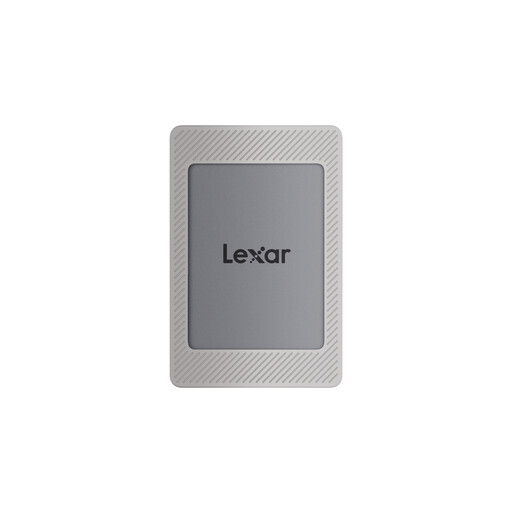
Lexar ES4 Portable SSD with magnetic holder, 2 TB
If 2 TB is enough for your project folders, this Gen 2 model is an option for connecting to a compatible computer.
The product name on Joybuy specifies USB 3.2 Gen 2 and maximum speeds of up to 1,050 MB/s for reading and 1,000 MB/s for writing; actual transfer times may vary.
View on Joybuy
 No image available
Samsung T9 Portable SSD, 1 TB
This Gen 2x2 option is suited to frequent large transfers, provided your computer and cable support the interface.
The version listed on Joybuy has a capacity of 1 TB. Samsung lists read and write speeds of up to 2,000 MB/s for the T9. Your host and cable must support USB 3.2 Gen 2x2, and UASP must be enabled.
View on Joybuy
Frequently asked questions
How can I tell whether a 20 Gbit/s SSD is worth it for my computer?
Check the specifications for the port you use and make sure it explicitly supports USB 3.2 Gen 2x2. You’ll also need a suitable cable. USB-C refers to the connector type; Kingston notes that the XS2000 won’t reach its advertised performance on a Mac without Gen 2x2 support.
What should I bear in mind when copying files between a Mac and Windows?
Check the file system and back up existing files before reformatting a drive. According to Apple, exFAT is compatible with Windows; a Mac can read an NTFS volume, but can’t edit it without an additional solution.
Can I unplug the SSD as soon as the files have copied?
Wait until the transfer is complete, then safely eject the drive in Windows. Microsoft recommends safely removing it to avoid data loss. For important projects, you should also check that the copied files can be opened.
Does keeping a copy on an SSD count as a backup?
A single portable SSD shouldn’t be the only remaining copy of an important project. The Federal Office for Information Security recommends regular backups. Keep another copy separately and check that you can restore it.
Can I simply copy or share voice recordings of other people?
Not necessarily: section 201 of the German Criminal Code (StGB) covers, among other things, the unauthorised use or sharing of a recording made without permission of words spoken in private. Whether you may use or share a particular recording depends on how it was obtained and what rights you have; choosing an SSD doesn’t give you permission.


