Working on CAD projects on the move
If you take active project folders between workstations, compare transfer times and workstation connectivity before you buy.


For frequently opening and transferring active CAD projects, an external SSD is usually the better choice for mobile storage; a portable HDD can be an alternative for large archives you rarely need. The key is the USB data mode supported by your workstation, drive and cable, as well as how your CAD software handles file references. The Federal Office for Information Security recommends planning for recovery as well as backups, so a single external drive does not count as a separate backup.
If you take active project folders between workstations, compare transfer times and workstation connectivity before you buy.
If you need a separate copy as well as your working files, check that you can restore drawings together with their associated files.
If you archive older project versions and large folders, weigh up storage capacity, access speed and how well the drive will withstand being carried around.
A good fit if: you often take project folders between workstations or regularly transfer large files.
The trade-off: peak speeds require compatible ports and cables; an SSD is no substitute for a separate backup.
A good fit if: space for large project archives that you rarely open matters more than quick access.
The trade-off: HDDs have moving parts and are more vulnerable to knocks in transit than SSDs; Kingston explains this difference between drive types.
First check the ports and cables, then the capacity you need, and finally how you’ll organise your working copy and separate backup.
| What matters | What to check before buying | Who it matters most to |
|---|---|---|
| Speed and connectivity | Check the USB data modes supported by your workstation, drive and cable, and consider your actual workflow. | If I regularly transfer active project files between workstations, I need a compatible port, not just a high drive speed rating. Around 36% of consumers put speed and connectivity first. |
| Recoverability | Plan for a separate copy, complete project files and a tested recovery process. | If I need to carry on working after a drive failure or accidental change, I want to be able to restore my projects from a separate copy. Around 29% of consumers prioritise recoverability. |
| Space for project versions | Allow for the size of complete folders, additional versions and expected growth. | If I want to keep lots of older versions and associated files, I need enough usable storage. Around 21% of consumers prioritise capacity for project archives. |
| Protection in transit | Check that the access protection meets your security needs and your organisation’s requirements. | If I carry sensitive project files with me, I want to consider unauthorised access separately from protection offered by the casing. Around 14% of consumers prioritise access protection when travelling. |
An SSD won’t necessarily reach its stated peak performance through every port. Kingston says the XS2000 needs a USB 3.2 Gen 2x2 port and a suitable cable to achieve optimum transfer rates.
Before you buy, check the USB data modes supported by your workstation, drive and cable.
If the drive fails or goes missing, the only copy stored on it could be lost too. The Federal Office for Information Security distinguishes between backup and recovery as part of a data backup plan.
Keep a second copy separately and test that you can restore the files you need from it.
If a drawing links to other files, they may be missing after you move it. Autodesk explains that, in AutoCAD, relative paths can help you move drawings together while keeping the same folder structure.
Take related files with you and check the reference paths in your CAD software after moving them.
Dust- or water-resistance ratings won’t stop someone from reading files on a lost drive.
Check access protection or encryption separately from the casing’s durability, and take your organisation’s requirements into account.
The T9 is designed for users with a compatible USB 3.2 Gen 2x2 port; the T7 Shield is a portable SSD range with a stated level of casing protection.
The XS2000 requires a compatible Gen 2x2 host; the XS1000 is a separate Gen 2 range.
The X9 Pro is a portable SSD range for users comparing Gen 2 connectivity and a stated level of casing protection.
The Portable HDD could be a good option for larger project archives or separate backups if fast access isn’t a priority.
The 4 TB Canvio Advance is an example of an HDD for consumers weighing up plenty of storage for project archives.
This selection features external SSDs for mobile project files you use frequently. Check that the port and cable are compatible with your workstation; these products are no substitute for a separate backup.
 No image available
For a 2 TB mobile working drive and regular file transfers.
USB 3.2 Gen 2; sequential speeds of up to 1,050 MB/s read and 1,000 MB/s write. USB-C-to-C and USB-C-to-A cables are included; AES-256 hardware encryption is optional.
 No image available
For a 2 TB portable project drive and frequently opening or transferring files.
USB 3.2 Gen 2; sequential speeds of up to 1,050 MB/s read and 1,000 MB/s write. The product description lists a weight of 42 g and cables for USB-C and USB-A ports.
 No image available
For mobile file transfers, with a stated capacity of 1 TB.
USB 3.2 Gen 2×2 Type-C; stated peak speeds of up to 2,060 MB/s read and 1,800 MB/s write. According to the description, these speeds require compatible ports and cables; Windows and macOS are listed as compatible systems.
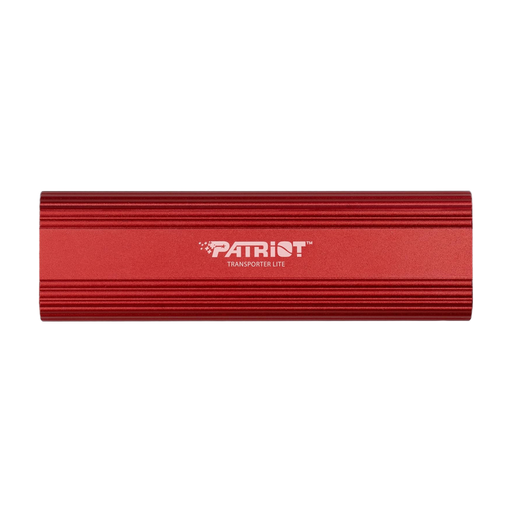 No image available
For a 1 TB portable project drive and file transfers over USB 3.2 Gen 2.
The description lists transfer speeds of up to 1,000 MB/s, a compact aluminium casing and a weight of 90 g. Windows systems are listed as compatible.
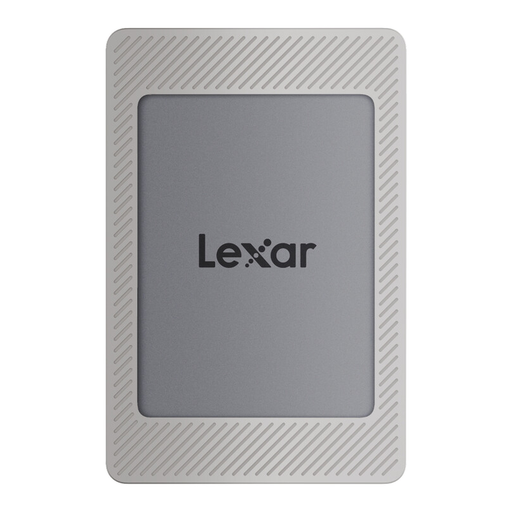 No image available
For active project files on a 2 TB mobile SSD.
USB 3.2 Gen 2; sequential speeds of up to 1,050 MB/s read and 1,000 MB/s write. The description lists AES-256 encryption software and compatibility with PCs, Macs and Type-C laptops; USB-C and USB-A cables are included.
No, not if you want your projects to be safe if the drive is lost. Keep a separate copy and check that you can restore the files from it. The Federal Office for Information Security explicitly distinguishes between backup and restore.
In AutoCAD, you may need to update reference paths after moving a project, or move the referenced files with it. Autodesk describes relative paths as a way to move drawings together while keeping the folder structure intact. Check the guidelines for the CAD software you actually use.
No. Kingston says the XS2000 needs USB 3.2 Gen 2x2 and a suitable cable to achieve optimum transfer rates. USB-C alone doesn’t tell you what data rate the port actually supports.
Check the warranty terms for the exact variant and plan for a separate backup drive if you need a separate copy. Kingston lists a limited five-year warranty for the XS2000; this does not guarantee that your data can be recovered.
Not every CAD file is subject to a blanket encryption requirement simply because of its file format. If personal data is being processed, Article 32 of the GDPR requires appropriate technical and organisational measures based on the risk; the data protection authority lists encryption as one possible measure. For sensitive data on removable storage used or carried outside a secure area, the BSI IT-Grundschutz, 2023 edition, sets out an encryption requirement within its scope. Check the data classification and your organisation’s requirements for the specific use case.