Photographers with growing RAW archives
If you keep complete folders of shoots, choose a capacity based on the files you already have and the growth you expect—not just an advertised TB figure.


For a RAW archive at your home workstation, choose an external SSD with enough capacity for your current files and planned growth, and make sure it works with your workstation’s USB port. A Gen 2x2 model is only worth considering for its advertised peak speeds if your host and cable support that mode; Samsung and Kingston both highlight this requirement. If you want to be able to recover your originals after a drive failure or accidental deletion, you’ll also need a separate backup. Germany’s Federal Office for Information Security recommends backing up your data regularly.
If you keep complete folders of shoots, choose a capacity based on the files you already have and the growth you expect—not just an advertised TB figure.
If you regularly copy large RAW folders, check what speed your workstation’s port can actually support with the cable before you buy.
If you need to keep your RAW originals safe, you’ll need a separate copy as well as your working drive, and a way to restore files from it.
The proportions show the top buying priority for each person in this RAW SSD scenario; each consumer has just one main concern.
| Priority | What to check before buying | Who is it important to? |
|---|---|---|
| Capacity for your current files and future growth | Measure the storage needed for your complete folders and allow for expected growth. Check the capacity of the specific variant. | I want enough room for my RAW files and future growth, rather than choosing based on a TB figure alone. Around 30% of consumers would put capacity first. |
| A backup you can restore | Plan a separate copy and check that you can read files back from it. Germany’s Federal Office for Information Security recommends backing up your data regularly. | If I want to keep my originals safe after a drive failure or accidental deletion, I need a separate, readable copy. Around 30% of consumers would prioritise being able to restore their files. |
| Speed when transferring large RAW files | Check the stated write speed and the USB mode supported by the SSD, workstation and cable. Samsung and Kingston make their Gen 2x2 peak speeds dependent on a compatible host and connection. | I regularly copy large RAW folders and want to know whether faster speeds could improve my workflow. Around 20% of consumers would put transfer speed first. |
| Compatibility with your workstation | Compare your computer’s port specification with the drive, and check that the cable and file system suit the devices you plan to use. | Before choosing a drive, I want to know whether I can connect and use it effectively with my workstation. Around 20% of consumers would check connection compatibility first. |
A working drive won’t protect you from a drive failure, accidental deletion or loss. Without a separate copy, your original files could become inaccessible.
Plan your second copy before moving the originals, and test that you can open individual files from it.
A separate backup requires extra storage, plus a regular routine for updating and checking it.
The speed you can achieve depends on the USB mode supported by your workstation, SSD and cable. The connector alone doesn’t tell you whether you’ll get the advertised transfer rate.
Check the specification for the specific port on your computer, then compare it with the drive’s requirements.
In 2023, SanDisk reported a firmware issue that can cause unexpected disconnections on affected devices in this model line. This doesn’t mean every unit is affected.
Before using one to store RAW originals, check the serial number of your specific drive and read the relevant guidance from SanDisk.
The T9 is a Gen 2x2 option for frequent transfers. The T7 Shield combines Gen 2 with an IP65-rated enclosure, tested under controlled conditions according to the manufacturer.
The XS1000 uses USB 3.2 Gen 2, while the XS2000 uses Gen 2x2. Both product lines offer a choice of capacities.
The X10 Pro is a Gen 2x2 range for larger RAW archives and frequent transfers. Crucial offers external SSDs in a range of capacities.
The Extreme Pro Portable SSD V2 features as a 1 TB model in an external German test list. It’s important to check the specific drive in this product line.
The TUF Gaming AS1000 is a 1 TB option with USB 3.2 Gen 2x1 and a stated enclosure protection rating. It’s not the same as the differently specified AS1000 PLUS.
This selection includes external SSDs for RAW files at a home workstation, including models with USB 3.2 Gen 2 and Gen 2x2. Before buying, check that the capacity and connection suit your files and workstation.
 No image available
A Gen 2 SSD for RAW files on an external working drive, if 2 TB is enough for your files.
USB 3.2 Gen 2; read speeds of up to 1.050 MB/s and write speeds of up to 1.000 MB/s; USB-C to USB-C and USB-C to USB-A cables listed.
As a single drive, it doesn’t replace a separate backup copy of your originals.
 No image available
A Gen 2x2 option for frequent transfers of large RAW files, provided your workstation and cable support the relevant USB mode.
1 TB; USB 3.2 Gen 2x2; read speeds of up to 2.060 MB/s and write speeds of up to 1.800 MB/s. Windows, macOS and Android are listed as compatible systems.
The stated transfer speed requires a suitably compatible interface and connection. The drive is no substitute for a separate backup.
 No image available
The 4 TB version is an option if you want to store a larger RAW archive on an external Gen 2 working drive.
USB 3.2 Gen 2; read speeds of up to 1.050 MB/s and write speeds of up to 1.000 MB/s; USB-C and USB-A cables listed.
This single drive isn’t a separate backup copy of your RAW originals.
 No image available
The T9 is worth considering for frequent transfers of large RAW files if 1 TB is enough for your archive and your workstation and cable support Gen 2x2.
USB 3.2 Gen 2x2; Samsung quotes sequential read and write speeds of up to 2.000 MB/s.
These advertised peak speeds require a Gen 2x2-capable host and a compatible cable. You’ll also need a separate backup.
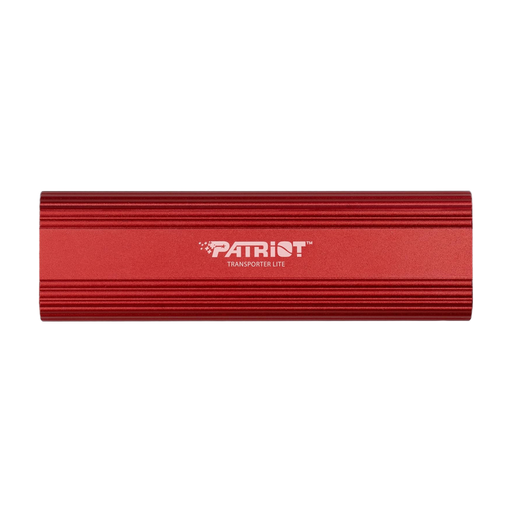 No image available
A portable SSD for RAW files on a desktop or laptop, if 1 TB is enough and you use a Windows system.
USB-C; USB 3.2 Gen 2; speeds of up to 1.000 MB/s. The product specifications list an aluminium enclosure.
As a single drive, it doesn’t replace a separate backup copy.
No, not if you want your files to remain safe after a drive failure, accidental deletion or loss. Keep a separate copy and check that you can read files back from it. Germany’s Federal Office for Information Security recommends backing up your data regularly.
No. To reach the advertised maximum speeds of the Samsung T9 and Kingston XS2000, the host and connection must support USB 3.2 Gen 2x2. Check the specifications for the specific workstation port and cable.
Check that the connection, cable and file system work with the computers you plan to use. Crucial notes that compatibility can depend on formatting and host features. Back up any existing files before formatting a drive.
For a consumer purchase from a business seller, you have statutory warranty rights against the seller for at least two years from the date you receive the goods. Any additional manufacturer’s guarantee is subject to its own terms and doesn’t replace your statutory rights. This doesn’t apply in the same way to purchases from private individuals.