An extra player with an existing console
You need another controller for local play and want to make sure the game and console support it before you buy. Nintendo’s supported controller configurations vary depending on the game and mode.


Start by choosing a controller supported as an additional local player by your console or PC and the specific racing game. From a side seat, a wireless connection can make cable routing easier, as long as it’s compatible with your platform; also check whether you need a receiver. On a Nintendo console, your existing Joy-Con may be enough if the game supports the way you want to use them.
You need another controller for local play and want to make sure the game and console support it before you buy. Nintendo’s supported controller configurations vary depending on the game and mode.
From where you’re sitting, cable routing and connection type matter. Check which connection suits your platform rather than relying on the word “wireless” alone. Microsoft lists several possible connection methods for Windows.
You may want to use a controller you already own, or choose an extra one with a grip, features and power supply that suit your gaming sessions. Nintendo describes different ways to hold Joy-Con; PowerA lists extra buttons and motion controls for one Switch model.
First, check that your console, racing game and local split-screen mode are compatible. Then make sure the connection works for you from the side seat.
| What matters when buying | What to check before buying | Who it matters most to |
|---|---|---|
| Platform and game mode | Check your console or PC, the specific racing game, split-screen on one console, player count and supported controller types. | If I want to make sure an extra player can actually join in on the same screen, I check the game and platform first. Around 36 % of consumers put this compatibility first. |
| Connection from your seat | Check the connection type for your platform, whether you need a receiver and how to route a cable to your seat. | If a cable running across the seating area would be impractical, I look for a wireless connection that works with my device. Around 29 % of consumers prioritise the connection from their seat. |
| Grip and steering | Consider whether a single Joy-Con or a full gamepad feels better in your hands, and check which steering options the game supports. Nintendo says tilt controls can be enabled in Mario Kart 8 Deluxe. | If I can already join in but am choosing between compact controls and a full gamepad, comfort and handling are key. Around 21 % of consumers put them first. |
| Buying, charging and features | Consider the controllers you already own, how they charge, their power supply and which extra features you actually need. | If I already have the controls I need, I check whether another controller and its features are worth the extra cost and effort. Around 14 % of consumers prioritise buying, charging and features. |
Connection types can vary by platform and model. For the standard GameSir G7 Pro, the manufacturer lists a wired connection for Xbox, but also 2.4 GHz wireless for PC.
Check the connection and whether you need a receiver for your specific platform and seating position.
An awkward cable or the need for an extra PC receiver can make the controller less convenient to use.
A local multiplayer mode doesn’t necessarily mean several people can play on one console with a split screen. Nintendo lists up to four players in TV or Tabletop mode for Mario Kart 8 Deluxe.
Check specifically for a mode that supports several players on the same console, and confirm the number of players it allows.
8BitDo lists different platform compatibility for the Ultimate 2 Bluetooth and Ultimate 2 Wireless. For Switch 2, the manufacturer says the Bluetooth version requires a firmware update.
Check the full model name, platform list and any firmware requirements.
You may need a different connection or have to complete extra setup.
Older Switch Joy-Con can be used wirelessly with Switch 2, but Nintendo says they can’t be attached directly to the console or charged there. The PowerA Switch model described doesn’t support HD Rumble, IR or amiibo NFC.
Check whether you already have the charging accessories you need, and only look for features you’ll use in the game.
Depending on your choice, you may need batteries, charging accessories or a different controller later on.
Worth considering if you already own controllers for a Nintendo console or are looking for an extra controller for local racing.
The DualSense is an option as an extra controller for supported PS5 games.
Xbox Wireless Controller for supported Xbox consoles and Windows PCs.
A model-specific alternative, such as the Ultimate 2 Bluetooth for Switch and Windows.
The G7 Pro is worth considering for the Xbox, PC and Android connection options listed by the manufacturer.
Licensed Switch controllers may be worth considering if you want motion controls and extra buttons.
This selection includes controllers for playing from the side on a Windows PC, Nintendo Switch, Xbox and PS5. Before buying, check that your specific racing game supports the controller for local split-screen play.
 No image available
For playing from the side on a Windows PC, the wireless connection described may be suitable if you can plug the USB receiver into your PC.
Features include four triggers, two programmable back buttons and a rechargeable battery. The supplied USB RF receiver is required for wireless use.
 No image available
The title describes this as a wireless controller for PC; a PS5 button layout alone doesn’t confirm PS5 compatibility.
The description lists Hall effect joysticks, switchable trigger modes, programmable back buttons, a 1000 mAh battery and USB-C.
 No image available
This set may be suitable for an extra local player if the game supports the Joy-Con configuration you want to use.
The pair includes one left and one right Joy-Con, which the description says can also be used separately. The Joy-Con Grip is sold separately if you want to use them together like a full gamepad.
 No image available
This could suit playing from the side if your Xbox or Windows device supports one of the wireless connections listed.
Compatible platforms include Xbox One, Xbox Series X/S and PC. Connection options include Xbox Wireless and Bluetooth; it runs on two AA batteries.
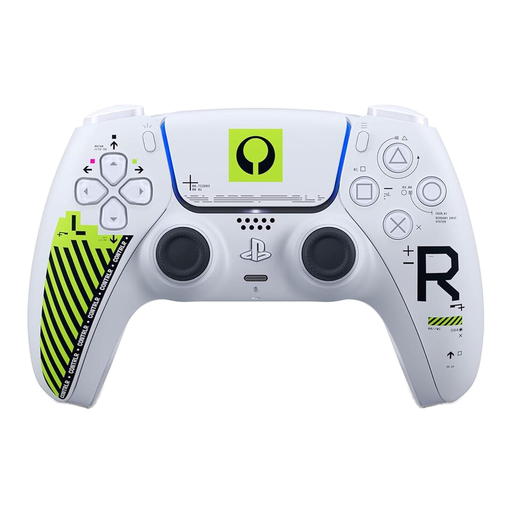 No image available
The wireless design may be useful if you’re sitting to the side, provided the specific PS5 racing game supports local multiplayer.
The description lists Bluetooth and USB-C, along with haptic feedback, adaptive triggers and a textured grip. Whether these features work depends on the game.
No. Nintendo lists up to four players on a split screen on the same Nintendo Switch in TV or Tabletop mode. This is different from local play across several consoles connected wirelessly.
From the HOME Menu, open “Controllers”, then “Change Grip/Order”. Nintendo explains that you use the SL and SR buttons when holding a single Joy-Con horizontally; whether this works depends on the game.
Yes. Nintendo describes tilt controls that you can enable in the game for Joy-Con. Check the setting on the vehicle selection screen or during the race if the steering doesn’t behave as expected.
According to Your Europe, when you buy from a trader, you’re entitled to a minimum two-year legal guarantee from the date you receive the goods. This is separate from a manufacturer’s voluntary guarantee. For most online distance purchases, you generally have 14 days from delivery to cancel the order. Exceptions and possible return costs should be checked separately.
No. Germany’s Federal Environment Agency explains that old electrical equipment must be collected separately. Where possible, remove the batteries before handing the controller in and recycle them separately.