Joybuy products for family backups
This selection includes portable HDDs, desktop HDDs and an external SSD for backing up a family computer.
 No image available
WD Elements Portable 5TB USB-C
For families who want to put a portable drive away after backing up. The product name specifies 5 TB and USB-C.
View at Joybuy
 No image available
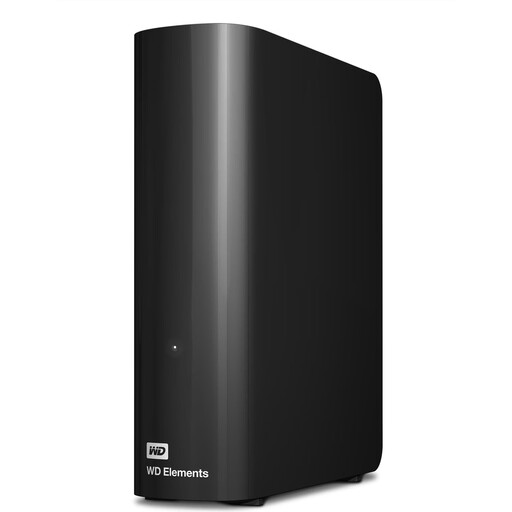
WD Elements 12TB Desktop, USB 3.2 Gen 1, 3.5 inches, NTFS, black
For a large archive at a fixed workstation. The product name specifies 12 TB, USB 3.2 Gen 1, 3.5 inches and NTFS.
According to the product description, the drive needs to be reformatted for use with a Mac.
View at Joybuy
 No image available
WD Elements 8TB Desktop, USB 3.0, 3.5 inches, black
For large backups at a fixed workstation. The product name specifies 8 TB, USB 3.0 and a 3.5-inch desktop form factor.
According to the product description, the drive needs to be reformatted for use with a Mac.
View at Joybuy
 No image available
WD My Passport, 2 TB
For a portable backup you plan to set up regularly. The product title specifies 2 TB and automatic backups.
The product title also mentions password protection. Before setting it up, check that its features suit your preferred backup method.
View at Joybuy
 No image available
Samsung Portable SSD T7, 4 TB, USB-C 3.2 Gen 2, titanium grey
For frequent transfers of large files or a portable backup. The product name specifies 4 TB and USB-C 3.2 Gen 2.
Check that the ports and cable on your family computer suit the way you plan to use the drive.
View at Joybuy
Frequently asked questions
How do I back up files regularly instead of just copying them once?
In Windows 10 and Windows 11, File History can regularly back up files from libraries to an external drive and restore earlier versions, as explained by Microsoft Support. Remember to include any additional folders outside your libraries. On a Mac, set up the external device as a Time Machine backup volume and check the backup status.
Can I use a drive with existing files for Time Machine?
Check the drive before setting it up: Apple points out that Time Machine may ask you to erase the selected storage device. Back up any existing files somewhere else first, or choose a different backup volume.
If a drive develops a fault, what’s the difference between a guarantee and statutory rights?
In Germany, statutory warranty rights are a claim against the seller, while a manufacturer’s guarantee is a separate voluntary service with its own terms. The Verbraucherzentrale distinguishes between these two types of protection. Keep your proof of purchase and check the terms for the specific model. A replacement drive isn’t a substitute for keeping a second copy of your data.
Can I put an old external hard drive in my household rubbish?
No. According to Germany’s Federal Environment Agency, old electrical equipment must be collected separately. You can take it to a recycling centre, among other options. Before handing it in, also check whether any personal data on the drive can still be accessed.


