Making a call on your own in an open-plan office
If you’re speaking to your family on your own, it’s important that they can hear you clearly. Also consider whether other people in the office could hear the call through a speaker.


If you’re calling on your own and people in the office might overhear, a headset is usually the better choice: a speakerphone plays your family’s voices out loud in the room. If you specifically want to go hands-free and the location is suitable, choose a model with the USB or Bluetooth connection you need, and check for microphone noise reduction and a mute function. Manufacturer claims are no substitute for trying it out with a test call at your workplace.
If you’re speaking to your family on your own, it’s important that they can hear you clearly. Also consider whether other people in the office could hear the call through a speaker.
If you switch between calling on your computer and your mobile phone, you’ll need the right connections or Bluetooth. Jabra lists USB-A or USB-C for computers and Bluetooth for mobile phones for the Speak2 55.
If someone else in the room will be joining the family call, microphone coverage and the ability to speak at the same time become more important. An open-plan office isn’t automatically a suitable place for several people to talk.
First decide whether it’s OK for other people to hear the voices on your family call. Then consider speech clarity, the connections you need and how many people will be speaking in the room.
These are the main things to consider when choosing a device for family calls in a noisy office:
| What matters | What to check before buying | Who is it most relevant to? |
|---|---|---|
| Being heard clearly over office noise | Check for microphone noise reduction and echo cancellation. If possible, make a test call from the place where you plan to use it. | If I want my family to hear me clearly despite the office chatter, how well my voice comes through matters to me. Around 36% of consumers put speech clarity first. |
| Keeping the call private | Check whether there’s a quiet room available; if not, consider a headset with the right connection. | If I don’t want people in the office to hear my family, a headset or a quiet room is important to me. Around 29% of consumers prioritise privacy. |
| Connecting to a computer and mobile phone | Check that the USB-A or USB-C connection works with your computer, and that the model you’ve chosen supports Bluetooth on your mobile phone. | If I switch between my computer and mobile phone, I don’t want to be tied to a single connection. Around 21% of consumers prioritise being able to switch between devices. |
| Taking part together in the same room | Check the exact model’s microphone range and full-duplex capability against your seating arrangement and the place where you’ll be speaking. | If someone else in the room will be joining the call, I need suitable microphone coverage for several voices. Around 14% of consumers prioritise being able to take part together in the same room. |
A microphone filter can affect what your family hears, but it won’t stop other people in the office hearing the sound from the speaker.
If you need to prevent others from overhearing, consider a headset rather than a speakerphone.
The Dell SP3022 is a wired desktop speakerphone; according to Jabra, the Speak2 55 offers USB connections for computers and Bluetooth for mobile phones. Connections can vary between specific versions.
Before buying, check the full model name, what’s included in the box and the connections available on your devices.
If the connection isn’t compatible with your device, you may need a suitable adaptor or a different product.
A microphone designed to pick up several people won’t automatically solve the problem of nearby conversations in an open-plan office. For a one-to-one call, wider coverage might also pick up voices around you.
Choose microphone coverage to suit the number of people in the room, and check how clearly you can be heard from the place where you plan to make the call.
According to Jabra, the Speak range includes models for calls on the move and group conversations. For the Speak2 55, the manufacturer lists USB connections for computers and Bluetooth for mobile phones.
According to Dell, the SP3022 is a wired desktop speakerphone for a dedicated USB workstation.
According to HP, the Sync 20 series connects to PCs via USB-A and to smartphones via Bluetooth, making it an option if you switch between devices.
According to Anker, the PowerConf S330 is a USB-C speakerphone with a USB-A adaptor, designed for a wired workstation.
According to the manufacturer, the OfficeCore M3 and M2 are USB and Bluetooth speakerphones. EMEET highlights group pickup and noise processing.
This selection includes a personal listening option for more private one-to-one calls, as well as Bluetooth and wired speakerphones.
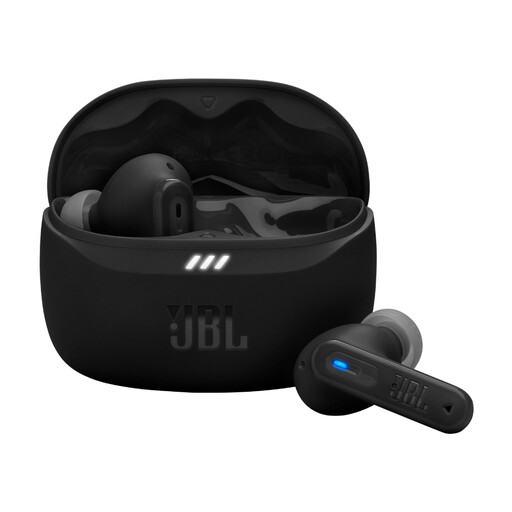 No image available
A personal listening option if you don’t want your family’s voices played out loud through a speaker on the desk.
The product specifications list Bluetooth, Multipoint, microphones for calls, Adaptive Noise Cancelling and Smart Ambient.
 No image available
For calls in different locations when you need a Bluetooth speakerphone with a built-in battery.
The product description lists eight microphones, noise reduction, automatic echo cancellation and beamforming modes. People within earshot may be able to hear the speaker output.
 No image available
For calls where you want to switch between a computer and a Bluetooth device, or pick up several voices in the room.
The product specifications list USB-C, Bluetooth, a built-in battery and eight microphones with 360° pickup. Noise reduction and a mute function are also included. The speaker output may be audible to others in the room.
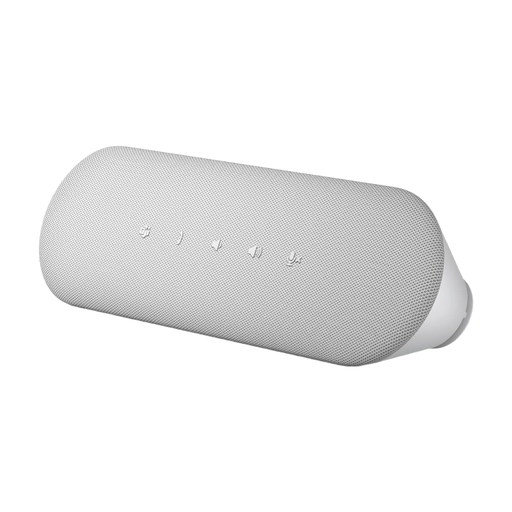 No image available
For a dedicated computer workstation with a wired connection, when it’s OK for other people in the room to hear the speaker output.
The product description lists USB-A and USB-C, AI noise reduction, echo cancellation and full-duplex audio. Speaker output doesn’t protect your privacy.
Connect the exact device version using its specified USB connection or Bluetooth, then select it in your calling software’s audio settings. Jabra explains how to do this with the Speak 510 on a PC. Before your call, check the microphone, audio playback and mute function.
Battery level only matters if the device is running on battery power. Jabra lists up to 12 hours of talk time for the Speak2 55; actual battery life depends on how you use it. Jabra also provides manuals and firmware resources for this model.
If a product is faulty, statutory rights against the seller are separate from a voluntary guarantee. The Verbraucherzentrale says that the first step under the statutory warranty is to request a repair or replacement; a manufacturer’s guarantee is subject to its own terms and conditions.
No. Under § 201 Abs. 1 StGB, it is a criminal offence to record another person’s non-public spoken words without authorisation. This doesn’t give a general answer on whether a private call is permitted in a particular workplace; the specific circumstances and workplace rules must be considered separately.