Researchers with lots of project versions
If you update your family tree regularly, your backup should keep older versions and let you restore them. The BSI and the Verbraucherzentrale offer advice on backing up data and restoring files.


For a mainly stationary family history archive with lots of scans, an external HDD may be suitable. If you often carry files between computers, a portable SSD is an option, provided its connections and requirements suit your devices. With either type, you’ll need to keep earlier project versions deliberately and test that you can restore them: a single drive is not a separate second backup.
If you update your family tree regularly, your backup should keep older versions and let you restore them. The BSI and the Verbraucherzentrale offer advice on backing up data and restoring files.
Digitised certificates, photos and source materials can increase the amount of storage you need. Choose a capacity based on your existing collection and planned backup copies. For digital records to be kept permanently, the Bundesarchiv recommends retaining the original format and, where necessary, also saving a PDF/A representation that stays as close to the original as possible.
If you take project files and scans with you, check the connections, cables and file system for every device you use. Encryption may be useful for personal records when you’re out and about; the BSI explains how to encrypt individual files, folders or entire drives.
A good fit if: you mainly back up scans and project versions in one place, and the capacity suits your collection.
Consider: A single external drive won’t keep older versions for you or replace a separately stored copy.
A good fit if: you often carry your archive between compatible computers or copy large collections of scans.
Consider: Manufacturers’ speed claims apply only under the stated connection and device conditions. They don’t tell you whether earlier project versions will be kept.
| What you need | What to look for | Who needs it? |
|---|---|---|
| Earlier project versions | Check the backup software’s retention settings and test restoring an older file. | If I want to return to an earlier version of my family tree after making a change by mistake, I need specific versions saved. Around 36 % of consumers would put previous project versions at the top of their list when buying. |
| Separate backup | Plan for a second backup destination and a separate place to keep it. | If I want to keep a copy even if the first drive fails or is lost, it needs to be stored independently. Around 29 % of consumers would prioritise a separate fail-safe copy. |
| Space for scans | Factor in your existing files and any additional copies you plan to make when choosing capacity. | If my collection of certificates, photos and scans is growing, I choose capacity to suit what I actually have. Around 21 % of consumers would put space for scans first. |
| Portable or secure access | Check the connections and file system; consider encryption options for personal records. | If I use files on different computers or take records with me, the connection and security need to suit how I’ll use them. Around 14 % of consumers would prioritise portable or secure access. |
If your only drive fails or goes missing, the project versions stored on it could be affected too. The BSI notes that it’s impossible to predict exactly how long storage media will last.
Keep older versions separately from an additional backup copy. The Verbraucherzentrale explains the 3-2-1 backup strategy.
A separate copy requires extra storage or another place to keep it, as well as a little regular maintenance.
A backup running regularly doesn’t necessarily mean that earlier project versions are kept. Check the retention settings in your software and try restoring an older file.
Treat backup and version history as separate features, and check the specific settings in your programme.
According to Samsung, the peak speeds quoted for the Samsung T7 Shield require a compatible host device, a suitable cable and UASP to be enabled. These figures are therefore not guaranteed for every computer.
Compare your devices’ connections with the requirements for the specific model. For your archive, above all, check that you can reliably restore older project files.
My Passport is a range of portable HDDs. Western Digital offers a black 2-TB version, model number WDBYVG0020BBK-WESN.
Expansion Portable is a range of portable, USB-powered HDDs. The manufacturer’s data sheet lists the black 2-TB version as STKM2000400.
The Portable SSD T7 Shield is a range of portable SSDs. Samsung offers the black 2-TB version, MU-PE2T0S/EU.
Canvio Basics is a range of portable HDDs. Toshiba lists the 2-TB version under part number HDTB520EK3AA.
Memory Center is a range of 3.5-inch desktop HDDs designed for a fixed workstation. Intenso lists part number 6031514 for the 6-TB version.
This selection includes external HDDs and portable SSDs for storing and carrying archive files. Choose a capacity to suit your scans and project versions.
 No image available
For a portable archive of scans and project files; check that the capacity suits your collection.
6 TB; USB-C.
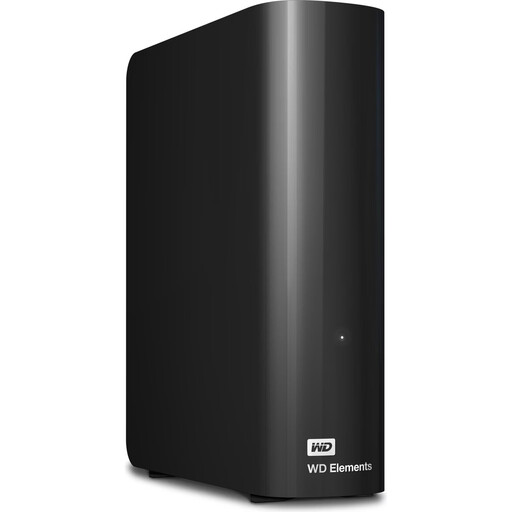 No image available
For large scan archives at a fixed workstation; make sure the desktop design suits the space you have.
10 TB; 3.5 inches; USB 3.2 Gen 1; NTFS.
According to the product information, it needs to be reformatted for macOS; back up any existing data first.
 No image available
For a portable archive of documents and scans; work out the capacity you need based on your own collection.
5 TB; USB 3.0; external hard drive.
 No image available
For a portable archive of project files and scans; check the connections on the computers you use.
4 TB; USB Type-C; USB 3.2 Gen 2; Titanium Grey.
 No image available
For carrying selected project files with you; compare the available storage with the size of your archive.
1 TB; USB 3.2 Gen 2x2.
No, not if doing so overwrites older versions. Decide how long to keep previous versions and test restoring a specific older file.
Check the connection, cable and file system before transferring files. According to Toshiba, the Toshiba Canvio Basics is formatted as NTFS for Windows and needs to be reformatted for macOS; back up any existing data before reformatting.
No. The BSI notes that it’s impossible to predict exactly how long storage media will last, so plan for a separate backup and check that you can still open your files later. For digital records to be kept permanently, the Bundesarchiv recommends keeping the original format and, where necessary, also saving a PDF/A representation that stays as close to the original as possible.
Check whether you’ll need another device or a different place to keep it for a separate second backup. Seagate notes that its Rescue service isn’t available in every country, so check whether it’s offered where you live.
According to the EU’s official Your Europe information service, the GDPR doesn’t apply to data processing by an individual outside their professional or business activities. This isn’t blanket permission for every kind of publication or professional use; check the specific purpose, particularly when handling data about living people or sharing it with others.