A laptop is a good fit for writing your family history when its keyboard and screen give you the space you need for long writing sessions, and its word-processing software can use chapter headings for navigation. Start by considering where you’ll write and how much space you need. Then check the software, the exact specification and what’s included, and keep an additional copy of your manuscript and photos on a separate storage device.
Which features are right for you?
Writers working on long chapters
You write and edit a lot, and want to find your way around chapters using formatted headings. A comfortable keyboard, a good screen and easy-to-use outline navigation matter more to you than high-end graphics performance.
Writers who work in different places
You also write away from a permanent desk, so you’re weighing up a more compact device against the screen space available.
Collectors of family history
You want to manage photos and scanned documents as well as text, so storage, ports and recoverable backups are particularly important to you.
What should you look for when buying?
Start with your writing software and workspace. Then consider backups, portability and what’s included with the exact model.
| Criterion |
What to look for |
Who will find it most important? |
| Outlining and software |
Check that your preferred writing software runs on the operating system, then test heading styles in a sample document. |
If I want to find chapters quickly, I need a proper navigation structure, not just titles that stand out visually. Around 27% of consumers put outlining first. |
| Writing comfort |
Check the keyboard and German layout on the exact model. If possible, try typing for a longer period and compare screen size and finish. |
If I write and edit many pages, I want a keyboard that suits me and a comfortable writing space. Around 27% of consumers prioritise comfort during long writing sessions. |
| Storage and backups |
Estimate how much space you’ll need for photos and scans, check the available ports, and plan for an external backup that you test restoring from. The BSI recommends making regular backups. |
If I collect family photos and documents, I want to be able to recover my files after a fault or accidental deletion. Around 20% of consumers prioritise storage and backups. |
| Writing on the move |
Check the dimensions and weight of the model you’ve chosen against how you’ll be carrying it. Don’t treat the manufacturer’s battery-life figures as a guaranteed runtime. |
If I write in different places, the device needs to be practical for my everyday routine without leaving me short of workspace. Around 13% of consumers prioritise being able to work in different places. |
| What’s included |
Check exactly which accessories are included with the model. HP marks the power adapter for the OmniBook 3 17-dp0750ng as sold separately. |
If I want to use my laptop as planned straight away, I check in advance that it includes the accessories and features I need. Around 13% of consumers pay particular attention to what’s included. |
Avoiding buying pitfalls
-
Confusing a visible chapter heading with a navigable outline
In Word, headings appear in the Navigation pane when you use heading styles. A line that is simply larger or in bold may not appear there as a chapter.
Create a short sample chapter with formatted headings and try the navigation in your preferred word-processing software.
-
Relying on internal storage as a backup
A fault, theft or accidental deletion could affect both your manuscript and your collected images. The storage in the affected laptop is not a separate copy.
Back up your files regularly to a separate storage device, and check from time to time that you can restore your manuscript and images.
-
Assuming every model in a range has the same specification
Specifications and what’s included can vary between models. HP states that the power adapter for the HP OmniBook 3 17-dp0750ng is sold separately.
Before buying, check the full model or part number, keyboard, storage and what’s included.
A guide to relevant laptop brands
Acer
The Aspire Go 15 NX.J7WEG.007 is a Windows model suited to a permanent writing space.
- For this model, Acer lists a matt 15.6-inch IPS display, 16 GB RAM, a 512-GB SSD and several USB ports.
- This model doesn’t have a backlit keyboard; other Aspire Go 15 versions may differ.
HP
With its 17.3-inch screen, the OmniBook 3 17-dp0750ng is suited to a writing space where screen size matters.
- HP lists 8 GB RAM and a 512-GB SSD for this model.
- HP marks the power adapter as sold separately. Check what’s included with the exact model.
Apple
The MacBook Air 13 with M5 is a macOS option. Pages on Mac includes a table-of-contents feature.
- For the documented base configuration, Apple lists a 13.6-inch display, 16 GB unified memory and a 512-GB SSD.
- Apple quotes battery life of up to 18 hours. This is the manufacturer’s estimate, not a guarantee of how long it will last while you write. Its screen is smaller than those on the 15.6-inch and 17.3-inch models mentioned here.
Lenovo
The AMD ThinkPad E14 Gen 7 range is a 14-inch Windows alternative with a specification that varies by configuration.
- Lenovo lists support for up to two M.2 SSDs in its product overview.
- Lenovo notes that configurations vary by region and model; maximum specifications don’t automatically apply to every version.
ASUS
The Vivobook range includes S16 models that may suit writers who would benefit from a larger workspace.
- The S16 range includes different models, each of which should be considered individually.
- ASUS notes that details for one model can’t necessarily be applied to others.
Joybuy products for writing and structuring
The Joybuy products below include 16- to 17-inch Windows laptops and a more compact MacBook Air, for writing at a permanent desk or in different places.
 Image unavailable
Acer TravelMate TMP216-41-TCO, Ryzen 3 PRO 7335U
A Windows model for writers who want to work on their manuscript alongside other open windows on a larger screen.
16-inch WUXGA IPS display, 16 GB DDR5, 512-GB SSD, AMD Radeon 660M and Windows 11 Pro Education. The description lists a weight of 1.80 kg and USB ports.
View at Joybuy
 Image unavailable
Samsung Galaxy Book6 Enterprise Edition 16, Core Ultra 7 355
A 16-inch Windows model for anyone who values a larger workspace and a backlit QWERTZ keyboard for writing.
WUXGA display, 16 GB LPDDR5X, 512-GB NVMe SSD and Windows 11 Pro. The description lists a weight of 1.74 kg, RJ45 and the colour Mocha Gray.
View at Joybuy
 Image unavailable
HP ProBook 4 G1a 16, Ryzen 5 230
A 16-inch Windows model for anyone who wants to work on their manuscript and research on a larger screen.
WUXGA IPS display, 16 GB DDR5, 512-GB SSD, AMD Radeon 760M and Windows 11 Pro. The description lists a weight of 1.75 kg and a backlit German keyboard.
View at Joybuy
 Image unavailable
Apple MacBook Air 13 (M5, 2026), 16 GB, 512 GB, Silver
A more compact macOS model for anyone who writes in different places and wants to use Pages on Mac.
13.6-inch display, M5 with 10-core CPU and 8-core GPU, 16 GB unified memory and a 512-GB SSD. The description lists a weight of 1.23 kg and a German QWERTZ keyboard; the power adapter isn’t included and must be bought separately.
View at Joybuy
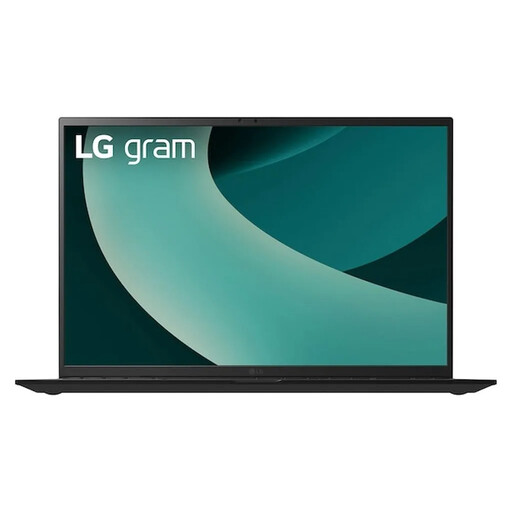 Image unavailable
LG Gram 17Z90TL-G.AU78G, 17 inch, 1 TB SSD
A Windows model for anyone who prefers a large screen for writing and managing family history materials.
17-inch WQXGA IPS display, 16 GB RAM, 1-TB SSD and Windows 11 Home. The description lists a weight of 1.39 kg and a backlit keyboard.
View at Joybuy
Frequently asked questions
Do I need a particularly powerful laptop to create a navigable chapter outline?
For outlining, the first things to consider are your word-processing software and correctly formatted headings. Microsoft Support explains how navigation works in Word for Windows, while the LibreOffice Help explains the Navigator in Writer. Check that your preferred software runs on the operating system you choose.
How should I back up my manuscript and scanned family photos?
Regularly back up files you’ve created to somewhere outside your laptop, and check that you can restore them. The German Federal Office for Information Security lists USB sticks and external hard drives among the available backup media.
What should I check is included before placing an order?
Check what’s included with the exact model variant and confirm that it comes with the accessories you need. HP states that the power adapter for the HP OmniBook 3 17-dp0750ng is sold separately.
What cancellation and legal guarantee rights apply when buying online as a private consumer in Germany?
For a standard distance sale from a trader, you generally have a 14-day right to withdraw from the contract, starting from delivery. Exceptions and possible return costs should be taken into account. The European Union’s Your Europe website explains these terms. The statutory legal guarantee for faulty goods is different from a voluntary warranty: under EU law, the minimum period is two years.


