What should you look for when buying?
First, decide whether you’ll mainly read directly on the laptop or use an existing monitor for longer sessions. Then check that the operating system, shared use and backup arrangements fit the way you work.
| Buying priority |
What to check |
Who will find this most important? |
| Reading digitised records |
Screen size and resolution for the exact configuration; readability at your preferred scaling setting. |
If I want to view records and notes side by side on my laptop, I pay particular attention to the usable screen area. Around 36% of consumers prioritise documents that are easy to read. |
| Clearing the desk |
Dimensions of the specific device, plus space for the charger and, if needed, a monitor. |
If I often need to clear the family table, I want to be able to put the laptop away easily. Around 29% of consumers prioritise portability and shared use. |
| Using genealogy software |
System requirements for the specific programme and the operating system on the version you choose. |
If I want to use a particular family tree programme, I want to know in advance whether it will run on the installed system. Around 21% of consumers put software compatibility first. |
| Backing up files |
SSD capacity for the version you choose, and a regular, tested backup method using a separate storage device. |
If I want to be able to restore scans, photos and notes, storing everything on the laptop alone isn’t enough. Around 14% of consumers prioritise file storage and backups. |
Key brands to consider
The notes below relate to specific product lines and configurations; they don’t replace checking the details of the individual offer.
Dell
The Dell 16 DC16250 is one example of a configurable Windows laptop with a larger screen for longer research sessions at a desk.
- For the configuration shown, Dell Germany lists a 16-inch screen with a resolution of 1,920 × 1,200 pixels, Windows 11 Home, 16 GB RAM and a 512 GB SSD.
- Dell notes that changing the configuration may affect other specifications. These details don’t apply to all Dell devices.
Apple
The MacBook Air with M5 is available with a 13-inch or 15-inch screen, making it an option for browser-based research and compatible macOS applications.
- Apple lists a 13.6-inch screen for the 13-inch model, along with Thunderbolt 4 ports that support DisplayPort.
- According to its provider, Ahnenblatt is a Windows programme. Before buying, check that your preferred software is supported and whether you’ll need any adapters.
HP
The HP Laptop 15-fd1771ngx is a specific 15.6-inch option for buyers who are comfortable setting up the operating system themselves.
- The HP Store Germany lists 16 GB RAM and a 512 GB SSD for this offer.
- This specific offer comes with FreeDOS 3.0 rather than Windows pre-installed, and the power adapter is sold separately. These details apply to this offer, not the brand as a whole.
Lenovo
The IdeaPad Slim 3 16IRH10 is a range worth considering if screen space and ports are important for a permanent research setup.
- The Lenovo data sheet lists support for external monitors via HDMI and USB-C, as well as a choice of storage configurations.
- The data sheet doesn’t confirm the specifications or availability of a particular version sold in Germany. Check the model number, keyboard layout and operating system in the specific offer.
Laptops available at Joybuy
This selection features 16-inch laptops for longer research sessions at a desk. For the specific version, check that the operating system and ports are suitable for your software and existing monitor.
 No image available
Acer TravelMate TMP216-41-TCO
The 16-inch format is well suited to longer research sessions at a desk, when you want to work with documents and notes on your laptop.
16 inches, WUXGA, AMD Ryzen 3 PRO 7335U, 16 GB DDR5, 512 GB SSD, AMD Radeon 660M, Windows 11 Pro Education.
View at Joybuy
 No image available
Lenovo ThinkBook 16 G9 AHP 21UT
The 16-inch format is a good fit for longer research sessions at a shared desk.
40.6 cm (16 inches), AMD Ryzen 5 220/3.2 GHz, Radeon 740M, Windows 11 Pro, 32 GB RAM, 1 TB SSD NVMe.
View at Joybuy
 No image available
Lenovo ThinkPad E16 Gen 3 21ST
The 16-inch format is designed for a permanent research setup; check the software requirements for the way you plan to use it.
40.6 cm (16 inches), AMD Ryzen 7 250/3.3 GHz, Radeon 780m, Windows 11 Pro, 32 GB RAM, 1 TB SSD TCG Opal Encryption 2, NVMe.
View at Joybuy
 No image available
Samsung Galaxy Book6 Enterprise Edition 16
The 16-inch format may suit longer research sessions at a desk; make sure the operating system and ports meet your needs.
Touchscreen, Intel Core Ultra 7 355, 16 GB LPDDR5X RAM, 512 GB NVMe SSD, Windows 11 Pro, RJ45.
View at Joybuy
 No image available
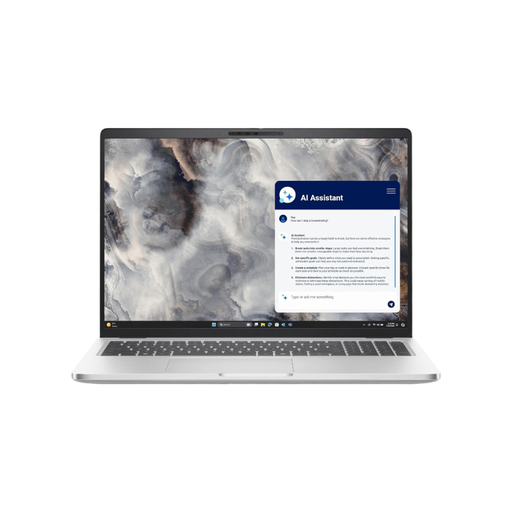
DELL Pro 16 Plus PB16250 U7-266V, 16 GB
This model is an option for a permanent research setup; check the specific configuration and your genealogy software requirements before choosing.
View at Joybuy
Frequently asked questions
Does genealogy software work equally well on Windows and macOS?
No, support depends on the programme. Ahnenblatt describes itself as a Windows programme, while the Gramps project offers downloads for Windows and macOS. Before buying, check the specific programme and version you want to use.
How can several family members use the same laptop without mixing up their files?
On Windows, you can set up separate user accounts with their own files and settings, as Microsoft Support explains. For research files stored locally, the Federal Office for Information Security also recommends making regular backup copies on a separate storage device.
Can you view all archive records you find online for free?
No. The Federal Archives distinguishes between research information and digitised copies; records that haven’t been digitised aren’t available to view online just because they appear in search results. Some digitised copies are also subject to access restrictions and may require an application.
What are your rights when buying a laptop online in Germany?
For a standard online purchase from a business, you generally have a 14-day right to cancel, starting from the day you receive the goods; statutory exceptions apply. If the product is faulty, you have statutory rights against the seller, which are separate from any voluntary manufacturer’s guarantee. Your Europe and the consumer advice centre explain these rights.
Do laptops sold in Germany have to support USB-C charging?
The European Commission gives 28 April 2026 as the start date for common USB-C charging requirements for laptops too. Check whether the specific model is covered and whether a power adapter is included. A USB-C port alone doesn’t confirm that the charging power is suitable or that a power adapter is supplied.


