First, choose your writing software and decide how family members will send their feedback back to you. Then check the keyboard, screen size and portability of the specific laptop configuration. A larger screen gives you more room for your draft and notes, while a more compact device takes up less space. Whichever you choose, plan to keep an extra backup of your writing.
Who this selection is for
Dedicated family historians
If you write long chapters on your laptop and revise them often, the keyboard and a clear, easy-to-read screen matter more than an especially compact design. Notebookcheck and Lenovo Germany highlight input devices and display features as useful points to consider for writing.
Family editors
If several family members will contribute edits, the shared document workflow should work with the software and devices everyone uses. Microsoft Support, Apple Support and the Google Docs Editors Help explain different ways to track or suggest changes.
Writers on the move
If you write while travelling or sometimes without an internet connection, consider not only the size of the device but also whether you need to set up your files and offline access in advance. Apple Germany and the Google Docs Editors Help explain the different requirements.
What to consider when buying
Windows laptop with Word
A good fit if: you use Windows and want to track changes in Word.
Things to weigh up: Keyboard layout, display and specifications vary by full model number. Also check that the version of Word you need is available.
MacBook Air with Pages
A good fit if: you prefer macOS and your contributors can work with Pages.
Things to weigh up: If Pages documents are shared via iCloud with change tracking switched on, people without Pages can only view the document in Pages for iCloud. So agree on the workflow with everyone involved in advance.
Google Docs in a browser
A good fit if: you want family members to leave suggestions in a shared document.
Things to weigh up: You’ll need to set up offline access in advance for writing sessions without an internet connection.
| Priority |
What to check when buying |
Who it matters most to |
| Comfortable writing and reading |
Keyboard layout and feel, as well as the display’s size, resolution and finish. |
When I’m writing long chapters and often reading edits, I want a keyboard that suits me and a screen that’s easy to work with. Around 33% of shoppers put comfortable writing and reading first. |
| Working on edits together |
Agree on the software, file format and sharing method with your contributors, then test the process with a document that includes comments. |
When family members make suggestions, I want to see what’s been changed and what I still need to accept. Around 27% of shoppers prioritise a shared editing workflow. |
| Writing on the move and offline |
Compare the device size with where you’ll write; prepare the files you need and set up offline access while you’re connected. |
When I’m writing in different places or without a reliable connection, I want to check in advance that my documents will be available. Portability or offline work is the main priority for around 20% of shoppers. |
| Backing up drafts and family materials |
Plan regular additional backups and check that you can restore a copy. |
When I want to keep my chapters and collected family records safe, I plan a recoverable backup as well as saving them on my laptop. Around 20% of shoppers put protecting their files first. |
Common buying mistakes
-
Choosing the laptop before agreeing on how edits will work
Word, Pages and Google Docs handle suggested changes and sharing differently. If Pages documents are shared with change tracking switched on, contributors without Pages can only view the document in Pages for iCloud.
Before buying, test a document with comments on everyone’s devices and agree on software and sharing settings that work for all.
Changing software may mean you need to coordinate with your contributors again.
-
Assuming cloud storage is the same as an independent backup
A saved working file isn’t automatically an extra, recoverable copy. Germany’s Federal Office for Information Security recommends regularly backing up your own writing and other documents.
Plan an additional backup method and test that you can restore the copy.
-
Assuming what’s included and which software you need from the model name alone
A laptop model name doesn’t tell you by itself which software or accessories are included with the specific configuration you’re buying. For example, the Inspiron 7440 configuration described by Dell does not include a charger.
Check the power supply, operating system and writing software you need separately against the full configuration details.
You’ll need to budget for a separate charger with the Inspiron 7440 configuration described by Dell.
Brands to consider
Lenovo
The ThinkPad E14 Gen 7 21SX000RGE is a specific Windows option for a compact writing setup. These details apply only to this configuration.
- For the 21SX000RGE, Lenovo lists a backlit German keyboard, a matte 14-inch display and 16 GB RAM.
- Other E14 configurations may differ. Check the full model number and specifications.
Apple
The MacBook Air is a macOS option for a Pages-based writing workflow. Apple offers 13- and 15-inch models.
- Apple explains how to track changes in Pages.
- If Pages documents are shared via iCloud with change tracking switched on, people without Pages can only view the document in Pages for iCloud.
ASUS
The Vivobook S 15 OLED S5506MA is a Windows option with a larger built-in screen.
- For this range, ASUS lists a 15.6-inch OLED display, as well as USB-A and USB-C ports.
- The range includes different specifications. Check the operating system, memory and included accessories for the full configuration you’re buying.
Dell
The Inspiron 14 2-in-1, model 7440, is a Windows option if you’d like touch controls as well as a keyboard.
- The German configuration reviewed lists a 14-inch touchscreen, 16 GB RAM and a 512 GB SSD.
- Dell marks the charger as not included with the offer shown. A touchscreen alone doesn’t mean a stylus is included.
Joybuy products for writing and editing
This selection includes laptops for writing a family history, including Windows devices and a MacBook Air for a Pages-based workflow.
 No image available
Lenovo ThinkPad E16 Gen 3 21ST
If you prefer a larger screen for writing in German, this ThinkPad is a good option to compare.
Listed in the product name: 16-inch display, AMD Ryzen 7 250 at 3.3 GHz, Windows 11 Pro, Radeon 780M, 32 GB RAM and 1 TB SSD.
Joybuy
 No image available
HP OmniBook Ultra Flip 14-fh0670ng
This 2-in-1 model is worth considering if you’d like to use touch controls as well as the keyboard when writing.
Listed in the product name: 14-inch touchscreen, Intel Core Ultra 7 258V, 32 GB RAM, 1 TB SSD, 2.8K OLED and Windows 11 Home.
Joybuy
 No image available
Apple 15-inch MacBook Air (M5)
If you want to use Pages on macOS, check in advance that everyone involved can use the sharing workflow you have in mind.
Listed in the product name: M5, 16 GB, 512 GB SSD and German QWERTZ keyboard. According to the product description, a power adapter is not included and must be purchased separately.
Joybuy
 No image available
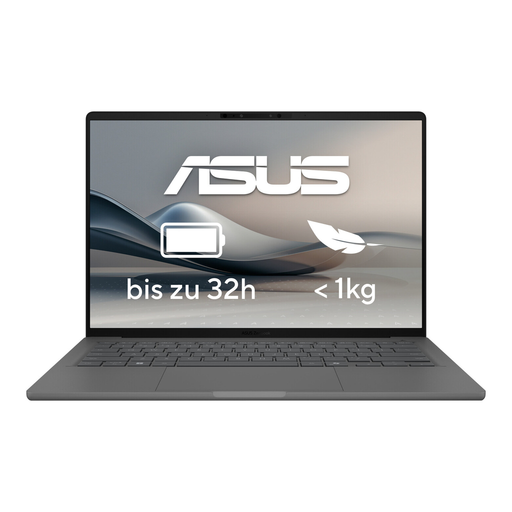
ASUS Zenbook A14 OLED UX3407RA-QD011W
If you’re looking for a laptop to write on while out and about, compare this OLED model with your needs for screen size and ports at your usual writing spots.
The product name specifies an OLED display. Check the full configuration for other features that matter to your workflow.
Joybuy
 No image available
HP ENVY x360 16-ac0473ng
If you’d like to switch between keyboard and touch controls, compare this convertible with a traditional laptop.
Listed in the product name: 16-inch WUXGA IPS display, Intel Core Ultra 7 155U, 16 GB RAM, 512 GB SSD and Windows 11.
Joybuy
Frequently asked questions
Do I need a Windows laptop to review edits?
No. Word lets you track changes, as does Pages on Mac, while Google Docs lets you suggest changes. What matters is choosing software and sharing settings that everyone involved can actually use. If Pages documents are shared with change tracking switched on, contributors without Pages can only view the document in Pages for iCloud.
How do I get Google Docs ready for a writing session without internet?
Set up offline access while you’re connected. The Google Docs Editors Help says you’ll need Chrome or Edge on a computer, with the “Google Docs Offline” extension installed and enabled. The file you need must also be available offline.
Is it enough to save my family history on my laptop?
No. Germany’s Federal Office for Information Security recommends regularly backing up your own writing and other documents. Keep an extra copy and test that you can restore it.
Can I share details or photos from family members publicly without any further checks?
There’s no one-size-fits-all answer without knowing the content, the people concerned and how it will be published. Germany’s Federal Commissioner for Data Protection and Freedom of Information explains that processing personal data requires an applicable legal basis where data protection law applies. Before publishing, check the specific rights and permissions involved. This does not mean there is a general additional device requirement for private work on a laptop.


