Family archive keepers
You want to be able to find scans of letters in the future and plan to keep another local copy alongside the USB stick. Germany’s Federal Office for Information Security recommends checking that backups can be restored.


To store scans of family letters without using the cloud, choose a USB stick with enough capacity and the right connector for your collection and devices. For confidential letters, model-specific access protection may also be useful. Don’t rely on the stick as your only storage: Germany’s Federal Office for Information Security points out that the lifespan of storage media cannot be predicted precisely and recommends testing whether your backups can be restored. Encryption helps prevent unauthorised access if the stick is lost, but it doesn’t replace a separate local copy.
You want to be able to find scans of letters in the future and plan to keep another local copy alongside the USB stick. Germany’s Federal Office for Information Security recommends checking that backups can be restored.
You store personal information or take the USB stick with you, and are weighing up access protection, password management and the consequences of being locked out or having data deleted. Germany’s Federal Office for Information Security explains how encryption protects data on portable storage media.
You transfer scans between devices with different USB connectors and want to check that the files open on each one. SanDisk describes the Ultra Dual Drive Go as having both USB-A and USB-C connectors.
Start by comparing your storage needs, then consider protection requirements and connectors. Germany’s Federal Office for Information Security points out that the lifespan of storage media cannot be predicted precisely.
| Priority | What to check before buying | Who is this particularly important to? |
|---|---|---|
| Being able to find scans again | The size of your existing and planned scans; a separate local copy and a trial run opening files from it. | If I don’t want to lose family letters, I need a second local copy and want to check that files can be opened from it. Around 36% of consumers place the greatest importance on being able to find their files again. |
| Protecting confidential content | Encryption on the specific model, supported operating systems and what happens after incorrect password attempts. | If the letters contain personal information or I take the USB stick with me, I look for access protection and check what happens if I enter the wrong password. Around 29% of consumers rank confidentiality as their top priority. |
| Connecting devices | The connectors on all the devices you plan to use; copy and open a test file on each one. | If I want to use the scans on several devices, the connector must fit and the files must open on each one. Device compatibility is the top priority for around 21% of consumers. |
| Transferring lots of scans | Check the write speed of the exact variant and how useful it is for the amount of data you need to transfer. | If I have a large collection, I want to estimate how long copying will take rather than focus only on the interface specification. Around 14% of consumers rank transfer time as their top priority. |
Germany’s Federal Office for Information Security says the lifespan of storage media cannot be predicted precisely. And having files on the USB stick doesn’t prove that they can be restored.
Keep a separate local copy and regularly open a selection of files from it.
Access protection and backups solve different problems. With the Kingston IronKey Locker+ 50 G2 and Verbatim Secure Pro, the manufacturer says that repeated incorrect password attempts may result in data being deleted.
Check the failed-attempt policy for the exact model and keep a separate local backup that can be read independently.
On 18 May 2026, the F.A.Z. Buying Guide reported that read and write speeds can vary considerably between capacities in the same product range.
If you’re transferring a large number of scans, compare the write speeds for the exact capacity variant rather than relying only on the interface specification or maximum read speed.
DataTraveler Exodia is a straightforward USB-A option, while IronKey Locker+ 50 G2 may suit anyone looking for hardware-based encryption.
Secure Pro, model #98666, is a USB-A option for confidential scans if its password requirements suit the way you plan to use it.
The Ultra Dual Drive Go, model SDDDC3-128G-G46, is worth considering if you switch between devices with USB-A and USB-C connectors.
The 64 GB Classic is a straightforward USB-A option if the connector suits your computer.
The Joybuy products below are USB sticks for storing and transferring scans of letters locally. Choose a capacity and connector to suit your scan collection and the devices you use.
 No image available
Check whether 256 GB is enough for your existing scans and any you plan to add.
256 GB.
 No image available
The 64 GB variant may suit a smaller scan collection, as long as there’s enough room for future scans too.
64 GB; USB 3.2 Gen 1; 220 MB/s according to the product name.
 No image available
Compare the 128 GB capacity with your scan collection and check that the connector fits the devices you plan to use.
128 GB; USB 3.2 Gen 1.
 No image available
If you want to transfer scans between USB-A and USB-C devices, check the connectors and make sure files open on each device.
32 GB; USB-A and USB-C; USB 2.0; pack of 2.
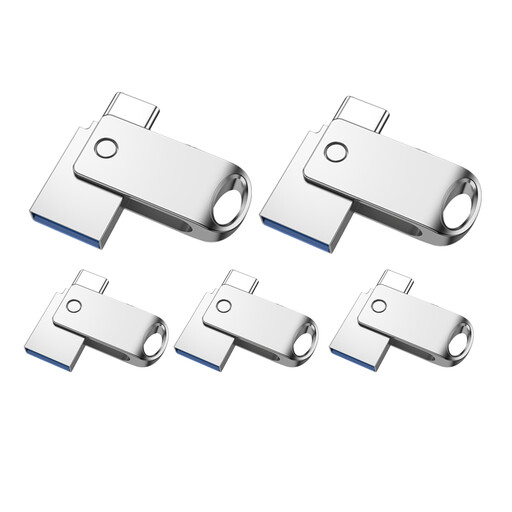 No image available
If you want to set up several local storage options, first check what capacity and connectors you need for your intended use.
32 GB; USB-A and USB-C; USB 2.0; pack of 5.
Not if you want to keep the scans safe if the USB stick is lost or damaged. Germany’s Federal Office for Information Security points out that the lifespan of storage media cannot be predicted precisely. Keep another local copy and check that you can open files from it.
First, copy a test file to the USB stick locally and open it on the device you plan to use. If you use scanning or backup software, check its settings to make sure the files are stored locally. You can also keep an additional backup on a separate local storage device.
According to Germany’s Federal Office for Information Security, it can make unauthorised access more difficult if an encrypted USB stick is lost, but it doesn’t replace a backup. Kingston lists hardware-based encryption for IronKey Locker+ 50 G2, and Verbatim does so for Secure Pro. Check the password and failed-attempt rules for the specific model too.
Under the European Data Protection Board’s Guidelines 8/2020, processing by an individual in the course of purely personal or household activities falls outside the GDPR’s scope. This doesn’t apply in every situation, such as when scans are made publicly available.
According to Germany’s Federal Environment Agency, electrical waste must not go in household rubbish. It should be taken to a separate collection point, such as a recycling centre or an authorised take-back point. Germany’s Federal Office for Information Security recommends securely removing personal data or checking its access protection before handing on or disposing of a USB stick.