First, decide who should be able to read your scans on the shared computer and where you’ll keep a separate, recoverable copy. Then choose a USB stick with the right connector and enough space for your scan folders. Encryption can protect data stored on a lost, locked stick, but it’s no substitute for a separate backup or careful handling of files on the computer.
Who is this selection for?
Family archivists
If you want to keep scans of letters for the long term, make a separate copy as well as using a USB stick, and check that you can open the backed-up files. The German Federal Office for Information Security (BSI) points out that the lifespan of storage media cannot be predicted precisely.
People using a shared computer
If you want to protect private letters, distinguish between access to a locked stick and what happens to files that have already been opened or saved on the computer. The BSI describes encryption options for individual files, folders or entire storage devices.
Moving between devices
If you transfer scan folders between devices, check which USB ports are available and whether the files open on every device you plan to use. For mobile devices, Transcend says USB-OTG support is required for the JetFlash 890.
What should you look for when buying?
For family letters on a shared computer, the key considerations are keeping a separate backup, protecting private files and making sure the stick works with the devices you plan to use.
| Priority |
What to check before buying |
Who is it important to? |
| Recoverable backup |
Choose a second storage location and test that you can open files from it. |
I want to be able to open the letters even if the stick is lost or fails. Around 26% of consumers prioritise a recoverable backup. |
| Privacy |
Check how the stick is unlocked and what encryption covers; also consider where temporary scan files are stored. |
If I don’t want private letters to be visible to everyone using the computer, protection from unauthorised access matters. Around 26% of consumers put privacy first. |
| Access across devices |
Check which USB-A and USB-C ports are available, and that files can be read on every device you plan to use. |
I want to open scans on devices with different connectors. Around 21% of consumers prioritise access across the devices they plan to use. |
| Space for scans |
Check the size of your folders and allow for future additions before choosing a capacity. |
If my collection of scans grows, I want to choose a capacity that suits the folders I actually have. Around 16% of consumers focus on having enough storage space. |
| Transfer time |
Compare the write speed for the exact model and capacity; read speed is not the same as write speed. |
If you regularly transfer whole scan folders, you’ll want to avoid unnecessary waiting. Around 11% of consumers prioritise transfer time. |
Buying and usage pitfalls
-
Keeping your only set of scans on a portable stick
A high stated capacity won’t prevent loss, failure or files becoming unreadable over time. If that happens, you could lose the only copy of your scans.
Make a separate copy and test that you can open the backed-up files. The BSI recommends backing up data because the lifespan of storage media cannot be predicted precisely.
Keeping a copy in a second location and checking it regularly takes time and effort.
-
Confusing USB stick encryption with protection on a shared computer
Protecting a locked stick doesn’t tell you who can see files once they’ve been unlocked, opened or also saved on the computer.
Before buying, check both how the stick is unlocked and how you’ll scan and save files on the shared computer.
-
Comparing only the connector or read speed
A compatible connector alone tells you nothing about write speed. In its test dated 4 January 2026, COMPUTER BILD rated the write performance of the tested 128-GB SanDisk Extreme Pro model positively, while it rated the write performance of the tested 128-GB SanDisk Ultra Dual Drive Luxe model as very slow.
Compare test results for the exact version, then check that you can access the files on your devices.
If you transfer files often, slower write speeds can mean extra waiting.
-
Relying on memory alone to keep track of your unlock code
A security feature can make it harder for you to access your own files. According to the manufacturer, the Verbatim Keypad Secure #49429 needs to be reformatted after 20 incorrect code entries.
Keep the code somewhere you can find it securely, and have a recoverable copy that’s separate from the encrypted stick. Verbatim also notes that the model requires a security update.
Key brands at a glance
Verbatim
The Keypad Secure #49429 is a USB-A option with a keypad and, according to the manufacturer, hardware-based encryption.
- Verbatim says the model has on-device code entry and AES-256 hardware encryption.
- According to the manufacturer, it needs to be reformatted after 20 incorrect code entries. The USB-C version, #49432, has different product specifications.
Kingston
According to Kingston, the DataTraveler Duo has USB-A and USB-C connectors. Kingston also offers its own encrypted USB product ranges.
- Kingston lists 128 GB and 256 GB versions of the DataTraveler Duo, with a five-year limited warranty.
- Information about Kingston’s encrypted product ranges does not confirm that the DataTraveler Duo has built-in encryption.
SanDisk
The tested 128-GB Extreme Pro USB 3.1 Gen1 and Ultra Dual Drive Luxe USB Type-C models differ in their connectors and in the test results for write performance.
- In its test dated 4 January 2026, COMPUTER BILD rated the write performance of the tested Extreme Pro model positively.
- In the same test, the write performance of the tested Ultra Dual Drive Luxe model was rated as very slow. These results apply to the specific versions tested.
Transcend
According to the manufacturer, the JetFlash 890 combines USB-A and USB-C.
- Transcend lists a 128-GB version, among others, and a five-year limited warranty.
- According to Transcend, mobile devices need to support USB-OTG. COMPUTER BILD rated the write performance of the tested 128-GB model as slow.
Intenso
The High Speed Line is a range of USB sticks for which Intenso also lists a 128-GB version.
- Intenso states that the 128-GB version has write speeds of up to 100 MB/s.
- This is a manufacturer’s claim, not a measured everyday speed. COMPUTER BILD rated the write performance of the tested 128-GB model as slow.
USB sticks at Joybuy
The following Joybuy products include encrypted sticks, software encryption and USB sticks with USB-A and USB-C connectors for storing scans of letters.
 No product image available
Kingston IronKey Keypad 200, 32 GB
An option if you want to store scans of letters on a stick with PIN entry and hardware-based encryption.
32 GB; USB 3.2 Gen 1; AES-256 hardware encryption and on-device PIN entry. Stated write speeds are up to 115 MB/s.
View at Joybuy
 No product image available
SanDisk Cruzer Blade SDCZ50-032G-B35, 32 GB, USB 2.0
A straightforward USB-A option if you want to store files on the stick and look into a separate software-based way to protect them.
32 GB; USB 2.0. The product description mentions SanDisk SecureAccess with 128-bit AES encryption for files.
View at Joybuy
 No product image available
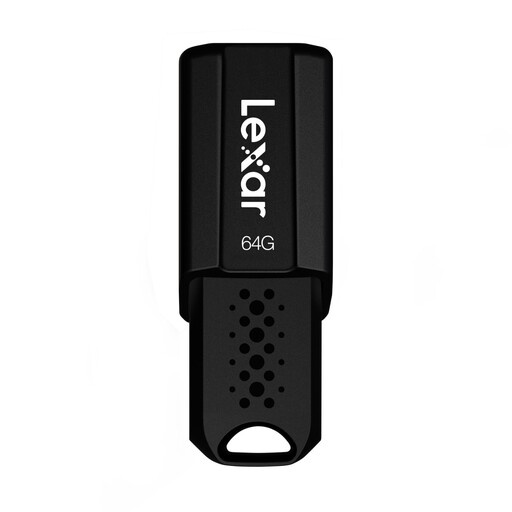
Lexar JumpDrive S80, 64 GB, USB 3.1
An option if you want to store scan folders on your computer and use software encryption for sensitive files.
64 GB; USB 3.1. The product specifications state read speeds of up to 150 MB/s and include AES-256 security software.
View at Joybuy
 No product image available
Lexar D40E (LJDD40E128G-BNSNG), 128 GB
An option if you want to transfer scan folders between devices with USB-A and USB-C connectors.
128 GB; USB-A and USB-C; USB 3.2 Gen 1. The product specifications list an AES-256 software solution for protecting files.
View at Joybuy
 No product image available
MOVESPEED YSUYC-256GSN, 256 GB
An option if you’re considering a stick with fingerprint access and both USB-A and USB-C connectors.
256 GB; USB 3.2 Gen 1; fingerprint access and AES-256 encryption. The product specifications state read speeds of up to 550 MB/s and write speeds of up to 500 MB/s. According to the product description, data in the secure partition may not be recoverable if the password and fingerprint access can’t be used.
View at Joybuy
Frequently asked questions
Is one USB stick enough to archive family letters?
Not if you want to keep your scans if the stick is lost or fails. The BSI points out that the lifespan of storage media cannot be predicted precisely. Make a separate backup and check that you can open the files from it.
Will an encrypted stick protect scans on a shared computer too?
Encryption on a locked stick protects stored data from being accessed without unlocking it, but it won’t automatically protect files that have already been opened or saved on the computer. So check how you’ll actually scan and store your files.
What should I check before using a stick with a keypad?
Decide how you’ll keep the code securely accessible, then test unlocking the stick and opening a file. For the Verbatim Keypad Secure #49429, the manufacturer says it needs to be reformatted after 20 incorrect code entries and notes that a security update is required.
What warranty does Kingston offer for the DataTraveler Duo?
Kingston lists a five-year limited warranty for the DataTraveler Duo. Check the terms for the specific product, and remember that a warranty is not the same as being able to recover lost data.
What should I do before passing on or disposing of an old USB stick?
First, back up the files you need and protect your personal data before passing on or disposing of the stick. The BSI recommends securely deleting personal data before a device is passed on or disposed of; simply deleting a file is not the same as securely erasing it.


