If one person will be speaking calmly while seated, and you want to share the recording without fuss, a voice recorder with a built-in microphone, straightforward controls and a file transfer method that suits you is a good starting point. A handheld recorder with extra recording options may be more suitable if you expect the speaker’s volume to vary, or you’d like to use the device for other recordings later on. Either way, try recording the voice from the intended seat and check the storage, power supply and file transfer in advance.
Which recorder is right for you?
Family historians recording someone who is seated
You want to capture a single voice clearly, without a lot of technical fuss. A test recording from the intended seat matters more than having as many recording features as possible. Sony Germany and OM SYSTEM describe the models mentioned here as having features for voice recording.
First-time users who will share the recording themselves
You want to try starting a recording and transferring the file at your own pace before making the actual family message. A clear set of steps and a tried-and-tested way to transfer the file will help you open the recording on the device you plan to use.
Family members planning to make other recordings
You’d like to use the recorder for other audio recordings later and are weighing up extra modes against the effort of setting them up. Zoom and Tascam list a 32-bit float mode for the handheld models covered here; that alone doesn’t tell you how clearly a voice will come through from the intended seat.
What matters for a family message recording?
First, check whether the voice sounds clear from the actual seat where the person will be speaking. Then make sure you can start recording reliably and have tested the file transfer method yourself, right through to playing and saving the recording.
| What you need |
What to check before buying |
Who is this especially important for? |
| A clear voice from the seat |
Listen to a short test recording made from the intended seat; check for a built-in microphone and, where relevant, a microphone input. |
If every word needs to be clear from the planned recording spot, I listen to a test recording in the intended surroundings. Around 36% of consumers put clarity first. |
| Starting the recording reliably |
Try the record button, display and playback before the occasion; test the controls yourself. |
If you want to start the family message without technical hurdles, try the process yourself beforehand. Around 29% of consumers prioritise ease of use. |
| Sharing and keeping the file |
Transfer a test file to the intended device and open it there; make an extra copy. |
If family members are to listen to and keep the recording, I test the export and backup process in advance. Around 21% of consumers focus on sharing and keeping recordings. |
| Other recordings and changing volume |
Check the recording mode and the storage media you’ll need; listen to a test file using your own setup. |
If the speaker’s volume varies or I’d like to use the recorder for other things later, I check whether the extra features suit the way I plan to use it. Around 14% of consumers prioritise flexible recording options. |
Common mistakes when choosing
-
Assuming 32-bit float guarantees a clear recording
The recording mode doesn’t prove that a particular voice will sound clear from the intended spot. Microphone position and the room can still make a difference.
Before the important conversation, make a short test recording to check the position, voice and playback.
-
Leaving file export until after the family message
Recording and sharing are two separate steps. Storage, connections and the media you’ll need vary by model.
Transfer a test file in advance and open it on the device your recipients will actually use.
-
Confusing the manufacturer’s guarantee with your statutory rights
Germany’s Verbraucherzentrale distinguishes between your statutory rights against the seller and a voluntary guarantee from the manufacturer or retailer.
Check the seller’s information and guarantee terms separately, and keep your proof of purchase.
Key brands at a glance
Sony
The Sony ICD-UX570 combines voice recording settings with internal storage and a PC connection. It’s a relevant option if you want to use the voice file on a computer afterwards.
- Sony lists Auto Voice Recording and USB charging for the ICD-UX570.
- The manufacturer’s description of noise reduction doesn’t prove an independent sound advantage in your room. Check the connection, file format and power supply in advance.
OM SYSTEM
The WS-883 is a voice recorder with a simple mode, internal storage and USB data transfer. It’s worth considering if you want to try the controls and file transfer yourself before recording.
- OM SYSTEM lists a simple mode and USB transfer for the WS-883.
- Manufacturer claims about recording quality aren’t an independent sound comparison and don’t automatically apply to other models from the brand.
Zoom
The H1essential is a handheld recorder for buyers considering uses beyond a family message.
- Zoom lists one-touch recording and a 32-bit float mode.
- Before using the H1essential, check that you have a compatible microSDHC or microSDXC card and a suitable power supply.
Tascam
Tascam describes the DR-05XP as a portable stereo recorder, also designed for dictation and meetings.
- Tascam lists built-in stereo microphones and a 32-bit float mode.
- These features alone don’t prove that the recorder will make a family message clearer.
Joybuy products for voice recording
This selection from Joybuy includes voice recorders for making a family message, with a built-in microphone and options for transferring or managing the resulting file.
 No image available
PLAUD Note Pro Voice Recorder, 64 GB, Black
For a family message if you want to start recording on the device or through an app, then transfer the file via USB-C.
Listed features include 64 GB of storage, four microphones and USB-C data transfer. The device is described as compatible with Android and iOS.
View at Joybuy
 No image available
Mobvoi TicNote Lite AI Voice Recorder, 4 GB, Black
For buyers who want to make a voice recording and then manage the files through an app.
Listed features include 4 GB of storage and a triple-microphone system. Bluetooth and app management are also described; Ogg is listed as the playback format.
View at Joybuy
 No image available
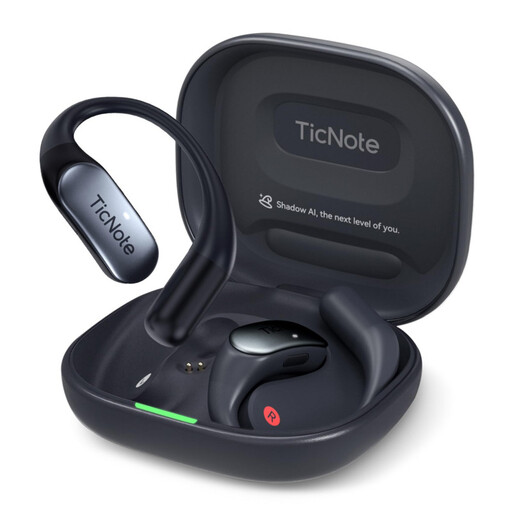
Mobvoi TicNote Pods 4G AI Voice Recorder, 32 GB, Navy Blue
For a recording setup that uses the device button followed by a cloud upload, if you’re happy to set up the app first.
Listed features include 32 GB of storage, a dual-microphone array and five hours of battery life. The described cloud workflow requires prior setup through the TicNote app.
View at Joybuy
 No image available
Mobvoi TicNote Standard AI Voice Recorder, 64 GB, Dark Grey
For buyers who want to sync and export recordings using Wi-Fi or Bluetooth.
Listed features include 64 GB of storage, a triple-microphone system and 20–25 hours of continuous recording. Wi-Fi or Bluetooth connections are described for syncing and exporting.
View at Joybuy
 No image available
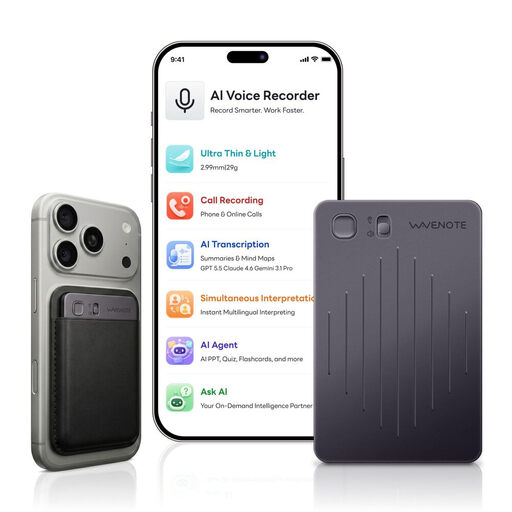
WaveNote AI Voice Recorder, 64 GB, Black Grey
For buyers who want to start recording with a side switch and manage the file through an app using USB-C or Bluetooth.
Listed features include 64 GB of storage and WAV recording. A dual-sensor microphone system and connection to the app via USB-C or Bluetooth are also described.
View at Joybuy
Frequently asked questions
How do you set up the recorder for someone speaking while seated?
Ask them to read a short passage from the intended seat, then listen to the recording using the playback method you plan to use. Next, check that you can transfer and open the file, and confirm the storage and power supply before the occasion. With the Zoom H1essential, you should also choose and test a compatible memory card.
Do you need 32-bit float for a one-off family message recording?
No, 32-bit float isn’t a general requirement for voice recording. Zoom and Tascam list the mode for the handheld recorders described here. If a straightforward way to record and share the file matters more to you, first check whether a voice recorder is better suited to your needs.
Who can help if the recorder develops a fault after purchase?
For purchases in Germany, statutory rights against the seller are separate from a voluntary guarantee offered by the manufacturer or retailer. The Verbraucherzentrale recommends checking the guarantee terms separately and keeping your proof of purchase.
Can you record and share another family member’s voice without asking?
Section 201 of the German Criminal Code (StGB) covers unauthorised recording of another person’s private speech, as well as using or sharing a recording made in this way. So before recording, make sure the speaker knows they’re being recorded and who will receive the family message. Being related to someone doesn’t, by itself, give you blanket permission.


