What should you look for when buying?
First, think about how you’ll restore your photos and how much storage you really need. The German Federal Office for Information Security recommends checking that backups can be read and disconnecting the drive once the backup is complete.
| What matters |
What to check before buying |
Who is this important to? |
| A backup you can restore |
Keep your photos on a separate copy and test restoring individual files. |
If I want to get my family photos back if something goes wrong, I need a separate copy that I can read; around 31% of consumers put restorability first. |
| Room for your photo archive |
Work out how much space your photos and videos need, allow for future growth and check the usable capacity. |
For a growing archive, what matters most to me is having room for both today’s and tomorrow’s photos; around 25% of consumers prioritise capacity. |
| Device compatibility |
Check the USB connection, file system and backup method; back up any existing data elsewhere before reformatting. |
If I want to back up photos from several family devices, the connection and backup method need to be compatible; around 19% of consumers prioritise device compatibility. |
| Keeping private photos secure |
If needed, plan for encryption that works with your devices and a secure way to store your password. |
If you want to protect personal photos from prying eyes when a drive is being carried around or could be lost, consider encryption; around 13% of consumers focus on this. |
| Transferring and carrying files |
Check how often and how much you’ll be copying, as well as the USB standard supported by your device. |
If I often copy new photos or take the drive with me, ease of use and transfer time matter most; around 12% of consumers prioritise frequent mobile transfers. |
Drives for local photo backups
The following Joybuy products include external HDDs for larger photo archives and SSDs for frequent file transfers.
 No image available
WD Elements Portable 5TB USB-C
An external HDD for a growing photo archive; the product listing gives a storage capacity of 5 TB.
Capacity: 5 TB. Connection: USB-C.
View at Joybuy
 No image available
WD Elements Portable 2TB, USB-C, USB 3.2 Gen 1, 2.5-inch, exFAT, Black
For local file copies between Windows and Mac devices; the product listing specifies exFAT as the pre-installed file system.
Capacity: 2 TB. Connections: USB-C and USB 3.2 Gen 1. File system: exFAT.
View at Joybuy
 No image available
KIOXIA Exceria Plus G2 Portable SSD 2 TB
An external SSD for frequent file transfers; the product listing gives a storage capacity of 2 TB.
Capacity: 2 TB. Drive type: SSD.
View at Joybuy
 No image available
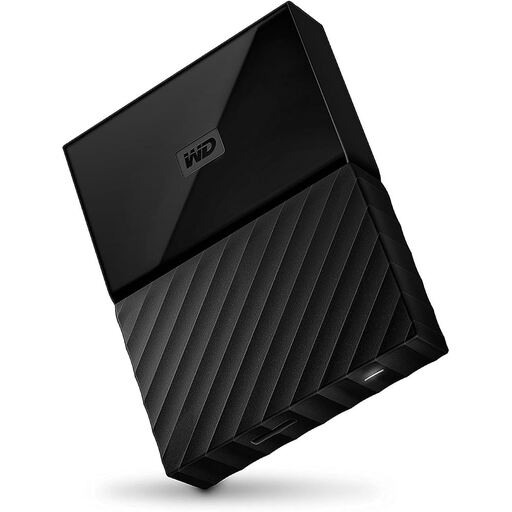
Western Digital My Passport 4TB Black
For a large photo archive; the product listing gives a capacity of 4 TB.
Capacity: 4 TB. Colour: Black.
View at Joybuy
 No image available
Samsung Portable SSD T7 2TB, USB Type-C 3.2 Gen 2, Titanium Grey
An external SSD for regular file transfers; the product listing gives a storage capacity of 2 TB.
Capacity: 2 TB. Connection: USB Type-C 3.2 Gen 2.
View at Joybuy
Frequently asked questions
Is it enough to move family photos to a single external hard drive?
No. If the photos are stored only on that drive afterwards, it becomes their sole storage location. Keep the originals or another separate copy, and check from time to time that your backed-up photos are readable and can be restored.
Can I use an HDD bought for Windows with Time Machine straight away?
Not necessarily. Toshiba says Canvio Basics is pre-formatted as NTFS for Windows and must be reformatted for use with a Mac. Apple notes that setting up Time Machine may require you to erase the selected drive, so back up any existing files elsewhere first.
What ongoing costs and rights should I consider when buying a drive?
If you need another separate copy, you should budget for an additional storage device. According to EU information, purchases from a business seller come with a minimum two-year legal guarantee from the date you receive the goods; this is separate from any additional manufacturer’s warranty.
Do I need GDPR consent to back up family photos locally for personal use in Germany?
According to the German Federal Commissioner for Data Protection and Freedom of Information, the GDPR does not apply to the processing of personal data solely for personal or family purposes. This exception does not automatically apply to other uses, such as posting photos of other people online.
Where should I dispose of an old external drive?
In Germany, waste electrical equipment must be handed over to an authorised collection provider, such as a local authority collection point or an appropriate take-back point. Before handing it in, check how to securely erase any personal photos stored on the drive.


