What to look for when buying
Start by deciding what matters most at your shared desk. The examples of print formats and functions in the table are based on model information from Canon Germany, Epson Germany and HP Support.
Compact postcard photo printer
A good fit if: you mainly print individual family photos and use several photo sources at the desk. Canon Germany lists the SELPHY CP1500 as supporting 100 × 148 mm prints and several ways to print.
The trade-off: this model needs a compatible ink and paper set, and it isn’t designed for A4 documents.
Small smartphone photo printer
A good fit if: space is limited and small pictures or stickers are enough. Canon Germany lists the SELPHY QX20 as supporting media measuring 72 × 85 mm or 54 × 85 mm.
The trade-off: the small print area leaves less room for group photos. The QX20 and HP Sprocket Photo Printer both rely on their respective apps for printing.
A4 all-in-one printer
A good fit if: you need to print larger group photos as well as documents, make copies or scan. Epson Germany lists these functions for the Expression Photo XP-8700.
The trade-off: a larger printer takes up more space. With the XP-8700, you should also factor in the need for individual ink cartridges.
| What you need |
What to check before buying |
Who it matters most to |
| Print size for group photos |
Compare the format supported by the specific model with the print size you want, and check that everyone will be visible in the cropped image. |
If I want to share family group photos on paper, every face should be recognisable. That’s why around 36% of consumers put the right print size for group photos first. |
| Ways to print for several people |
Check which connections and printing methods the exact model supports for every smartphone and computer you use. |
I want to be able to send photos from different devices at our shared desk. Around 29% of consumers prioritise having several suitable ways to print. |
| Consumables |
For your preferred print size, compare the compatible sets, cartridges or ink with the number of prints you expect to make. |
For regular family photo prints, I want to know what I’ll need to buy again. Around 21% of consumers put ongoing consumable costs first. |
| Photos and documents |
Choose an A4 all-in-one printer only if you genuinely need to print, copy or scan. |
If I want to handle photos and everyday documents with one device, extra functions matter. Around 14% of consumers prioritise using one printer for both photos and documents. |
Joybuy products on this topic
The Joybuy models below range from small portable photo printers to devices for shared printing, scanning and document tasks. For family group photos, pay particular attention to the print size and stated colour output.
 No image available
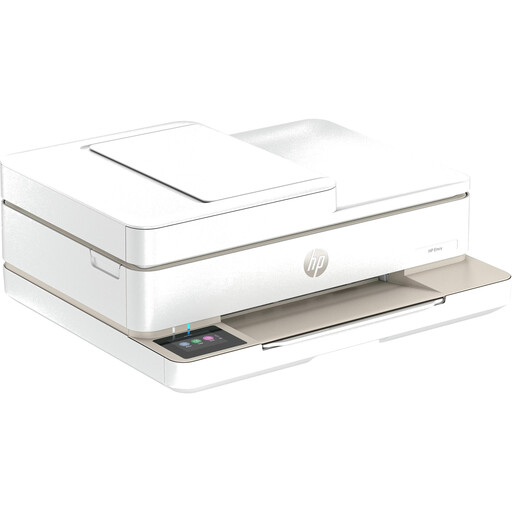
HP Envy 6520 All-in-One Wireless Inkjet Printer
A better fit if you need to copy or scan documents as well as print in colour at your shared desk.
Prints, copies and scans; automatic document feeder; Wi-Fi, Bluetooth and USB.
The product details list a print resolution of up to 4800 × 1200 optimised dpi.
Joybuy
 No image available
Mini Bluetooth Thermal Printer
Could suit you if you want a small smartphone printer for notes and small image prints, rather than a replacement for colour family photos.
Bluetooth connection to iOS or Android smartphones; thermal printing with ten rolls of thermal paper included.
The product description lists black-and-white prints. Thermal paper images can turn black if rubbed.
Joybuy
 No image available
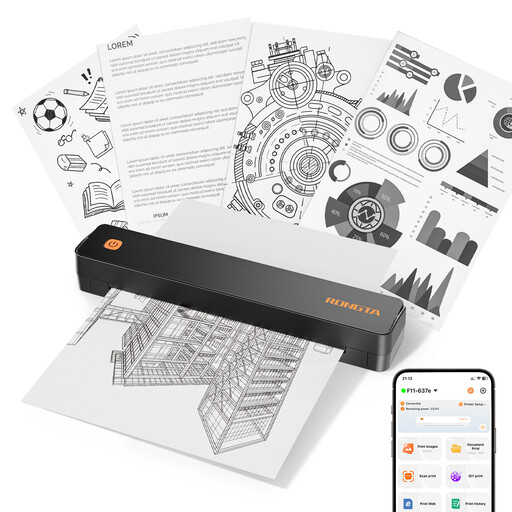
RONGTA F11B Portable A4 Thermal Printer
A better fit if you also want to print images and documents from smartphones or laptops at a shared workspace.
Bluetooth and USB; supports A4, A5 and B5 paper sizes.
The stated specifications are 203 dpi and 16 mm/s.
Joybuy
 No image available
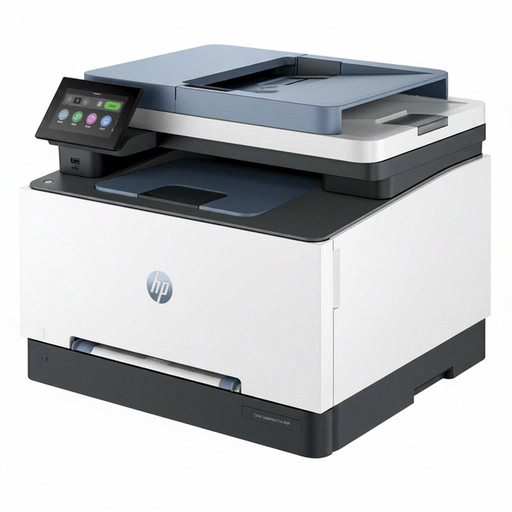
HP Color LaserJet Pro MFP 3302sdwg
A better fit if you need to print colour documents and scan or copy paperwork at your shared workspace.
Colour and black-and-white printing; scanner and copier; automatic double-sided printing.
Wi-Fi, Ethernet and USB are listed as connection options.
Joybuy
 No image available
Xiaomi Portable Photo Printer 1S
Could be a good choice if several people want small, sticky-backed smartphone prints rather than large group photos.
ZINK printing via Bluetooth; multi-user connection and self-adhesive paper measuring 50 × 76 mm.
The stated weight is 180 g. The small paper size leaves little space for group photos.
Joybuy
Frequently asked questions
How can several family members send photos to the same printer?
It depends on the printing methods supported by the specific model. Canon Germany lists smartphone printing over Wi-Fi using SELPHY Photo Layout, a computer connection via USB or Wi-Fi, and an SD card reader for the SELPHY CP1500. The QX20 is designed for smartphone printing through its app.
What print size works well for family group photos?
If you want several faces to be easy to recognise, compare your preferred print size with the format the printer actually supports. Canon Germany lists 100 × 148 mm for the SELPHY CP1500; the QX20 supports 72 × 85 mm or 54 × 85 mm.
What should I consider when it comes to the ongoing cost of a photo printer?
Include the consumables compatible with the model in your comparison. For the same photo size, compare the sets, cartridges or ink you’ll need with the number of prints you plan to make. Don’t assume a manufacturer’s stated yield is guaranteed for your photos.
What can I do if my Epson inkjet printer produces streaks or incorrect colours?
For affected EcoTank and Expression printers, Epson recommends starting with a nozzle check, followed by a printhead clean if necessary. Check the ink levels before running a cleaning cycle, and follow the instructions for your specific model.
What statutory rights apply when buying a printer in Germany?
For purchases of consumer goods in the EU, you have a minimum two-year legal guarantee from the seller, starting when you receive the goods. Your Europe, the European Union’s consumer information service, explains this minimum period; a voluntary manufacturer’s guarantee is separate.


