What should you look for when buying?
Start by deciding which game and mode you’ll use. You can then match the device and the number of inputs you need.
| Consideration |
What to check before buying |
Who it matters most to |
| Game compatibility |
Check separately whether the game supports gamepad controls for menus and quiz answers, and which platforms it works with. |
I want to be sure my device can actually submit answers, rather than just navigate menus. Around 36 % of consumers prioritise compatibility between the game and input device. |
| Visibility and controls |
Check whether you can read the questions from the seat you plan to use; make sure the shared screen is visible, whatever input device you use. |
From a seat at the side, I want to see the questions and clues clearly and answer comfortably. About 29 % of consumers place the greatest importance on visibility from a side seat. |
| Number of players |
Match the number of players to the supported game mode and the input devices it requires. |
For our group, I want to know whether the mode we choose supports enough players and inputs. Around 21 % of consumers prioritise the number of players. |
| Language and content |
Check the language and age rating for the specific edition of the game, rather than relying on details for another title or pack. |
If children are playing, I want clear questions and an age rating that’s suitable for this particular game. About 14 % of consumers prioritise language and age guidance. |
Nintendo lists a Joy-Con mode for 2–8 people and a smartphone mode for 2–100 people in Everybody 1-2-Switch! According to Nintendo, the smartphone mode requires an internet connection, while the Joy-Con mode does not. These details apply to the respective modes in this game and should not be assumed to apply to other quiz games.
Joybuy controllers for quiz nights
The Joybuy products below are game controllers for existing console and PC set-ups. Whether a device can submit quiz answers still depends on the specific game and game mode.
 No image available
Wireless game controller for PS4 and PC
An option if the specific quiz supports gamepad answers on PS4 or PC.
The product title specifies a wireless connection and compatibility with PS4 and PC.
View at Joybuy
 No image available
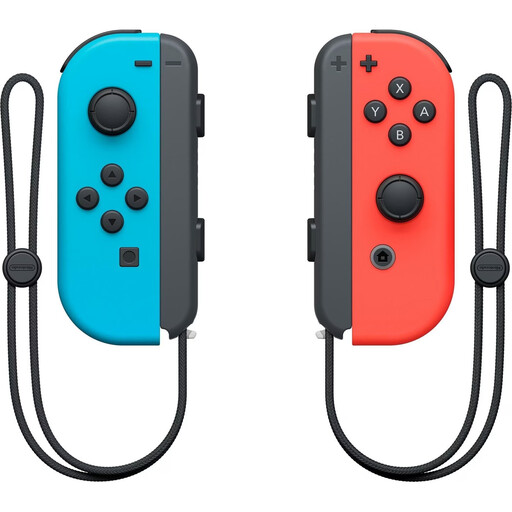
Nintendo Switch Joy-Con pair, Neon Red/Neon Blue
A possible input option if the specific Switch quiz supports Joy-Con answers.
The product title describes a pair of Joy-Con for Nintendo Switch. Nintendo lists a Joy-Con mode for 2–8 people in Everybody 1-2-Switch!.
View at Joybuy
 No image available
PlayStation DualSense wireless controller, White
An option if the quiz you choose supports gamepad answers on one of the listed platforms.
The product title lists PS5, PC, Mac and Android, and describes it as a wireless model.
View at Joybuy
 No image available
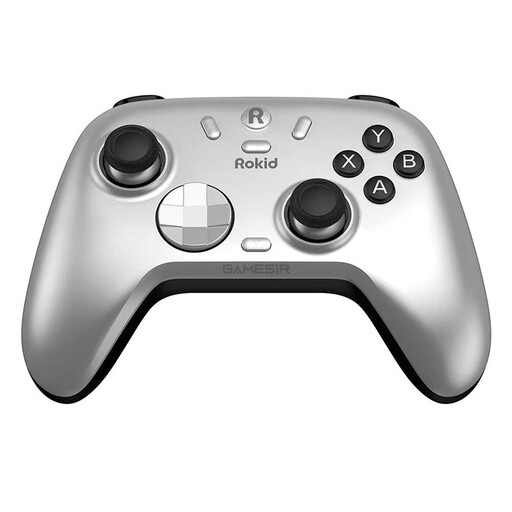
Rokid × GameSir controller
Only consider it if the specific quiz supports gamepad answers on the platform you plan to use.
View at Joybuy
 No image available
Xbox Wireless Controller, Shock Blue
An option if the quiz you already have for Xbox or PC supports gamepad answers.
The product title lists Xbox One, Xbox Series X/S and PC as compatible platforms.
View at Joybuy
Frequently asked questions
For Jackbox Party Pack 5 on Switch, is an extra controller enough for another player to answer?
No. According to Nintendo, Joy-Con and Pro Controller are for navigating menus in this pack, not for answering questions in the games. Jackbox Games describes internet-connected mobile devices as the way to play its games; check the details for the specific pack.
How do I set up a seat at the edge of the sofa for Jackbox?
Make sure the host screen is visible from that seat, and test the input using the mobile device you plan to use. Jackbox Games says the screen should be visible to everyone in the room.
Does Everybody 1-2-Switch! require an internet connection for both input methods?
No. According to Nintendo, you don’t need an internet connection to play in Joy-Con mode, but you do for smartphone mode.
Can I use a newer Android phone for an older PlayLink quiz?
First check whether the companion app you need is available on that particular device. On 14 December 2023, Sony noted that several PlayLink apps may not be available on newer versions of Android.
What should I bear in mind when children are playing and using a wireless controller?
Check the age rating for the specific game and the relevant product details for the controller. USK explains that age ratings do not certify educational suitability; the Bundesnetzagentur lists CE marking, identifiability and German-language instructions among the checks it carries out for market surveillance. This does not confirm that any particular product listing is compliant.


