What matters when choosing?
For a family quiz played from further away, the first thing to check is how the particular game accepts answers. ‘Wireless’ on its own doesn’t mean a gamepad is suitable.
Smartphone or tablet with a browser
A good fit if: you’re playing a Jackbox game and everyone has a suitable device with a browser. Jackbox Games explains that players join via Jackbox.tv using the room code shown on screen.
Bear in mind: the questions stay on the host screen. Using a mobile phone to enter answers won’t make the text on the TV any bigger.
PlayLink companion app
A good fit if: you have a PS4 with That’s You! and the companion app works on the devices you plan to use. Sony requires the app to play the game and says players must be in the same room.
Bear in mind: since 14 December 2023, Sony has stated that the Android app is no longer available on Google Play for devices running versions of Android later than Android 11. Check that the app works on your devices before buying.
Wireless console or PC gamepad
A good fit if: the quiz you’ve chosen supports gamepad input and the connection to your console or PC works from where you’ll be sitting.
Bear in mind: Bluetooth or 2.4 GHz wireless connectivity doesn’t guarantee that the game is compatible or that the connection will be reliable across the distance from your actual seat.
| What matters |
What to check before buying |
Who is this important to? |
| Quiz input method |
Check how you enter answers for the exact game: via a browser, companion app or gamepad. |
If I want to play a particular quiz, I first check what input method it requires. Around 29% of consumers say the game’s input method is their top buying priority. |
| Connection from your seat |
Consider the host’s position, any obstacles and, where necessary, the USB port you’ll need. Test the connection where you’ll actually be playing. |
If I’m playing from a sofa further away, the connection needs to reach the console or receiver. Around 24% of consumers prioritise having a wireless gamepad that works from their seat. |
| Input devices for everyone |
Match the number of players and the input methods supported by the game to the number of controllers or mobile devices available. |
If everyone in the family is going to answer for themselves, I count how many input devices we’ll actually need. Around 18% of consumers say having multiple individual player positions is their top priority. |
| Readability and ease of use |
Check the questions on the host screen from where you’ll actually be sitting. Check the game’s language support separately. |
If I want to read the questions from the sofa, the host screen needs to be clear enough for everyone playing. Around 17% of consumers prioritise readability and ease of use. |
| Everything you need |
Consider the devices you already own and any game, power or charging equipment required for the specific quiz. |
If I want to avoid buying extra devices unnecessarily, I check what I already have and what the game requires. Around 12% of consumers prioritise the overall equipment they’ll need. |
The Federal Network Agency lists checks for products including correct CE marking, identifiable manufacturer details, instructions and safety warnings in German, and a declaration of conformity. This information doesn’t tell you whether the wireless connection will work reliably from your seat.
Gamepads at Joybuy
These Joybuy products are wireless gamepad options for quiz games that support the relevant controller input and platform. Check compatibility with the specific game and the connection from where you plan to sit.
 No image available
NAXSIR Wireless Gamepad T4-14707098
A possible option for a quiz that supports Bluetooth gamepad input on Switch; check compatibility with the specific game.
The product name lists Bluetooth, a 7-colour LED, vibration feedback and a stated range of 10 m. Even so, test the connection from where you’ll actually be sitting.
View at Joybuy
 No image available
Nintendo Switch Joy-Con Pair, Neon Blue/Neon Yellow
For supported Switch quiz games where individual Joy-Con can be used as input devices; the number of players depends on the game.
Nintendo says Joy-Con can be used individually or together. Check in advance whether your specific game supports individual Joy-Con input.
View at Joybuy
 No image available
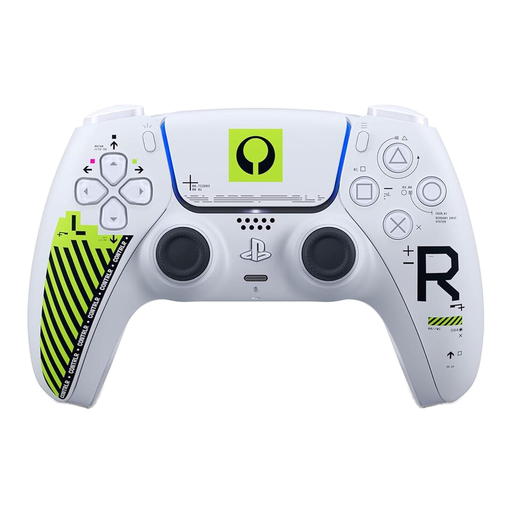
PlayStation DualSense Wireless Controller, Marathon Limited Edition, White
A wireless controller option for a quiz that supports gamepad input on PS5; check the input method required by the exact game.
The product name describes the controller as wireless and for PS5. That doesn’t mean every quiz supports this controller for entering answers.
View at Joybuy
 No image available
BEITONG PanGu Modular Wireless Gaming Controller
For a quiz that supports gamepad input; check that your host is compatible with the platforms listed for this model.
The product name lists PC, Nintendo Switch, Switch 2, Steam and Android, as well as a customisable layout. Check compatibility with the specific quiz and the connection you plan to use.
View at Joybuy
 No image available
Microsoft Xbox Wireless Controller, Shock Blue
For quiz games that support Xbox or PC gamepad input; the platform listing alone doesn’t confirm that an individual game is compatible.
This version is listed for Xbox One, Xbox Series X/S and PC. According to Joybuy, two AA batteries are included.
View at Joybuy
Frequently asked questions
Can everyone answer a Jackbox quiz on their own mobile phone?
For the Jackbox games described, players can join using a browser-enabled device via Jackbox.tv and the room code shown on screen. The host needs a device running the game. If the host wants to play too, they’ll also need an input device.
Do I need an extra PS4 controller for That’s You!?
A gamepad can’t replace the companion app required for That’s You!, according to the PlayStation Store. The Store also lists a DUALSHOCK 4 for setup and PS4 system functions. Sony notes restrictions on downloading the quiz app on devices running versions of Android later than Android 11. Check that the app works on your devices before buying.
How can I use and charge original Joy-Con with a Switch 2?
Nintendo says original Joy-Con can be used wirelessly with the Switch 2, but can’t be attached directly to the console. Nintendo lists an original Switch or suitable charging accessories as options for charging them.
What are my rights if a controller bought from a business is faulty?
According to the European Union’s Your Europe consumer information, goods are generally covered by a legal guarantee of at least two years from the date you receive them. Contact the seller; a voluntary manufacturer’s guarantee doesn’t replace these rights.
What conformity information should I check for a wireless controller in Germany?
The Federal Network Agency lists checks including correct CE marking, identifiable manufacturer details, user instructions and safety warnings in German, and a declaration of conformity. This information doesn’t tell you whether the wireless connection will work from your seat.


