What to look for when buying
If people are sitting to the side, make sure they can use an input device from their own seat, that it’s compatible with the quiz and that everyone has a clear view of the shared screen.
Standalone wireless buzzer system
A good fit if: You’ll be reading out the questions yourself and want a clear order for buzzing in from different seats.
The trade-off: You’ll need to organise the questions and keep score yourself. The stated range of 3–5 metres for Octobuzzy is the manufacturer’s figure, not a measurement taken in your room.
Individual tabletop buzzers
A good fit if: Light and sound signals from individual buzzers are all you need for a small, hosted quiz.
The trade-off: There’s no evidence that the Learning Resources LER3776 set has a shared electronic lockout after the first button is pressed, so the host will need to settle close calls.
Mobile phone or tablet
A good fit if: Your chosen quiz supports mobile phones as input devices and everyone has a suitable device.
The trade-off: How you play depends on the game, browser, language and number of active players. Everyone in the group will need to be able to see the shared screen.
Wireless console controller
A good fit if: You have a console and a quiz that supports the specific controller and the play style you want.
The trade-off: An extra controller doesn’t replace a quiz game or automatically add another active player slot.
Older PlayLink quiz with app
A good fit if: You have the right PS4, the quiz and a working companion app on the devices you plan to use.
The trade-off: Sony notes that some companion apps may not be available in the Google Play Store for newer versions of Android.
| Priority |
What to check before buying |
Who it matters most to |
| Buzzing in from your own seat |
Check the number of buttons, where they’re intended to be set up and whether the stated range suits your room. |
If I want to buzz in from a seat to the side, I need an input device at my own seat; around 36% of consumers share this main priority. |
| Game and device compatibility |
Before buying, check the platform, quiz, supported input method and number of active players. |
Choosing a controller and quiz that work together helps you avoid unnecessary or incompatible devices; around 29% of consumers put compatibility first. |
| Easy to join in |
Distinguish active player slots from audience participation, and check the input method and language of the specific game. |
When your group changes from one round to the next, everyone needs to understand their role and how to take part; for around 21% of consumers, ease of joining in is the top priority. |
| Extra devices and setup |
Check what’s included, the power supply, whether you need a host game and which apps are required. |
If I want to avoid extra devices or apps that may no longer work later, I need to consider everything involved in setting up; around 14% of consumers pay particular attention to this. |
Joybuy products for console quizzes
This selection includes wireless controllers for quiz games on Nintendo Switch and Nintendo Switch 2, provided the relevant game supports the controller and input method you want.
 No image available
Nintendo Switch 2 Joy-Con 2, 2-piece set, blue/light yellow
An option if your quiz supports separate Joy-Con inputs on Nintendo Switch 2.
The set includes left and right Joy-Con 2. Nintendo describes using them separately and wirelessly with compatible software; the quiz you choose must support this play style.
View at Joybuy
 No image available
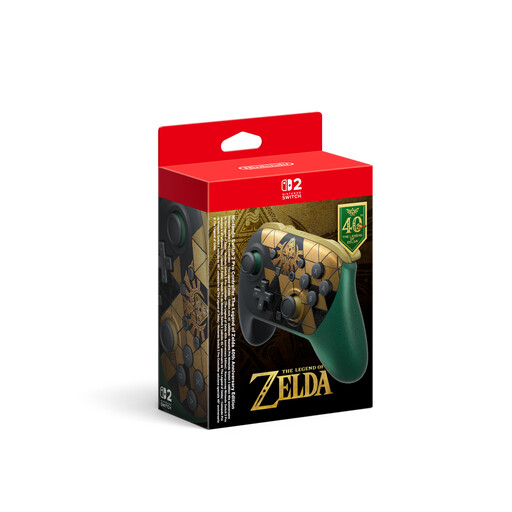
Nintendo Switch 2 Pro Controller, The Legend of Zelda 40th Anniversary Edition
An option if your quiz supports the Switch 2 Pro Controller and you want to play with a gamepad from your own seat.
The product name mentions HD Rumble 2. Check whether this controller is supported as an input device by the specific quiz you want to play.
View at Joybuy
 No image available
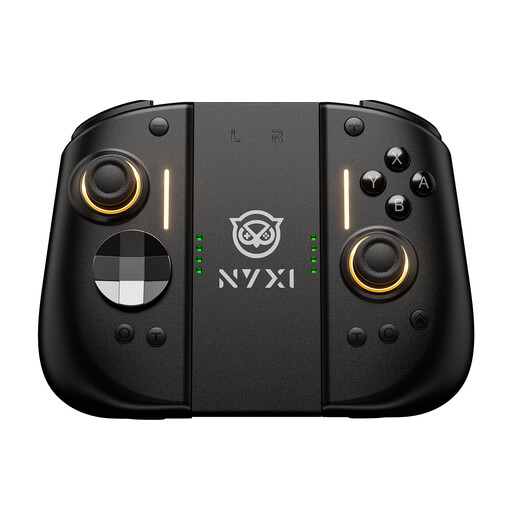
NYXI Hyperion 3 wireless controller for Switch 2, black
An option if your Switch 2 quiz supports this controller and you don’t want to be tied to a central buzzer.
The product name lists Hall Effect joysticks, mechanical buttons, two rear buttons, adjustable vibration and a 9-axis gyroscope. Check that it’s compatible with the specific quiz you want to play.
View at Joybuy
 No image available
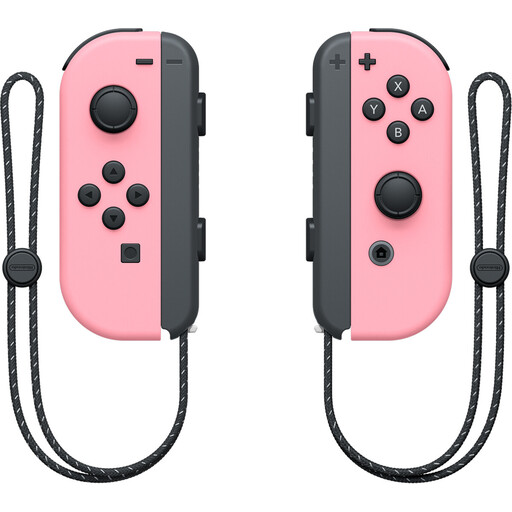
Nintendo Switch Joy-Con controller pair, pastel pink
An option if your Nintendo Switch quiz supports separate Joy-Con inputs.
This product is described as a controller pair. Check that the specific quiz supports using the Joy-Con separately.
View at Joybuy
Frequently asked questions
Do you need to point a quiz controller directly at the television?
It depends on how you input your answers. With the buttons, mobile phone buzzers and browser-based answers described here, you respond on your own device. That doesn’t guarantee a wireless connection or mean the screen will be easy to read from a seat to the side.
Can each Joy-Con 2 work as a separate controller in a Switch 2 quiz?
Only if the software supports that play style. Nintendo describes using each Joy-Con 2 separately and wirelessly in a horizontal position, and says Joy-Con 2 can’t be used with the original Nintendo Switch.
What do we need to set up before a mobile phone quiz?
In a supported Jackbox game, one person starts the game on the host device and everyone else joins in a browser using the room code shown on screen. Everyone should be able to see the shared screen, and the host will need a second device to submit their own answers.
What power supply do basic quiz buzzers need?
It depends on the model. The manufacturer says each of the four Learning Resources LER3776 buzzers needs two AAA batteries, which aren’t included. QuizXpress describes Octobuzzy’s buttons as rechargeable and says the remote control takes two AAA batteries. Check the charge and batteries before you play.
Can you still use an older PlayLink app after buying a PS4 quiz game?
There’s no one-size-fits-all answer. In a notice dated 14 December 2023, Sony mentions Google Play availability restrictions for “Knowledge is Power” and “Knowledge is Power: Decades” on newer versions of Android, and lists Android 11 as the limit for the availability described there. Check the specific app on every device you plan to use.
What should I look for in a wireless electronic buzzer in Germany?
The Bundesnetzagentur lists several criteria for its market surveillance, including correct CE marking, identifiable products and manufacturer details, instructions in German and a correct declaration of conformity. This is guidance for checking a specific wireless product, not confirmation that any particular model meets these requirements.


