Choose the screen size and viewing angle based on whether everyone can read the questions and answers from where they’re sitting. Viewing distance, lighting and viewing angle all play a part, as the Verbraucherzentrale explains. OLED is one option for dark rooms and seats off to the side: RTINGS rated the LG B5 positively in these areas, although it tested the 77-inch version. Mini-LED LCD is an alternative if quiz screens are often left static. A 120 or 144 Hz refresh rate alone is not a reason to buy a TV for a quiz that’s mostly text-based.
Which option is right for you?
Families sitting in different spots
If several people are sitting to the side or at different distances from the screen, make sure the text and answers are easy to read from the seats at the edges, too. The Verbraucherzentrale highlights viewing distance, lighting and viewing angle as important factors.
Quiz nights in dark rooms
If you usually play with the lights dimmed, compare OLED and Mini-LED LCD by looking at how each TV displays dark areas. The positive impression of the LG B5 in a dark room relates to the 77-inch version tested by RTINGS.
Families with long quiz nights
If menus or scoreboards are often left on screen unchanged for a long time, be sure to follow the care guidance for OLED TVs. LG notes that prolonged display of static images can cause image retention.
What should you look for when buying?
OLED TV
A good fit if: dark-scene performance and seats off to the side are important to you.
Bear in mind: If quiz screens are often left on for a long time, follow the manufacturer’s guidance on static images.
Mini-LED LCD TV
A good fit if: you want to take varied uses and menus that stay on screen for a long time into account when choosing.
Bear in mind: Check the contrast and readability from the furthest seat on the specific model you’re considering.
Keep using your existing TV
A good fit if: everyone can read the screen and you can connect the device that runs the game.
Bear in mind: A new TV won’t replace the game software or automatically take the place of the host device.
| Priority |
What to check when buying |
Who will find this especially important? |
| Easy reading for everyone |
Check the viewing distance, the seats at the edges, the space available and how easy small text is to read. |
If I want everyone, including those sitting at the edges, to read the questions and answers, I care about the view from the least favourable seat. Around 33% of consumers put readability for the whole group first. |
| Contrast in a dark room |
Look at dark areas and bright text on the specific TV, from the seats you’ll be using. |
If we usually play in low light, I want to be able to distinguish dark areas and bright text clearly. Around 27% of consumers make contrast in a dark room their top priority. |
| Menus that stay on screen for a long time |
Think about how long the same quiz screen will be displayed. With OLED, follow the care guidance from the manufacturer of the model you’re considering. |
If scoreboards or menus are often left on screen during our long quiz nights, I’ll take the guidance on static images into account. Around 20% of consumers consider this their most important buying priority. |
| How the game connects |
Decide on the quiz, host device and connection method, then check which HDMI inputs you’ll need. |
I want to know in advance which device will run the quiz and how its picture will appear on the TV. Around 20% of consumers put a straightforward gaming and connection setup first. |
Avoid common buying mistakes
-
Focusing only on screen size or the best seat
A large screen alone doesn’t guarantee that small quiz text will be easy to read from further away or from the side.
Check the viewing distance, the seats at the edges and the space available for the TV. Check how easy the text and answers are to read from the seats furthest from the screen.
-
Assuming 144 Hz means better quiz nights
For quiz games that are mostly text-based, the refresh rate on its own is not a reason to buy. Low input lag matters most for games that rely on quick reactions.
Only prioritise gaming features once you’ve settled on the type of game, readability and how everything will connect.
-
Treating OLED and Mini-LED as the same because their sales terms sound similar
Mini-LED refers to an LCD backlight; OLED has different characteristics. LG notes that prolonged display of static images can cause image retention on OLED TVs.
Compare the two technologies in terms of how you’ll use the TV, and check the picture and readability on the specific model.
-
Assuming the TV already comes with the quiz game
With Jackbox, for example, the game runs on a host device. The TV displays its picture, but that doesn’t mean the TV runs the game itself.
Before you buy, decide which quiz and host device you’ll use, and how you’ll connect it to the screen.
Brands worth considering
LG
The B5 is a specific OLED option for dark rooms. The assessment of the tested model applies to the 77-inch version reviewed by RTINGS.
- For the German 48-inch OLED48B59LA model, LG quotes up to 4K at 120 Hz.
- LG notes that prolonged display of static images can cause image retention. Don’t assume B5 test results apply to other sizes or ranges without checking.
Philips
The 55OLED760/12 is a 55-inch OLED option with Ambilight.
- Philips quotes a 120 Hz refresh rate for this model and highlights its side-viewing performance and rear lighting as features.
- These manufacturer claims are no substitute for an independent comparison of how easy quiz text is to read in a dim room.
TCL
The 65Q6C is a specific QD-Mini-LED option with an HVA panel and local dimming.
- TCL quotes a native refresh rate of 144 Hz for this model.
- The refresh rate doesn’t prove there’s an extra benefit for text-based quiz games. Check how easy the screen is to read from the side on the TV itself.
Sony
The K-55XR5 is a 55-inch Mini-LED model where the distribution of connections may be useful if you have several devices to connect.
- Sony lists four HDMI inputs, 120 Hz and VRR on HDMI 3 and 4.
- These features alone don’t prove that the TV will display quizzes better.
Samsung
The 55-inch S90H OLED is another option to consider.
- Samsung describes the screen on the GQ55S90HAEXZG model as anti-reflective.
- This doesn’t prove an advantage over the other models in a dark quiz room. Check the specific model and its connections separately.
Joybuy products for quiz nights
The TVs below include Mini-LED LCD and OLED options for quiz nights with people sitting in different spots. Choose a size and picture performance that suit your room, and check how easy text is to read.
 No image available
Hisense 75E8S, 75-inch, Mini-LED, 4K
This screen size could be worth considering for a group sitting in different spots. Check how easy text is to read from your actual seating positions.
Features listed in the product name: 75-inch, 4K, MiniLED, QLED, 144 Hz and VRR.
View at Joybuy
 No image available
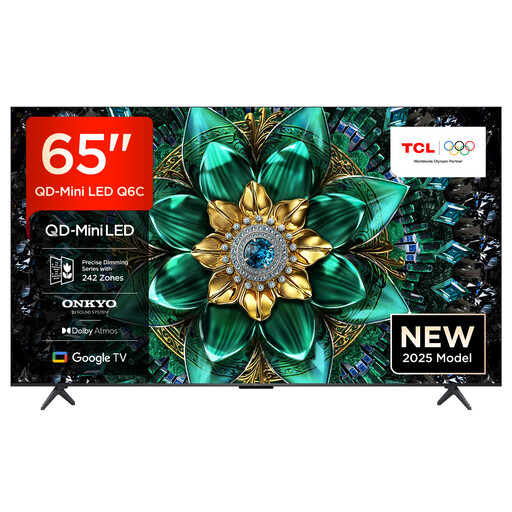
TCL 65Q6C, 65-inch, QLED Mini LED
The 65-inch version is one size to consider for family quiz nights. Compare how quiz text looks at your viewing distance and from the seats at the edges.
Features listed in the product name: 65-inch, 4K, Dolby Vision IQ, Dolby Atmos, Google TV and 144 Hz.
View at Joybuy
 No image available
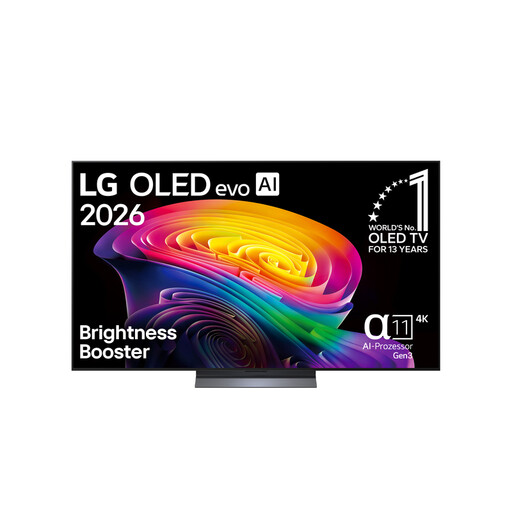
LG OLED65C67LA, 65-inch, OLED evo
If you’re considering OLED for a dark room, check the picture from your own seat and bear in mind how often quiz screens will be left static for long periods.
Features listed in the product name: 65-inch, 4K and 120 Hz. LG notes that prolonged display of static images can cause image retention on OLED TVs; follow the care guidance for this model.
View at Joybuy
 No image available
TCL 75Q7C, 75-inch, QLED Mini LED
This screen size could work well if you have several seats to cater for. Check small text and dark areas on the specific TV.
Features listed in the product name: 75-inch, 4K, 144 Hz and VRR.
View at Joybuy
 No image available
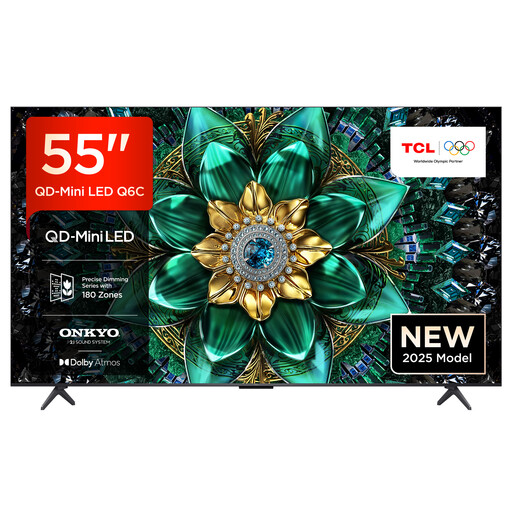
TCL 55Q6C, 55-inch, QLED Mini LED
The 55-inch screen could be a good fit if it suits your viewing distance and the space you have available. Check that everyone can read the screen from their seat.
Features listed in the product name: 4K, Dolby Vision IQ, Dolby Atmos and 144 Hz.
View at Joybuy
Frequently asked questions
Do I need 120 or 144 Hz for a family quiz?
No. The refresh rate alone is not a reason to buy a TV for a quiz that’s mostly text-based. If you also play fast-paced reaction games, check the input lag of the specific TV in game mode.
Can everyone play using their phones alone?
With Jackbox, the game runs on a host device and other players can join on their phones. So you’ll also need the host’s screen to be visible on the TV. Other quiz games may work differently.
What should I bear in mind after long quiz nights on an OLED TV?
LG notes that prolonged display of static images can cause image retention and describes the TV’s protective features. Follow the care guidance for the specific model. This doesn’t mean damage is certain, nor does it guarantee complete protection.
How can I check whether the screen size works for everyone?
Check the viewing distance, the seats at the edges and the space available, then see how easy small quiz text is to read from the seats you’ll be using. The Verbraucherzentrale lists lighting and viewing angle as factors alongside screen size.


