Family history interviewer
If you mainly want to record one person’s memories, you can position a headset microphone close to their mouth. Check how clearly their voice comes through in the recording with the fan running.


For a one-to-one interview, a headset with an adjustable microphone boom is an obvious choice, provided it connects to your recording device: a microphone close to the mouth can make the speaker’s voice stand out against room noise, but it won’t eliminate fan noise (Shure). If you want to record several family members, one headset won’t reliably capture everyone’s voice; plan for multiple microphone positions and listen to a test recording first.
If you mainly want to record one person’s memories, you can position a headset microphone close to their mouth. Check how clearly their voice comes through in the recording with the fan running.
If you want to capture spontaneous contributions from different family members, plan to position microphones where each person will be speaking. A headset worn by one person won’t automatically cover the whole group.
If you’re recording on your own computer or mobile device, check the exact connection, microphone input and range of movement you need before choosing a headset.
Best for: When one person will be speaking at a fixed recording device and the connection is compatible.
Things to consider: The cable limits your freedom of movement, and a microphone nearby won’t automatically pick up more distant voices as clearly.
Best for: When the speaker wants to move around and the headset, connection method and recording device are compatible.
Things to consider: You’ll also need to consider connectivity and charging. ANC on the headphones doesn’t mean fan noise will be reduced in the recording.
Best for: When contributions from several family members matter and you can set up microphones where each person will be speaking.
Things to consider: It takes more effort to set up, and multiple microphones won’t automatically eliminate fan noise.
| What matters | What to look for | Who is this important to? |
|---|---|---|
| Main voice, despite fan noise | Position the microphone boom close to the mouth and listen to a test recording with the fan running. Don’t confuse microphone noise reduction with ANC for your ears. | If I mainly want to preserve one person’s memories, I need a clear voice despite room noise. Consumers with this priority may account for around 36%. |
| Contributions from the group | Decide in advance which voices you want to record and plan microphone positions for each speaker. | If I want to capture spontaneous contributions from several family members, the recording needs to cover more than just the person wearing the headset. Consumers who particularly value recording the whole group may account for around 29%. |
| Connection to the recording device | Check whether the exact USB-A, USB-C or 3.5 mm connection matches your device’s input, then select the right microphone in the app. | If I want to keep using my existing device, the headset needs to work as a microphone with it. Consumers who prioritise connection compatibility may account for around 21%. |
| Natural sound after editing | Position the fan and microphone as well as possible, listen to the settings and keep the unedited original file. | If a natural-sounding memory matters more to me than a heavily edited recording, I want to be able to check the effect of noise reduction. Consumers with this priority may account for around 14%. |
A feature that affects what you hear through the headphones won’t automatically reduce fan noise in the recorded voice.
Check whether the feature relates to the microphone or to noise isolation for your ears, and listen to a test recording made in the conditions you’ll actually be using.
A nearby headset microphone is directed towards the person wearing it; more distant family members may sound quieter in the recording.
Decide in advance which voices you need to capture and plan suitable microphone positions for them.
Capturing several speaking positions may require extra microphones and recording equipment, making the set-up more involved.
Unsuitable settings or noise profiles can create noticeable artefacts.
Start by positioning the fan and microphone as well as possible. For steady background noise, Audacity recommends creating a noise profile from a section without speech. Keep the original file and listen to an edited version to check the results.
Logitech describes the wired H390 as a USB-A option for recording on a compatible computer.
According to HP, the Blackwire 5200 series includes wired options such as the stereo 5220 and mono 5210 models.
The IMPACT SC 60 USB ML is a wired, stereo USB headset for computers.
Jabra offers a wired option with the Evolve2 40 SE and a wireless alternative with the Evolve2 75.
The following Joybuy headsets are options for recording one person speaking. Check the connection on your recording device and listen to a test recording with the fan running.
 No image available
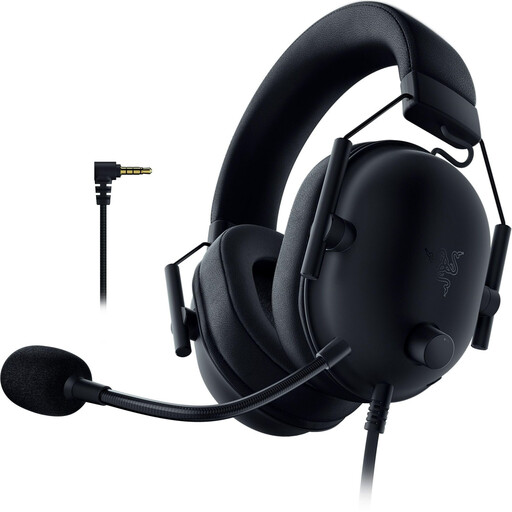
The flexible microphone can be positioned close to the mouth of the main speaker.
The description lists a cardioid microphone, a 3.5 mm connection and a Y-splitter for PCs with separate audio and microphone inputs. Check beforehand that the connection is compatible with your recording device.
 No image available
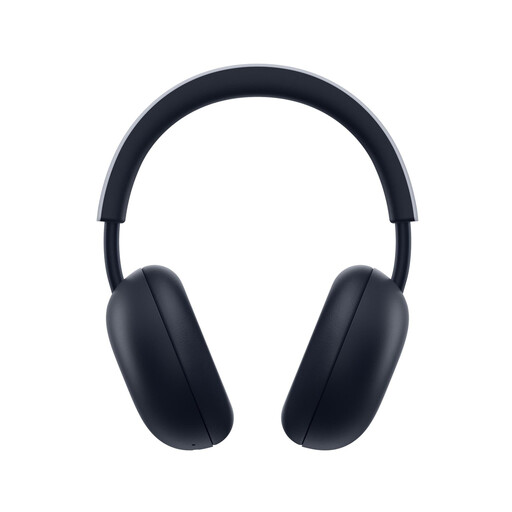
This wireless headset is an option for one person speaking, provided the connection method works with your recording device.
Features listed include a built-in microphone with noise reduction, PlayStation Link and Bluetooth. Compatibility is listed for PS5, PS4 and Bluetooth devices; check that it works with the recording app you’re using.
 No image available
The fold-away microphone boom suits a speaker who wants to move around while recording.
The description lists eight MEMS microphones, Bluetooth and a USB-C Bluetooth adapter. Check that the adapter works with your recording device and that the app uses the microphone you want.
 No image available
The flexible, detachable microphone can be positioned for the main speaker. Test the recording with the fan running rather than assuming a particular level of noise reduction.
Connection options listed include 2.4 GHz wireless, Bluetooth and wired use. Microphone noise reduction is a product claim for voice communication, not proof that multiple voices can be recorded.
 No image available
The built-in microphones are an option for one person speaking; test a recording with the fan running yourself before the conversation.
Features listed include beamforming microphones with adjustable noise reduction, Bluetooth and Razer HyperSpeed Wireless. The product details don’t show how well other people in the room will be recorded.
No. ANC listed for the headphones doesn’t mean fan noise will be removed from the recording. Ear isolation affects what the wearer hears; the recording depends on factors such as microphone position, microphone processing and the app settings. Listen to a test recording with the fan on.
Position the microphone boom close to the speaker and select the microphone input you want in the recording app. Listen to a short test recording and check that any other voices you want to capture are still clear.
Noise reduction can help with steady fan noise, but it can’t guarantee an artefact-free result. Audacity recommends creating a noise profile from a section without speech. Try out the settings and keep the unedited original file.
Check whether the adapter or charging stand you need is included with the specific model and whether the connection is compatible with your recording device. The Verbraucherzentrale distinguishes statutory rights from a voluntary guarantee. For eligible online consumer purchases, you generally have a right to cancel, usually within 14 days.
No. In Germany, under § 201 Abs. 1 Nr. 1 StGB, you must not record another person’s non-public spoken words without authorisation. The provision also covers unauthorised use or sharing of such a recording. Make sure you have permission before recording, and check separately with those involved before sharing the recording.