A wireless repeater is suitable for streaming family videos behind thick internal walls only if it can still get a decent connection to the router from an intermediate position. FRITZ! and TP-Link document LAN bridge and access point modes that let you use a wired network connection throughout; Powerline is another option, although devolo says its performance can depend on the sockets and sources of electrical interference. For videos stored on your home network, you also need to connect your TV and video storage device so they can access each other. The German Federal Office for Information Security also highlights the importance of this access.
Who these solutions are for
Families with a video room behind thick walls
You want to watch videos in a room some distance away. First, check whether a potential position for the repeater still gets a good signal from the router. devolo notes that walls and other obstacles can affect the Wi-Fi connection.
Households with an Ethernet socket by the TV
You can connect the room at the far end of your home using an Ethernet cable, and need a device with a suitable access point or LAN bridge mode. FRITZ! and TP-Link document these wired operating modes for certain models.
Families with locally stored videos
You share recordings across your home network, so as well as checking your wireless coverage, make sure your TV and storage device can communicate with each other. The German Federal Office for Information Security gives a Smart TV accessing media files on a home network as a specific example.
What to look for when buying
Wireless repeater
Best if: There’s a position between the router and video room with a decent router signal, and you don’t want to run an Ethernet cable there.
The trade-off: The repeater receives the data wirelessly, so a weak connection where it’s positioned will still be a bottleneck.
Access point or mesh node with Ethernet
Best if: There’s an Ethernet cable to the room, or you can run one, and the device supports the right LAN bridge, access point or Ethernet backhaul mode.
The trade-off: You avoid a wireless connection through the wall to the extender, but you’ll need to check the cable route, operating mode and, if applicable, compatibility with your router’s mesh system.
Powerline with Wi-Fi in the target room
Best if: A wireless connection isn’t suitable, you can’t run an Ethernet cable and you can use a pair of adapters with suitable sockets.
The trade-off: Data travels over your electrical wiring, and sockets and electrical interference can affect performance. devolo also says that certain VDSL setups may cause interference with your internet connection.
| What matters |
What to check before buying |
Who it matters most to |
| Wireless signal through or around walls |
Check the signal at a potential intermediate position and test the connection while streaming. |
If I can’t place the repeater somewhere with a decent router signal, a high advertised wireless speed won’t help much. Around 36% of consumers put the wireless connection first. |
| Existing Ethernet cable |
Check that the cable reaches your home network and that the device has a suitable access point or LAN bridge mode. |
If I can connect the video room with an Ethernet cable, I want to use it to avoid a wireless connection through the wall. Around 29% of consumers prioritise using an existing Ethernet cable or running one. |
| Multiple video devices |
Consider the number and location of rooms, as well as the router connection and device mode. |
If several people are watching videos in different rooms at the same time, the connection in each room matters to me. Around 21% of consumers say that supporting several devices or rooms at once is their main concern. |
| Access to locally stored videos |
Check where the videos are stored and whether the TV and storage device can access each other on your home network. |
If my film collection is stored on a device on my home network, my TV needs to be able to access it. For around 14% of consumers, access to local media is the most important consideration. |
Common buying mistakes
-
Putting a fast repeater directly in a Wi-Fi dead zone
A repeater first needs to receive the video data from your router. An advertised wireless speed doesn’t prove that the connection will be strong enough behind your walls.
First, try a potential intermediate position and test the connection while streaming. If there’s no decent signal there, compare an Ethernet connection with Powerline.
Depending on the solution, you may need to spend extra time moving the device, running cables or switching to a different type of connection.
-
Assuming “mesh” is compatible with every router
TP-Link specifies that EasyMesh on the RE705X requires a compatible router. Deutsche Telekom describes Speed Home WLAN as working with compatible Speedport models.
Before you buy, check your exact router model, the mesh feature you want to use and the extender’s operating mode.
-
Assuming Powerline is a guaranteed interference-free alternative
Devolo notes that electrical devices can affect transmission over your home’s wiring. Certain VDSL connections may also experience interference with the internet connection.
Check the sockets you plan to use and test the connection in your own home instead of assuming the advertised data rate reflects the results you’ll get.
Depending on the connection, you may need to try a different socket or take steps to reduce interference.
-
Disconnecting your TV from your home network for better security
A separate network can prevent access to locally stored media files. The German Federal Office for Information Security specifically cites a Smart TV accessing these files as an example of a home network use case.
Plan for security and media access together. Don’t move devices that need local videos onto a separate network without setting up the right access permissions.
Relevant brands at a glance
FRITZ!
If you have a FRITZ!Box or are planning to use a LAN bridge to your video room, certain FRITZ!Repeaters could be a suitable extension.
- FRITZ! documents a Gigabit LAN port and a LAN connection to a FRITZ!Box for the FRITZ!Repeater 1200 AX.
- A LAN bridge avoids the wireless connection through the wall only if you actually use an Ethernet cable. Mesh features aren’t automatically compatible with other routers.
TP-Link
The RE705X offers both repeater and access point modes, while Deco X50 is a separate mesh system range designed for multiple nodes.
- TP-Link documents an access point mode over Gigabit Ethernet and EasyMesh with an EasyMesh-compatible router for the RE705X.
- TP-Link lists optional Ethernet backhaul for Deco X50. Deco system features and nodes aren’t automatically compatible with the RE705X; check compatibility rather than assuming they’ll work together. Advertised data rates don’t show how a device will perform behind thick walls.
devolo
Magic 2 WiFi 6 next is a Powerline-with-Wi-Fi option if a wireless connection isn’t suitable and you don’t have an Ethernet cable.
- According to devolo, the Starter Kit includes two adapters, and the Wi-Fi adapter has two Gigabit ports.
- Devolo notes that sockets and electrical interference can affect performance. Certain VDSL connections may also experience interference, so a particular connection quality in your home isn’t guaranteed.
Telekom
Speed Home WLAN is an extension option for households with a Speedport router that Telekom lists as compatible.
- Telekom lists Wi-Fi 6, Ethernet and wireless connectivity for Speed Home WLAN.
- Check the exact router and extender models. Documentation showing how a device joins a Telekom mesh doesn’t automatically tell you whether it will work with other routers.
Joybuy products
The devices below include wireless repeaters and an access point that connects to your video room via Ethernet.
 No image available
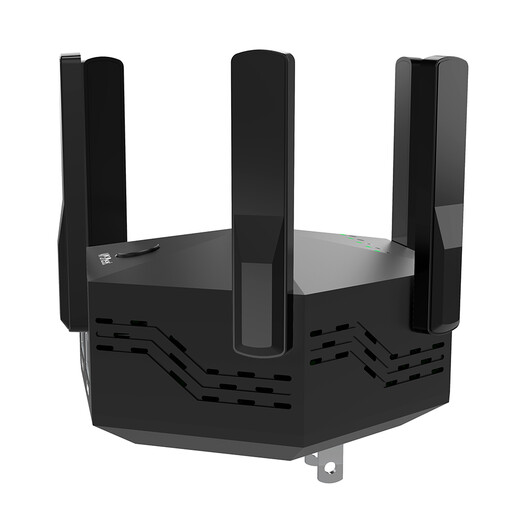
Dual-band Wi-Fi repeater, 1200 Mbps, 6 adjustable aerials
For an intermediate position with a router signal; the product description says it’s suitable for indoor and home use.
Dual-band; 1200 Mbps as stated in the product name; six adjustable aerials; EU plug. The advertised data rate doesn’t prove how well it will perform behind thick walls.
View at Joybuy
 No image available
TP-Link RE190 AC750 Wi-Fi repeater
For an intermediate position within range of your existing Wi-Fi; the signal strength indicator can help you position it.
Dual-band; 433 Mbps as stated in the product name; WPS setup and signal strength indicator according to the product description.
View at Joybuy
 No image available
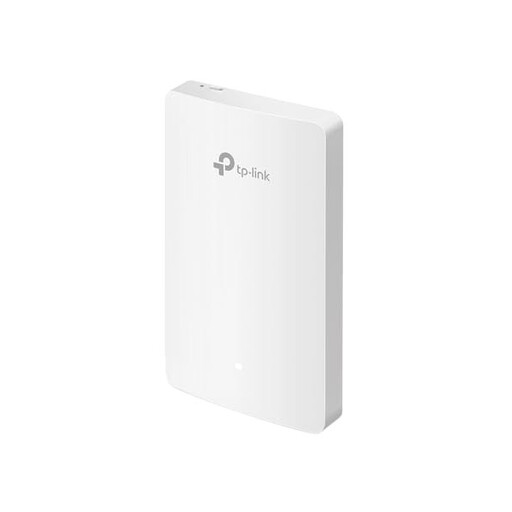
TP-Link EAP235-Wall Omada Wi-Fi 6 access point
For a wired access point in your video room, provided there’s an Ethernet connection to your existing network.
Wall-mounted access point; four Gigabit ports; Omada SDN. The product description lists Ethernet as the connection to your existing network.
View at Joybuy
 No image available
MERCUSYS ME80X Wi-Fi 6 range extender AX3000
Can be used as a repeater where there’s a router signal, or in access point mode with an Ethernet connection to the router.
Dual-band: 574 Mbps at 2.4GHz and 2402 Mbps at 5GHz as stated in the product name; Gigabit port; signal strength indicator; access point mode.
View at Joybuy
 No image available
TP-Link RE235BE BE3600 dual-band Wi-Fi 7 range extender
For wireless repeater use, the device needs to be within range of your existing router.
2.5G Multi-Gigabit port; MLO; Smart Roaming; EasyMesh-compatible according to the product name. Check whether your router supports the mesh feature you want to use; the advertised data rates don’t prove how well it will perform behind thick walls.
View at Joybuy
Frequently asked questions
Where should I put a wireless repeater for the video room?
Place it somewhere it can still get a decent connection to the router, not just where your TV currently gets a poor signal. Then test the connection where you actually watch videos. If a wireless connection isn’t suitable, you could use Ethernet or another type of connection.
Why can’t my TV find family videos even though the Wi-Fi is better?
Check that your TV and video storage device are connected to your home network in a way that lets them access each other. The German Federal Office for Information Security notes that separating a Smart TV from the home network can prevent it accessing stored media files.


