Which option is right for your family?

Families with videos on their phones

If most of your footage is on mobile phones, check that your phone, photo app, TV or receiver all support the same transfer method. Google Photos Help explains how to cast to a Chromecast, while Apple UK describes using AirPlay to share photos and videos.

Families with videos on USB drives

If you keep your footage as files, you’ll need a suitable connection and a compatible playback app. Xiaomi UK lists a USB 2.0 port on the TV Box S (3rd Gen), but that alone doesn’t confirm that your drive and video formats will work.

Families with an existing photo library

If your videos are already organised in a photo service, check whether it has a TV app and whether you’ll need an account or to upload your files. Google explains how to display photos from Google Photos; Apple’s AirPlay method lets you share your own photos and videos.

What should you check before buying?

What you need What to check before buying Who it matters most to
Streaming videos from your phone Check that your operating system and photo app, the receiving device and your home network set-up are all compatible. If your videos are on your phone, you’ll want to choose them there and show them on your TV without unnecessary extra steps. Around 36% of consumers would prioritise streaming from a phone.
Playing local files Check the USB port, drive and support for the file system, video and audio formats in the app you plan to use. If your footage is saved as files, you’ll want to play it without having to upload it first. Around 29% of consumers would prioritise playback of local files.
Using a photo library Check where your videos are stored, whether the TV app can play them and whether you’ll need an account or to upload your files. If your videos are already organised in a photo service, you’ll want to access that library on your TV. Around 21% of consumers would make using their photo library their main buying consideration.
Connections and extra set-up Check the available HDMI ports and Cast or AirPlay features; compare the cables you’ll need with what’s included in the box. If your TV already supports a suitable transfer method, you won’t want to buy an extra device or cable you don’t need. Around 14% of consumers would consider connections and extra set-up first.

Avoid common misconceptions

  • A USB port doesn’t mean every family video will play

    The USB port on the Xiaomi TV Box S (3rd Gen) doesn’t confirm that a particular drive, file system and video format will work with the app you choose.

    Check the specifications for your drive and files before buying. If possible, test the set-up with a typical video.

  • A photo library isn’t automatically a way to play local files

    For the Fire TV method described by Amazon, using the Photos app, you’ll need to upload your personal footage first.

    Before choosing a device, decide whether uploading your footage suits you, or check for another specifically supported way to play it.

  • Similar model names don’t mean the devices have the same connections

    The USB port on the Xiaomi TV Box S (3rd Gen) doesn’t mean the Xiaomi TV Stick 4K (2nd Gen) has one too. Fire TV variants are also listed separately in the external comparison.

    Check the full model name and connections for the specific device, rather than relying on the brand or product range alone.

Relevant brands and product ranges

Google

The Google TV Streamer (4K) may suit you if you want to cast from compatible apps or display photos from Google Photos.

  • Google lists 32 GB of storage, HDMI and Ethernet for this model. According to Google, you can cast content from compatible apps.
  • These specifications don’t confirm that every personal video file will play, or that you can connect a USB stick directly. An HDMI cable is required separately.

Xiaomi

The Xiaomi TV Box S (3rd Gen) is worth considering if you’re looking for a model with a specified USB port.

  • Xiaomi lists USB 2.0 for the box and includes an HDMI cable.
  • The port and what’s included don’t confirm that a particular drive or family video format will work. These box specifications don’t automatically apply to the TV Stick 4K (2nd Gen).

Apple

Apple TV 4K may suit families who want to share photos and videos from Apple devices using AirPlay.

  • Apple explains how to share your own photos and videos using AirPlay.
  • A separate HDMI cable is required for the Apple TV 4K model documented here. Apple announced the fourth generation on 13 October 2026; according to Apple, it is available to pre-order and will be on sale from 13 November 2026. Don’t assume the specifications for this generation also apply to older models.

waipu.tv

According to the provider, the 2nd Generation Stick combines streaming apps with a focus on TV channels.

  • The provider lists Wi-Fi/LAN and apps.
  • According to the provider, you need an existing waipu.tv package to buy the Stick on its own.

Related products from Joybuy

The products below are smart TVs with built-in TV and casting features, not standalone streaming sticks. They may suit you if you’re choosing a TV with these features and want to avoid an extra receiver. Check that each specific model supports the transfer method you need. The German Federal Network Agency lists CE marking, manufacturer information and German-language instructions among the things to check.
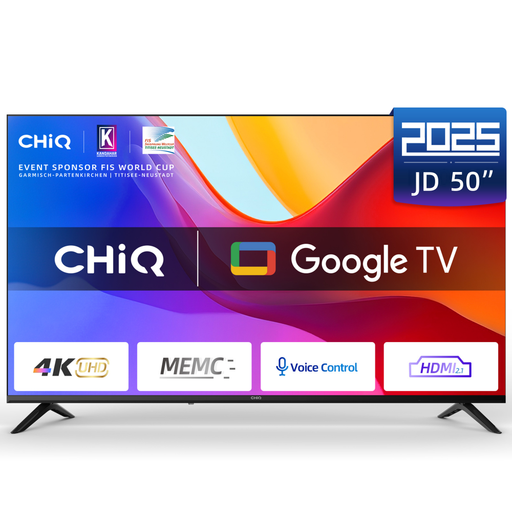
CHiQ U50JD 50-inch 4K Ultra HD QLED Google TV

CHiQ U50JD 50-inch 4K Ultra HD QLED Google TV

The product listing mentions wireless screen mirroring from iOS and Android devices. Check that your phone and video app support the transfer method you want to use.

Google TV; 50-inch; 4K Ultra HD; QLED.

Joybuy
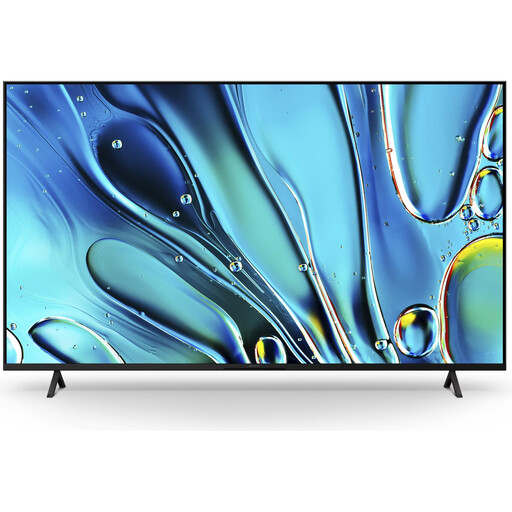
Sony BRAVIA 3 K55S32 Direct LED 55-inch TV

Sony BRAVIA 3 K55S32 Direct LED 55-inch TV

The product specifications list Google Cast and Apple AirPlay 2 as built-in features. Check that they work with the devices and apps where your family videos are stored.

Google TV (2025); Google Cast; Apple AirPlay 2.

Joybuy
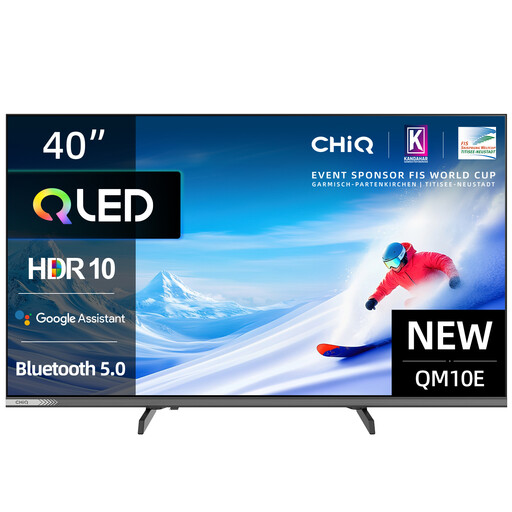
CHiQ L40QM10E 40-inch QLED Pro Smart Google TV

CHiQ L40QM10E 40-inch QLED Pro Smart Google TV

The product description mentions wireless screen mirroring from iOS and Android devices. Check that the transfer method works with your phone and video app.

Google TV; FHD; HDMI 1.4; USB 2.0. The USB port alone doesn’t confirm that your specific files will play.

Joybuy

Frequently asked questions

Do I need a separate streaming device to watch family videos?

No, not if your TV already supports the transfer method you need. Apple also describes using AirPlay with compatible smart TVs, so check your TV’s features first and decide how you want to share your videos.

How do I cast videos from Google Photos on an Android phone?

For the Chromecast method described by Google, your phone and Chromecast need to be on the same Wi-Fi network. In Google Photos, select a photo or album, then choose ‘Cast’ and select your receiver. To display a video on your TV, Google says to open it on your device.

Is a USB port enough to play any old family video?

No. Xiaomi confirms that the TV Box S (3rd Gen) has a USB 2.0 port, but this doesn’t mean it will play every combination of drive, file system and video format. Check that your files work with the drive and app you plan to use.

What extra costs and consumer rights should I bear in mind?

A separate HDMI cable is required for the Google TV Streamer and the Apple TV 4K model documented here. The German consumer advice centre explains that, in Germany, retailers are legally responsible for goods being free from defects when delivered for two years. This is separate from a voluntary guarantee. Also check what’s included and whether you’ll need a paid service for your chosen playback method.

What should I check when buying a wireless streaming device?

For the specific device, check its CE marking, manufacturer information, and the required user and safety instructions in German. The German Federal Network Agency includes these points in its market surveillance of devices with Wi-Fi or Bluetooth. Mentioning a model in this guide doesn’t confirm that a specific listing complies with the rules.