If you mainly want a breeze by your armchair, a small, adjustable desk or USB fan will often do the job. If you want to move air around other parts of the room too, look for suitable tilt or oscillation functions. Compare the space it takes up, the power connection and the noise level at the setting you’ll actually use. A fan moves air and can cool your skin, but it doesn’t lower the room temperature, as explained by the German Environment Agency.
Which fan is right for you?
Readers with a regular seat
If you want an adjustable breeze right by your armchair, directing the airflow matters more than moving as much air as possible around the whole room. The German consumer advice centre describes a fan as a suitable option when one person wants airflow directly around them.
Those seeking peace and quiet in the living room
Whether you’re reading or working, what matters is whether the fan stays comfortably quiet at the setting you need. Compare the noise levels at different operating speeds rather than relying only on the lowest advertised figure.
People in smaller rooms
If you want to move air beyond your armchair, the direction of the airflow and the space available need to work together. Measure the space and check whether the airflow can be directed upwards or to the side.
What should you consider when buying?
First decide whether you want the breeze to reach you in your armchair or other areas of the room too. Then weigh up the direction of the airflow, the space needed, noise and power consumption to find what suits your daily routine.
| What to consider |
What to look for |
Who it matters most to |
| A breeze by your armchair |
Check the direction of the airflow and the available speed settings for the distance from your seat. |
If you mainly want airflow around your own seat, a focused breeze matters more than circulation throughout the room. Around 28% of consumers prioritise a direct breeze by their armchair. |
| Noise near your seat |
Compare the noise levels at low and high speeds, if this information is available. |
If you read or work beside the fan, you’ll want airflow without distracting operating noise. Around 22% of consumers put quiet operation first. |
| Space and power connection |
Measure the stable surface available and check the type of connection, cable routing and distance from curtains. |
If there’s only a narrow surface free beside your armchair, both the fan and its power source need to fit there. A small footprint is the most important criterion for around 22% of consumers. |
| Air circulation around the room |
Check whether the model tilts or oscillates horizontally or vertically. |
If you want to move air beyond the immediate seating area, consider how it can be directed around the room. Around 17% of consumers prioritise wider air circulation. |
| Power consumption |
Compare the power consumption in watts and factor in how long you use the fan each day. |
If you use it regularly, weigh up its power consumption against the setting you actually need. Around 11% of consumers consider low power consumption the most important buying criterion. |
Common buying mistakes
-
Confusing air circulation with a lower room temperature
A fan doesn’t remove heat from your home. Moving air can feel cooler on your skin, as explained by the German Environment Agency.
Before buying, consider whether you want a breeze by your armchair or to lower the room temperature.
-
Comparing only the lowest advertised noise level
A minimum figure doesn’t necessarily tell you how noisy the fan is at the setting you need for enough airflow.
Check which operating speed the noise figure applies to and what range the manufacturer gives.
-
Choosing a larger fan for a surface that’s too small
A fan that can’t be positioned securely with its air intake unobstructed may not be suitable for the space you have in mind.
Measure the available surface and plan where the cable will go. The MeacoFan 1056 manual recommends placing it on a stable, level surface with the air inlets unobstructed. For other models, follow their respective instructions.
Key brands at a glance
BONECO
The F50 and F100 offer different approaches: a personal breeze or compact air circulation that reaches beyond your immediate seating area.
- BONECO lists two speed settings, 5 V USB power and dimensions of 104 × 104 × 120 mm for the F50. The manufacturer lists three speed settings and an airflow of 610 m³/h for the F100.
- The F50 is not specified as a replacement for a room circulator. For the F100, make sure its footprint and stated noise range of 32–57 dB(A) suit how you plan to use it.
Meaco
The MeacoFan 1056 is a desk or floor option if you want to direct the airflow in several directions.
- According to Meaco, the model oscillates horizontally and vertically and offers twelve speeds.
- The manufacturer’s figures of 9.5–23.5 W and 20–60 dB(A) show a range, not the power or noise level at the setting that suits your armchair.
Philips
The CX2050/00 desk fan is worth considering if you want to adjust the airflow between your seat and a higher direction around the room.
- Philips describes a tilting rotor, three speeds, two modes and a timer.
- The 23 dB(A) advertised by the manufacturer shouldn’t be taken as the noise level for every setting.
Rowenta
The VU2740F0 desk fan is a larger option if you have room beside your armchair for a 35-cm rotor.
- Rowenta lists four settings and 32 dB(A) at the lowest speed.
- The manufacturer’s information about automatic oscillation is contradictory, so don’t base your buying decision on this feature.
Joybuy products for your seating area
The Joybuy products below are compact desk and personal fans. They’re designed to provide an adjustable breeze, take up little space or give you flexible options for positioning beside your armchair.
 No image available
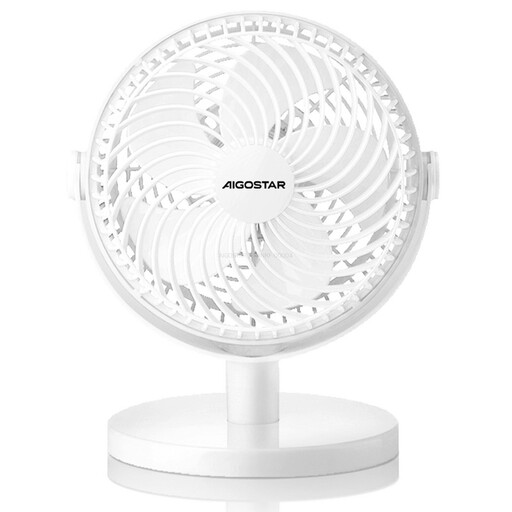
Aigostar USB desk fan, 5 blades, white
If you want to direct the breeze towards your armchair, the product description says the head can be adjusted by 360°.
Two speed settings; USB powered; dimensions: 200 × 170 × 225 mm.
Joybuy
 No image available
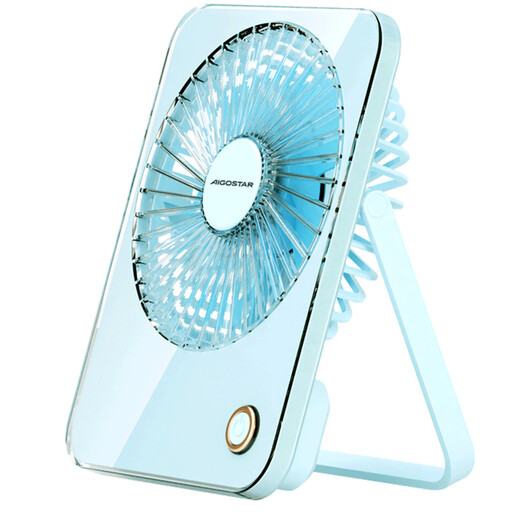
Aigostar USB desk fan, 3 inch, blue
If you have little space beside your armchair, the description says its foldable design makes it easy to position.
3600-mAh battery; three speed settings; stand folds by 180°; dimensions: 136 × 37 × 178 mm.
Joybuy
 No image available
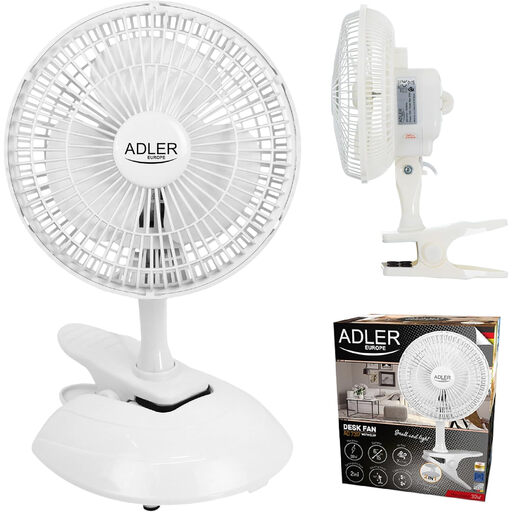
ADLER AD 7317 desk fan with clip
If you want to attach the fan to a piece of furniture or stand it on a surface, the product information describes both options.
Fan diameter: 15 cm; two speed settings; tilts 8° upwards or downwards; stated power consumption: 30 W.
Joybuy
 No image available
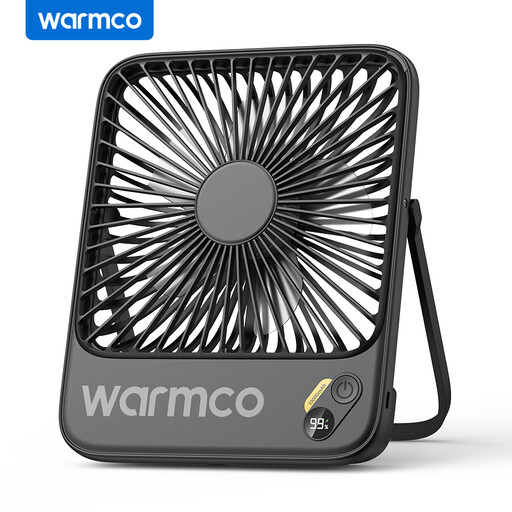
Warmco D3 desk fan
If you’re using a narrow surface and want to direct the airflow, the description mentions a slim profile and a folding stand.
Built-in 10,000-mAh battery; USB-C; four speed settings; 4.1 cm slim profile.
Joybuy
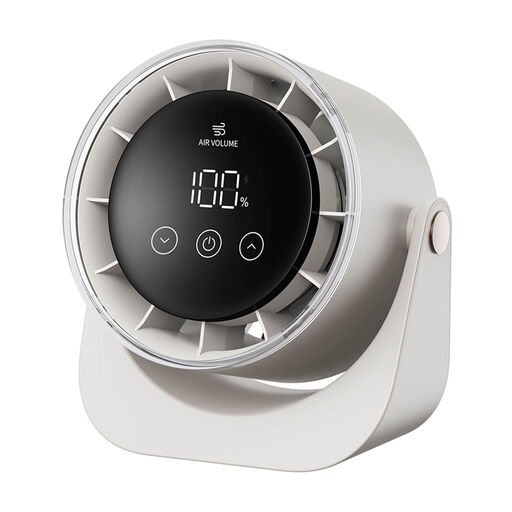 No image available
Compact cordless desk fan
For an adjustable breeze at your desk or beside your armchair, the description says the fan tilts by 90°.
Built-in 4000-mAh battery; 100 speed settings; dimensions: 139 × 83 × 146 mm.
Joybuy
Frequently asked questions
Can an air circulator cool down my home?
No, an ordinary fan doesn’t lower the room temperature, though moving air can feel cooler on your skin. The German Environment Agency recommends shading your home from the sun and opening the windows when the air outside is cooler as other ways to keep the heat out.
Where should I position a fan beside my armchair?
Place it on a stable, level surface and keep the air inlets clear. The MeacoFan 1056 manual advises against blocking the inlets with walls or curtains; if you have another model, follow its own instructions.
How can I estimate a fan’s power consumption?
Multiply the power consumption in kilowatts by the number of hours it runs. If a fan runs continuously at 20 W—the maximum power consumption listed by BONECO for the F100—for five hours a day over 30 days, the calculation is 0.020 kW × 150 h = 3 kWh. The cost depends on your electricity tariff.
Does the Rowenta VU2740F0 oscillate automatically?
The manufacturer’s information about the VU2740F0 is contradictory: the description mentions automatic oscillation, but the features table says it doesn’t have this function. Don’t rely on it when making your decision; check directly with the retailer or manufacturer for the specific model before buying.


