
Lieferung heute & morgen

Qualitätsgarantie

Willkommens-Angebote freischalten: KOSTENLOSE Lieferung | Bis zu 80 % RABATT | Kostenlose 30-Tage-JoyPlus-Testphase
App herunterladen
A constantly whirring fan in the workplace can significantly disrupt concentration. For office environments, libraries, recording studios, or a demanding home office, a silent PC is therefore not just a matter of comfort, but a necessity for productive work. A fanless mini PC promises exactly that: full computing power with zero noise emissions. However, the selection process is fraught with pitfalls that can quickly turn your hoped-for oasis of calm into a compromise.
This guide reveals what to look for to avoid the most common mistakes and find a system that meets your demands for a quiet and powerful workspace.
The search for the right device can be complicated by marketing promises. Pay close attention to these three points to avoid a poor investment.
To sidestep the pitfalls mentioned above, you should check three core technical aspects before buying. These define the real-world usability of a fanless mini PC.
The critical factor for silent operation is the cooling solution. A passively cooled PC completely forgoes mechanical fans. Instead, the waste heat from components, especially the processor, is dissipated to the chassis via a large heat sink.
Look explicitly for terms like "fanless" or "passively cooled" in the product specifications.
For a mini PC for office applications, a high-end processor isn't necessary, but a solid performance baseline is essential. Modern, energy-efficient processors offer a great combination of performance and low heat generation.
The compact design is one of the main advantages of mini PCs. To fully leverage this benefit, mounting capability is crucial.
Based on the criteria above, we have compiled a selection of devices suitable for specific user profiles.
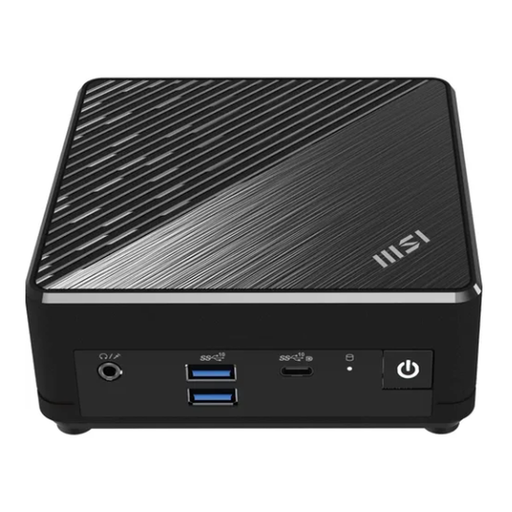
Why This Fits Their Persona: Ideal for environments where absolute silence is required, such as libraries, recording studios, or focused individual offices. This model is designed for continuous operation in noise-sensitive areas.
Its explicitly fanless design guarantees 0 dB operation, sidestepping the "quiet isn't silent" trap. With Windows 11 Pro, Dual LAN, and triple-display support, it makes no compromises on connectivity.
Absolutely silent operation due to its passive cooling design. Professional-grade features including Windows 11 Pro, Dual LAN, and a VESA mount.
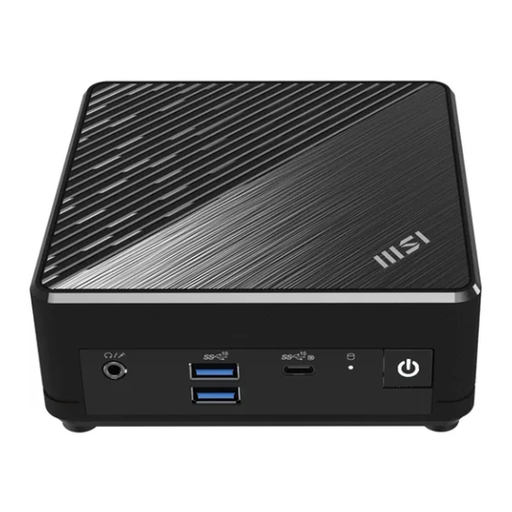
Why This Fits Their Persona: A reliable workhorse for standard office applications, web browsing, and video conferencing in a typical business or home office environment where efficiency and a clean desk are a priority.
This model offers a balanced configuration with an efficient Intel N200 processor that handles everyday tasks without being underpowered. Its comprehensive port selection, including Dual LAN, prevents the need for extra adapters.
Extremely compact chassis with a VESA mounting option for maximum space-saving. Balanced performance for all common office applications.
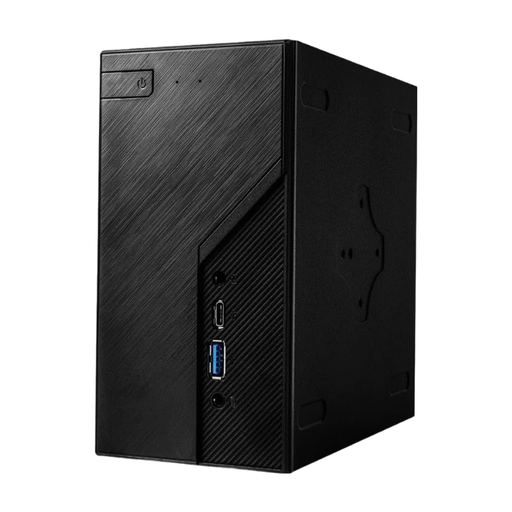
Why This Fits Their Persona: Perfect for IT departments or tech-savvy users who want to configure a compact PC (barebones system) to their specific performance and storage requirements.
As a barebones system, it gives the user full control over performance (CPU choice) and noise level (cooler choice). This avoids the risk of buying a pre-configured system that doesn't meet specific needs.
High flexibility in choosing the CPU, RAM, and storage. Solid platform for custom and high-performance mini PC builds.
We have compiled a complete, real-time updated list of products that fully meet these strict selection criteria and relevant safety standards.
A passively cooled PC dissipates heat through its chassis. It is therefore normal for the case to become warm to the touch under load. This is a sign that the cooling is working as intended. As long as the device is placed in a well-ventilated area and the vents are not blocked, there is no cause for concern.
Yes, for most office applications, an Intel N200 processor is more than sufficient. It easily handles standard tasks like word processing, spreadsheets, email, intensive web browsing with multiple tabs open, and smooth 4K video playback. It represents a significant improvement over older entry-level CPUs.
Yes, many models like the MSI Cubi N are prepared for VESA mounting and often come with the necessary bracket. This allows you to attach the PC directly to the back of a VESA-compatible monitor, resulting in a particularly clean and cable-free desk setup.