Keyboards at Joybuy
The models below include mechanical and low-profile keyboards, as well as a split wireless design. When choosing, pay particular attention to the specific key layout and whether the features you need are compatible.
 No image available
CHERRY XTRFY MX 3.1, mechanical keyboard, German QWERTZ layout
A mechanical option for long writing sessions if you’re looking for a German layout and tactile, non-clicky switches.
MX2A Brown switches; wired via USB; aluminium frame; white finish.
View at Joybuy
 No image available
Logitech ERGO K860, wireless keyboard, German QWERTZ layout
A split, curved key layout for writers who want to try a different hand position at their desk.
Bluetooth and USB receiver; the description mentions application-specific shortcuts through Logitech Options.
View at Joybuy
 No image available
AJAZZ AK35I V4, mechanical keyboard, German QWERTZ layout
A full-size mechanical option if you need a number pad and function keys for writing.
Tri-mode connection via Bluetooth, 2.4 GHz or USB-C; hot-swap feature.
View at Joybuy
 No image available
Logitech MX Keys S, Graphite, USB-C/A, Bluetooth, Logi Bold Adapter
A low-profile wireless keyboard for writers who want to set up recurring actions with Smart Actions.
Logi Options+ is specified for advanced features on Windows and macOS. Check that it supports your writing app.
View at Joybuy
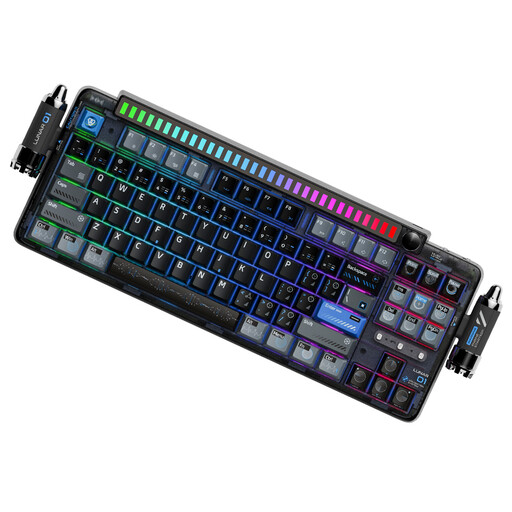 No image available
KEYSME Lunar 01 80%, mechanical keyboard, US QWERTY layout
A compact mechanical keyboard with a specified US QWERTY layout, which you should check against your typing needs before buying.
Tri-mode connection; hot-swap switches; programmable rotary knob. Check the specific layout version if you need German QWERTZ.
View at Joybuy
Frequently asked questions
Do I need a programmable keyboard for working with section outlines?
No, not necessarily. If you often perform the same actions, the MX Keys S Smart Actions or the customisable layout of the K3 Pro may be useful. First check the keyboard shortcuts in your writing app, then check whether the keyboard software and operating system support the function you want.
What should I consider at my workstation for long writing sessions?
Arrange your keyboard and mouse to leave room for a hand and arm position that suits you, and avoid staying in a rigid position for long periods. The German Federal Institute for Occupational Safety and Health describes this as part of workstation design; no particular keyboard is a treatment for discomfort.
Do I need additional software for customisable keys?
The MX Keys S Smart Actions described here use Logi Options+, which Logitech offers for Windows and macOS. CHERRY says its CHERRY KEYS key-mapping software supports Windows. Check the features available for your specific model and operating system.
What are my rights when buying a keyboard online from a business seller?
For relevant online distance purchases, you generally have 14 days from delivery to cancel; exceptions and possible return costs apply. Faulty goods are also covered by a statutory guarantee of at least two years from receipt. The European Union distinguishes these rights from a voluntary manufacturer’s warranty.
Do display screen requirements also apply to my personal writing project?
ASR A6 sets out requirements for workplaces within its scope and explicitly excludes private use of display screens outside teleworking. The German Federal Institute for Occupational Safety and Health still publishes guidance on ergonomic workstation design; this does not mean private writers have to buy a particular product.


