PC gamers who use headphones
If you play Stardew Valley or Farming Simulator 25 on PC, check game support and the connection for controls and audio separately. Valve and Steam list DualSense support for Farming Simulator 25 on PC via USB.


First, choose a controller that your specific farming game supports on your platform and over your preferred connection. Then check how audio will reach your headphones. Sony requires a wired connection to use the DualSense headset jack on PC, while Microsoft Xbox Support notes that Xbox headsets do not work with a controller connected to a PC via Bluetooth. A cable can save you the hassle of pairing, but it limits how far you can sit from your screen.
If you play Stardew Valley or Farming Simulator 25 on PC, check game support and the connection for controls and audio separately. Valve and Steam list DualSense support for Farming Simulator 25 on PC via USB.
If you play on an Xbox or PS5, check how your headphones connect to the console or controller. Microsoft Xbox and Sony PlayStation set out different requirements for controllers and headsets, depending on the platform and connection.
If you want to plug your headphones into the controller, check that you have a Nintendo Switch 2 and a compatible game. Nintendo says the Switch 2 Pro Controller is compatible with the Switch 2 only.
Start by checking that your game, platform and controller connection are compatible. Then find out how game audio will reach your headphones, and whether the cable length and button layout suit your setup and play style.
| What matters | What to check before buying | Who this matters most to |
|---|---|---|
| Game and platform compatibility | Check the game version, platform and controller model, as well as whether you need a USB or wireless connection. | If I play a particular farming game on PC, I want to know whether it supports my gamepad over my preferred connection. Around 34% of consumers put compatibility first. |
| Audio through headphones | Check that the headphone jack and audio support work with your platform and controller connection. | If I want to hear game audio through headphones plugged into my controller, I check the connection too, not just whether there’s a jack. Around 33% of consumers prioritise headphone audio. |
| Comfort during long sessions | Consider the grip and how easy the buttons are to reach; check the button-mapping options for the specific model. | During longer gaming sessions, I want to reach the buttons comfortably and use only features supported by my game. Around 20% of consumers prioritise ease of use. |
| Cable or freedom to move | Consider your seating distance, cable routing and available USB ports; if you’re going wireless, check the audio connection separately. | If a cable reaches my seat, I may prefer a direct connection. If it gets in the way, a supported wireless connection is important. Around 13% of consumers prioritise freedom of movement or a straightforward wired connection. |
On PC, Sony requires a wired connection to use the DualSense headset jack. Microsoft Xbox Support says Xbox headsets don’t work with a PC controller connected via Bluetooth.
Check controls and audio separately for your platform, and be prepared to use a different audio jack or controller connection if needed.
You may need an additional or alternative connection for game audio.
For Farming Simulator 25 on PC, Steam explicitly lists DualSense support as “USB Only”.
Check the details for your specific game version and see whether it requires USB or a particular wireless connection.
Nintendo says the Switch 2 Pro Controller is compatible with the Nintendo Switch 2 only.
Before you buy, check the exact console generation and model name.
Xbox controllers may suit you if you switch between Xbox and a Windows PC. Check the audio connection for your setup.
A DualSense may suit you for PS5 or a supported PC game. On PC, check game support and the headset connection separately.
The Switch 2 Pro Controller is an option for compatible farming games on Nintendo Switch 2.
The XBGP0379-01 is a wired option for Xbox and Windows, with a headset jack.
The G7 SE is a wired option for Xbox and PC. Check the connection and features for the specific variant you’re considering.
This Joybuy selection includes wired PC and Xbox gamepads, as well as controllers for Nintendo Switch systems. For each model, check that the connection, platform compatibility and headphone features suit your gaming setup.
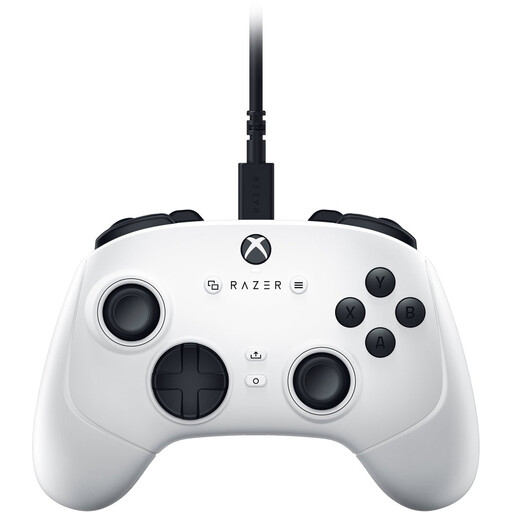 No image available
A wired option for PC or Xbox gaming, provided the cable is long enough for your setup.
The description lists USB-C and a 3 m cable, along with four paddles, six customisable buttons and Hall Effect sticks.
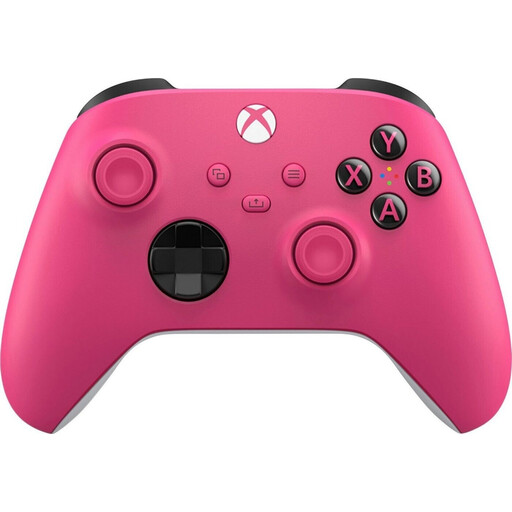 No image available
A wireless option for Xbox or PC if you’re looking for a controller with an audio jack and can plan the PC connection accordingly.
The description lists Bluetooth, a 3.5 mm audio jack and compatibility with Xbox and PC. According to Microsoft Xbox Support, Xbox headsets are not supported on PC when the controller is connected via Bluetooth.
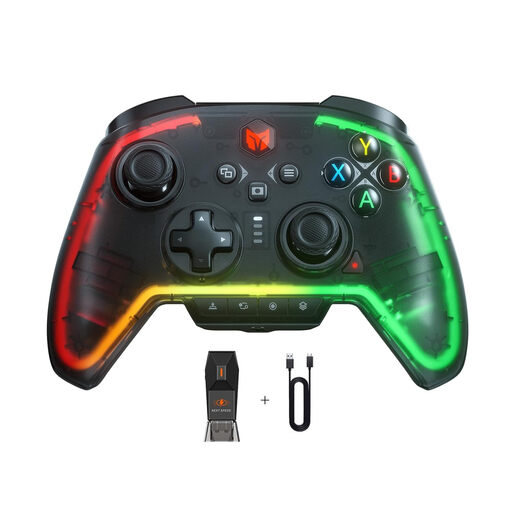 No image available
A wired option for PC or Nintendo Switch, if a cable suits your gaming setup.
The description lists compatibility with PC and Nintendo Switch, as well as a wired connection.
 No image available
A wireless option for a Nintendo Switch game, provided the stated compatibility matches your console.
The description lists wireless controls and compatibility with Nintendo Switch systems. For headphones, check that your setup has the audio connection you want to use.
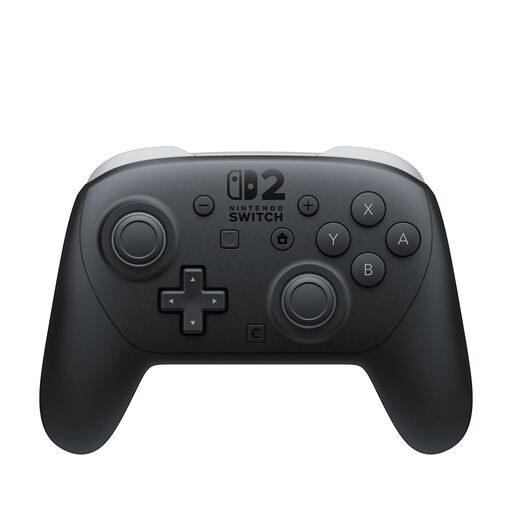 No image available
An option for farming games on Nintendo Switch 2 if you want to plug your headphones into the controller.
The description lists a built-in headphone jack and customisable GL/GR buttons. Nintendo says the controller is compatible with Switch 2 only.
Not through the controller’s headset jack: Sony requires a wired connection for that on PC. Also check which controller connections your specific game supports.
According to Microsoft Xbox Support, you can pair the controller via Bluetooth, but Xbox headsets are not supported with a PC controller connected this way. Plan to use a supported connection or a separate audio jack for sound.
When using the Switch 2 Pro Controller wirelessly with headphones connected, Nintendo offers the audio settings “Stable” and “Low Latency”. These settings don’t guarantee that all audio delay will disappear.
No. Nintendo says the Switch 2 Pro Controller is compatible with the Nintendo Switch 2 only.