Players with a dedicated console
If you play on Xbox, PS5 or Switch using your TV, first check that the controller and specific game version are compatible with your console.


Choose based on your platform and the specific farming game first, then consider the connection and extra buttons. On a Windows PC, Xbox controllers are listed as supported for the Steam versions of Farming Simulator 25 and Stardew Valley. For PlayStation and Switch consoles, check controller and game support separately. Extra buttons or a PC connection alone do not confirm compatibility with your console or game.
If you play on Xbox, PS5 or Switch using your TV, first check that the controller and specific game version are compatible with your console.
If your PC is connected to the big screen, make sure the connection from the PC to where you sit works for your setup too.
If you want quick access to actions you use repeatedly, look for mappable buttons and check whether the specific game supports a suitable button layout.
A good fit if: you play on Xbox or a Windows PC and support for your farming game has been confirmed. Steam lists Xbox controllers as supported for Farming Simulator 25 and Stardew Valley.
Keep in mind: On PC, you’ll need to choose the right connection method from USB, Bluetooth and an Xbox Wireless Adapter. Microsoft lists these options for Windows.
A good fit if: you want to play on a Switch in TV mode. Nintendo also confirms that the older Switch Pro Controller can be used wirelessly with a Switch 2.
Keep in mind: This does not confirm compatibility with PC or other consoles. According to Nintendo, the Switch 2 Pro Controller is compatible with Switch 2 only.
A good fit if: you play on PS5, or have checked PC support for your specific game and connection.
Keep in mind: Steam lists DualSense support for Farming Simulator 25 over USB only. Sony’s general PC guidance applies to compatible games and applications.
A good fit if: you want extra mappable buttons on a Windows PC and can use the USB-A receiver with your gaming device.
Keep in mind: 8BitDo says this model connects to Windows via 2.4 GHz or cable; Bluetooth is listed for Android.
Before you buy, focus on the specific game, the connection to where you sit and the controls you use regularly.
| Priority | What to check before buying | Who is it important for? |
|---|---|---|
| Platform and game | Check your console or PC, and confirm support for the specific game and version. | If I play on my existing console using my TV, or on PC, I want to know whether that exact game supports the controller. Around 40% of consumers put platform and game compatibility first. |
| Connection to where you sit | Check the supported wireless connection type and ports on your gaming device, as well as the distance to your seat. | If I play from the sofa, the connection needs to work without an unsuitable wireless option or a cable that’s too short. For around 30% of consumers, connecting to where they sit is the priority. |
| Button mapping | Check the mappable buttons on the exact model and the options available in the game separately. | If I want easy access to recurring in-game actions, it matters whether I can map the controls I need. Around 20% of consumers put button mapping first. |
| Power | Check whether it uses a rechargeable battery or disposable batteries, what’s included and whether you’ll need any additional charging accessories. | If I don’t want to have to arrange missing charging accessories or suitable batteries after buying, I check the power requirements. Around 10% of consumers make this their priority. |
For the 8BitDo Ultimate 2C Wireless, the manufacturer lists 2.4 GHz via a receiver or a wired connection for Windows; Bluetooth is listed for Android.
Check which wireless connection type is intended for your gaming device and what’s included with the exact model.
Nintendo confirms that the older Switch Pro Controller can be used wirelessly with a Switch 2. By contrast, according to Nintendo, the Switch 2 Pro Controller is compatible with Switch 2 only.
Check the full model name against your console before you buy.
For Farming Simulator 25, Steam lists DualSense support over USB only. For Stardew Valley, the Steam page we checked lists Xbox controller support and says support for other controller devices is unknown.
Check the controller information for your specific game version and preferred connection.
A relevant option for Xbox and Windows PCs when the specific game supports Xbox controllers.
The Switch Pro Controller is an option for Switch; the Switch 2 Pro Controller model is designed for Switch 2.
DualSense is an option for PS5 and for PC games checked individually and confirmed as compatible.
The Ultimate 2C Wireless is a Windows PC option with extra mappable buttons.
This selection includes controllers for PC and console setups, as well as a farmstick listed for Windows PC. Check support for your specific game and device before buying.
 No image available
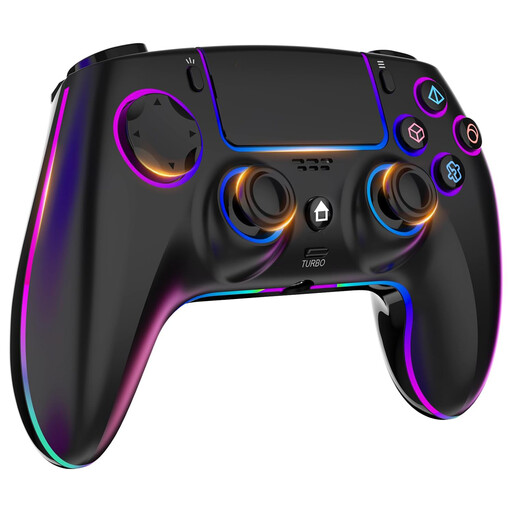
For a PC or PS4 setup, according to the product name; check support for your specific game version.
The product name lists seven-colour RGB lighting, dual vibration, turbo function, touchpad, headphone jack and a 1000-mAh battery.
 No image available
A possible option if you use one of the devices listed in the product name; this does not confirm support in every farming game.
The product name lists Bluetooth 5.2, 2.4 GHz wireless, dual vibration, turbo function and a phone holder, as well as compatibility with Android, iOS, PC, Smart TV, PS3 and Switch.
 No image available
For an Xbox or Windows PC setup, according to the product name; Steam lists Xbox controllers for Farming Simulator 25.
Microsoft lists Bluetooth, Xbox Wireless and app-based button mapping for the controller; according to the product description, two AA batteries are included. Check which connection your gaming device supports.
 No image available
For one of the PC or Switch setups listed in the product name; don’t assume it will be supported by every game.
The product name lists tool-free, interchangeable joysticks, buttons and directional pads, as well as compatibility with PC, Nintendo Switch, Switch 2, Steam and Android.
 No image available
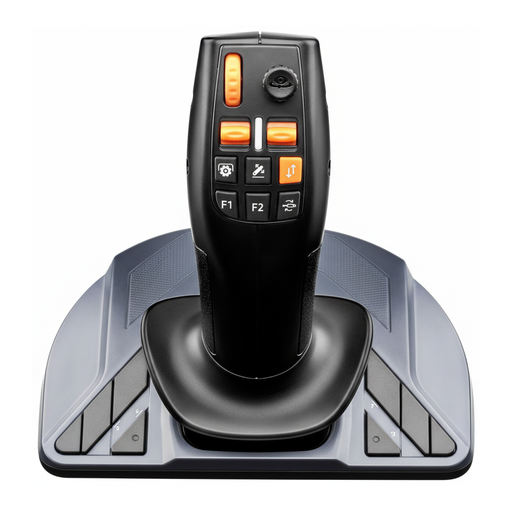
A specialist option for Farming Simulator 22 or 25 on a Windows PC, provided the stated game and system support suit your setup.
The product description lists native support for Windows 10/11, a USB connection and 33 action buttons, as well as three axes, a mini-stick, thumbwheel and trigger. It is designed to be used at a desk.
No, a Bluetooth specification alone isn’t enough to confirm compatibility. The Farming Simulator 25 Steam page lists Xbox controllers, as well as DualShock and DualSense, with both PlayStation controllers supported over USB only. Check that your specific game version, controller and preferred connection are compatible.
Microsoft lists a USB cable, Bluetooth or the Xbox Wireless Adapter for Windows. Choose a connection method supported by your PC and exact controller model.
Yes, Nintendo confirms that the older Switch Pro Controller can be used wirelessly with a Switch 2. Don’t confuse it with the Switch 2 Pro Controller, which according to Nintendo is compatible with Switch 2 only.
The Stardew Valley Steam page we checked lists split-screen co-op. It lists Xbox controller support; support for other controller devices is described as unknown.
Do not put old batteries in your household rubbish. Germany’s Federal Ministry for the Environment says used portable batteries can be returned free of charge to retailers or municipal collection points.