Gamers with limited desk space
When space is at a premium, the actual external dimensions matter, as does the room needed for cables and ports, along with the manufacturer’s recommended positioning.


If desk space is limited, first check the dimensions of the exact PC configuration, then compare its graphics card and other specifications with your game’s requirements. A very small PC with integrated graphics isn’t suitable for Farming Simulator 25 just because of its form factor. A larger, compact desktop may offer more upgrade options, but it will take up more space. For the specific product, also check the required conformity marking and accompanying documentation for Germany.
When space is at a premium, the actual external dimensions matter, as does the room needed for cables and ports, along with the manufacturer’s recommended positioning.
If you want to play Farming Simulator 25, compare the full specification of the PC configuration you’re considering with GIANTS Software’s requirements.
If you may want to add storage or other components later, check which slots are free on the exact configuration and consider how much desk space you have available.
First check that the PC fits in the space you have available, then compare its exact specifications with your game and any plans you have to upgrade it.
| Buying consideration | What to check before buying | Who should consider this? |
|---|---|---|
| Desk space and positioning | Compare the dimensions of the exact configuration with the space available, allowing for cables and the permitted positioning. | If my desk has very little free space, I need the dimensions, including room for cables, before choosing a model. Around 31% of consumers put desk space and positioning first. |
| Gaming performance | Compare the game version, full GPU model, graphics memory, RAM and available storage with the game’s requirements. For Farming Simulator 25 on Windows, GIANTS Software specifies a minimum of 8 GB RAM, 45 GB of free storage and a GTX 1050 Ti or RX 470, or a better graphics card with at least 3 GB of graphics memory and DX12 support. | If what matters most to me is whether my particular simulation will run on the PC, I want to check the exact configuration rather than just the ‘gaming PC’ label. Around 31% of consumers prioritise gaming performance. |
| Noise and cooling | Look for noise measurements under gaming load for the exact configuration, and follow the manufacturer’s positioning guidelines. | If the PC is right next to where I sit, I want to know how loud the specific configuration is under gaming load. Around 23% of consumers say noise levels are their main concern. |
| Upgrade potential | Distinguish the pre-installed RAM and storage from the possible maximum capacity, and check which slots are free on the exact configuration. | If I want to add storage or make components easier to maintain later, the specification of the PC as supplied matters to me. Around 15% of consumers prioritise future upgrades. |
Even a device described as compact may be too deep for a small desk or leave too little room for cables.
Measure the space where you plan to put it and compare the width, depth and height of the exact configuration.
A product range’s general advertising may mention different graphics cards from those in the specific configuration on offer. HP lists the OMEN 16L TG03-0750ng with an 8 GB RTX 3050.
Check the GPU and installed RAM against the exact product code, then compare these specifications with your game’s requirements.
The possibility of upgrading doesn’t tell you how much storage is already installed or which slots are free in the specific configuration.
Before buying, note the installed specification and check available slots separately from any maximum capacities.
The ROG NUC range is an option if you have limited space and want dedicated graphics. ASUS gives the case volume as 2.5 litres.
The OMEN 16L TG03-0750ng is a compact desktop with a clearly specified configuration.
The MPG Trident AS 14th is a compact desktop range for buyers who also want to consider storage upgrades.
The A9 Max 2026 Edition is a very small PC with integrated Radeon 890M graphics.
The Joybuy products below are mini PCs with integrated graphics, aimed mainly at people with limited desk space. Compare each configuration with your game’s requirements: the form factor alone doesn’t confirm that it’s suitable for gaming.
 No image available
This mini PC form factor may suit a small desk; compare the integrated graphics with your game’s requirements.
Radeon 680M, 16 GB RAM, 512 GB SSD and dual M.2 slots.
 No image available
Its compact form factor is worth considering if desk space is limited; check whether the specific configuration is suitable for your games.
Radeon 660M, 16 GB LPDDR5, 512 GB NVMe SSD and Windows 11 Pro.
 No image available
Its compact form factor may suit a limited space; check the integrated graphics against your simulation’s requirements.
Radeon 760M, 24 GB LPDDR5 RAM and 512 GB PCIe 4.0 SSD.
 No image available
If a small form factor is your priority, still check whether the specific configuration is suitable for gaming before choosing this mini PC.
Radeon 880M, 24 GB DDR5 RAM and 1 TB PCIe 4.0 SSD.
 No image available
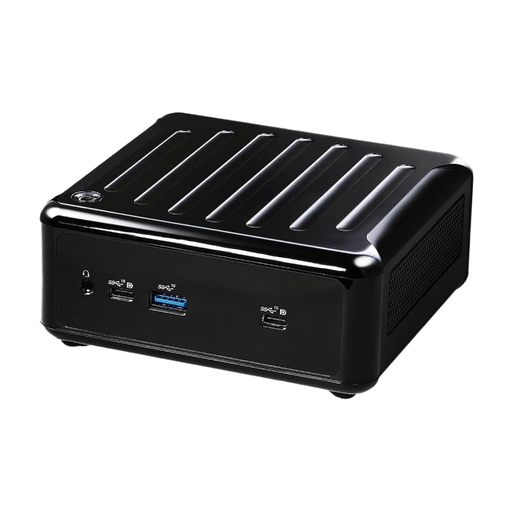
Its compact form factor may be useful if space is limited; bear in mind that this system is listed as a barebone PC without a pre-installed operating system.
Ryzen 5600U and integrated Radeon graphics. You’ll need to install an operating system and set up the PC before gaming.
No. GIANTS Software lists specific minimum requirements and notes that these don’t cover every configuration. Compare the PC’s full specification with the game’s requirements: the ‘gaming’ label alone doesn’t prove that it’s suitable.
Compare the external dimensions and the manufacturer’s recommended positioning with the space available. For future upgrades, check the free slots and drive bays on the specific configuration, not just its possible maximum capacity.
Yes. GIANTS Software specifically lists an internet connection as a requirement for online features.
According to the German Federal Ministry of Justice, consumers buying from a business by distance selling generally have a 14-day right to cancel. For goods, the cancellation period starts once the full order has been delivered and you’ve been properly informed about your right to cancel. If a product is faulty, you can make a statutory warranty claim against the seller; this is separate from any additional manufacturer’s guarantee on offer.
Check the relevant conformity marking and required accompanying documentation for the specific device. The German Federal Network Agency lists these points in connection with the applicable requirements, including those relating to electromagnetic compatibility. A CE marking doesn’t prove gaming performance.