
Lieferung heute & morgen

Qualitätsgarantie

Willkommens-Angebote freischalten: KOSTENLOSE Lieferung | Bis zu 80 % RABATT | Kostenlose 30-Tage-JoyPlus-Testphase
App herunterladen
A broken or slow charging cable can seriously disrupt your digital life. But when searching for a replacement, a few pitfalls await. Many cables advertised as "fast" don't deliver on their promise or break after a short time. This guide will help you correctly interpret technical specifications and find a reliable fast-charging cable that perfectly matches your devices and needs.
Before you make a decision, you should be aware of the most common issues that lead to frustration and unnecessary expense.
To avoid a bad purchase, you should carefully check three technical features. These determine the performance, compatibility, and longevity of your new cable.
The deciding factor for fast charging is the protocol. The most common standard is USB Power Delivery (PD). Make sure the cable explicitly supports this standard. The specified power in watts (W) indicates the maximum energy that can be transferred:
Check the ports on your power adapter and your end devices. The most common combinations are:
A cable's longevity depends heavily on its material. A braided charging cable made of nylon is significantly more resistant to abrasion and kinks than a standard PVC cable. Reinforced connector housings made of metal or robust plastic protect the sensitive solder joint inside.
Length is a practical consideration. A 2m charging cable offers flexibility at your desk or nightstand, while shorter cables (approx. 1m) are more convenient for use with a power bank.
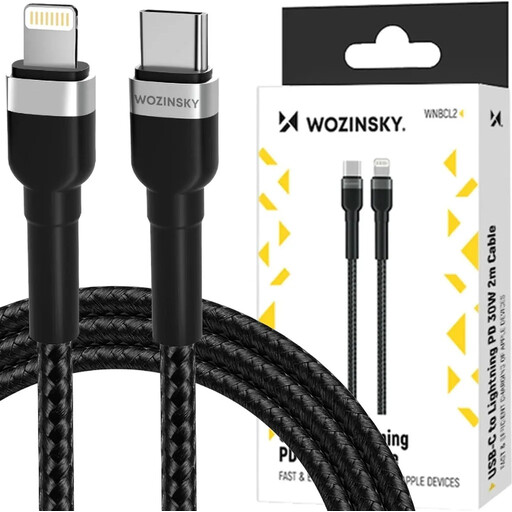
Why This Fits Their Persona: Ideal for iPhone owners who need a long, durable cable for daily charging at home or in the office. The 2-meter length offers plenty of freedom, and the 30W power output is optimised for fast-charging iPhones.
The nylon jacket (braided charging cable) and robust connectors prevent typical cable fraying. It explicitly supports 30W Power Delivery and enables reliable data transfers.
Durable construction with high bend resistance; 2-meter length for maximum flexibility; supports charging and data sync (480 Mbps).
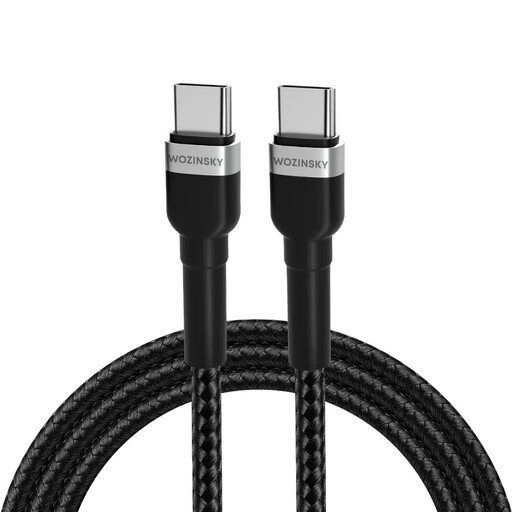
Why This Fits Their Persona: Perfect for users looking for a single cable for multiple devices, including their USB-C laptop. The 65W output is sufficient for many notebooks while also charging smartphones and tablets at maximum speed.
This cable delivers a true 65W Power Delivery output, making it a fully-fledged laptop charging cable. The nylon construction and reinforced connectors provide the necessary durability for daily use.
Universal compatibility for laptops, tablets, and smartphones; high 65W charging power; highly durable braided jacket.
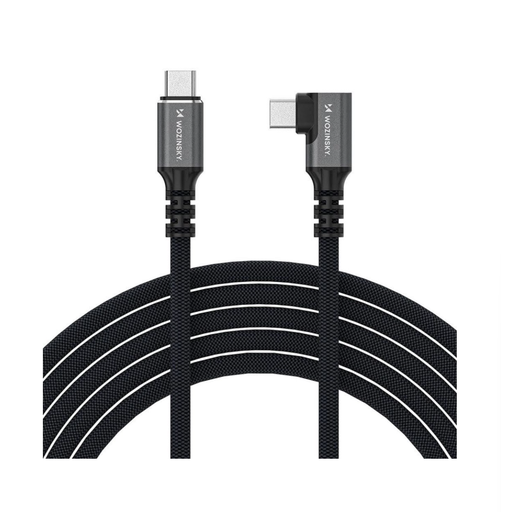
Why This Fits Their Persona: For users who demand maximum performance for video workflows, external SSDs, or docking stations. This cable combines extremely high data rates with maximum charging power in a single connector.
This is a certified Thunderbolt 4 cable that offers a guaranteed data rate of 40 Gbps—far more than a standard USB-C cable. It bypasses the trap of slow data transfers while simultaneously delivering up to 240W of charging power.
Supports 8K video transfer; extremely fast data transfer (40 Gbps); maximum charging power of 240W; angled connector for tight spaces.
We have compiled a complete, up-to-date list of products that fully meet these strict selection criteria and safety regulations.
Look for the official specifications in the product description. Key terms are Power Delivery (PD) and a clear indication of the maximum power in watts (W), e.g., 30W, 65W, or 100W. For optimal performance, the cable, power adapter, and end device must all support the same fast-charging standard.
No, there is no risk when using standard-compliant products. Modern smartphones, tablets, and laptops have charging electronics that communicate with the power adapter. The device only requests as much power as it can safely handle. Therefore, using a more powerful cable (e.g., 100W) with a device that only needs 20W is completely safe.
USB-C refers to the physical, oval connector type. Thunderbolt 4 is a transfer protocol that uses this connector. While almost all Thunderbolt 4 cables have a USB-C connector, not every USB-C charging cable is also a Thunderbolt 4 cable. Thunderbolt 4 offers a significantly higher guaranteed bandwidth (up to 40 Gbps) for data and video, making it the choice for professional users. It is fully backward-compatible with standard USB-C.