Recorder users who switch between card formats
If you use SD and microSD cards, a reader with a dedicated slot for each can make switching between formats easier. UGREEN and Lexar offer models that support both SD and microSD.


Choose a USB-C card reader based on your recorder’s card format and whether your phone, tablet or laptop can recognise the card without mains power and offers a suitable place to copy files to. A compact reader is enough for compatible SD or microSD cards; UHS-II only matters if the card, reader and target device all support this standard. A hub offers extra ports, but makes your setup more involved. Check the copied files before reusing the recording card.
If you use SD and microSD cards, a reader with a dedicated slot for each can make switching between formats easier. UGREEN and Lexar offer models that support both SD and microSD.
If you want to copy files without a laptop, check the USB-C connection, file access and available storage on your target device. Apple Support and Files by Google explain what you need to access external storage.
If you regularly transfer large amounts of recordings, check that both the card and reader support UHS-II. The SD Association points out that the speed you can achieve also depends on the card.
First, check the card format and file access on your target device. Then consider extra ports and transfer speed in light of your specific copying setup.
| What matters | What to check before buying | Who is this most important for? |
|---|---|---|
| Compatible card format | Check whether the reader supports SD or microSD, and make sure that matches your recorder’s specific card format. | If you use cards from different recorders, you may want to read both formats directly; around 36% of consumers put card compatibility first. |
| File access on a mobile device | Check whether your device and file app can recognise external memory cards. Apple Support also lists partition and file system requirements for iPhone storage devices; Files by Google explains USB storage access on Android 7.0 and later. | If you want to copy directly to a phone or tablet while you’re out and about, you need the device and file app to be able to open the card; around 29% of consumers prioritise mobile file access. |
| Copy destination and battery power | Allow for enough free storage on your target device and the connections you need; test the complete setup without mains power. | Without a mains socket, you need a suitable copy destination as well as a reader and a setup that works on battery power; around 21% of consumers put the copy destination and power supply first. |
| Transfer speed | Check the UHS standard supported by the card and reader, as well as the target device’s connection. The SD Association distinguishes between bus speed and actual card performance. | If you transfer files frequently or in large quantities, you’ll want to know whether the card, reader and target device support UHS-II; around 14% of consumers prioritise transfer speed. |
A USB interface specification doesn’t guarantee the same card read speed or a particular copying time. The card, reader and target device all affect transfer performance.
Check the card standard and the reader’s stated support before choosing a more elaborate setup based on a high USB speed rating.
A card reader gives you access to your files, but it isn’t a second storage location in itself.
Choose a suitable place to store your files before copying, then check the transferred audio files before reusing your recorder’s card.
A hub with a power pass-through port won’t provide extra power unless it’s connected to a power source.
Test the complete setup, including the card reader and copy destination, on battery power rather than checking the individual ports alone.
The UGREEN 50706 combines USB-C and USB-A with SD and microSD slots.
The Professional USB-C Dual-Slot Reader is designed for SD and microSD card users, including those with UHS-II cards.
The QuickFlow SD Card Reader with USB-C (SDDR-C751-GNANN) is an SD-specific option for USB-C devices.
The bus-powered USB-C hub HB31C3ASDMB combines a UHS-II-capable SD slot with three USB-A ports.
The USB-C Multiport Hub 49142 combines SD and microSD slots with additional ports.
The Joybuy products below specify SD, microSD or TF card readers in USB-C readers, hubs or a DVD drive. Check that each one’s card format and ports are compatible with your recorder and copying device.
 No image available
An option if you need extra ports on your USB-C hub as well as a card reader.
The product title specifies an SD/TF card reader, three USB 3.0 ports and 100 W PD charging.
 No image available
A suitable design if you want to read SD and MicroSD cards and switch between USB-C and USB-A connections.
The product title specifies USB-C, USB-A, SD, MicroSD, TF and SDHC.
 No image available
This combination could suit you if you’re looking for an external DVD drive as well as a card reader.
The product title specifies USB 3.0, Type-C and SD and TF card readers.
 No image available
A dock could be useful if you need extra ports as well as a card reader.
The product title specifies 2× HDMI, 2× USB-C 3.2, 1× USB-A and SD/TF.
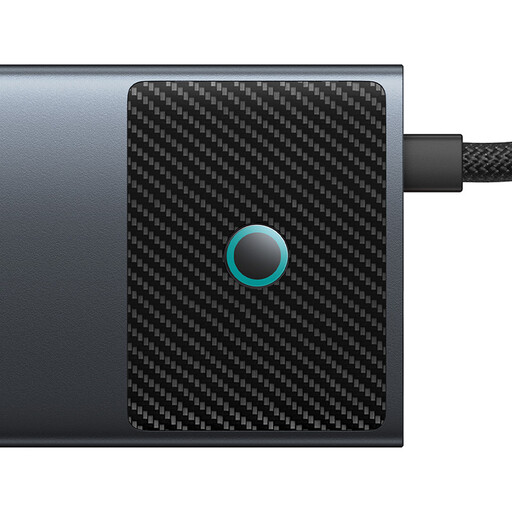 No image available
The multiple ports are useful if you want to connect other devices as well as a card reader; this makes for a more involved setup than a standalone reader.
The product title specifies SD/TF, HDMI, USB-A, USB-C and RJ45.
If your connected USB storage device is recognised, you can open it in Files by Google and transfer files to a suitable location using ‘Copy to’. Files by Google specifies Android 7.0 or later for the USB storage access described; check that it works with your particular device.
Apple Support explains how to access files using the Files app with a compatible, connected SD card reader. According to Apple, the external storage device must have only one data partition and use one of the file systems listed, such as APFS, Mac OS Extended (HFS+), exFAT or FAT.
Not every hub needs a separate power adapter: StarTech.com describes the HB31C3ASDMB as bus-powered. However, that doesn’t guarantee your battery-powered target device can supply enough power to all the connected devices; test your complete setup, including the storage device.
For a consumer purchase, the seller’s statutory liability for defects is separate from a voluntary guarantee. In its guidance dated 13 August 2026, the Verbraucherzentrale explains that, in general, retailers are responsible for ensuring goods are free from defects for two years. According to the EU information page, CE marking is required only for products covered by relevant harmonised legislation that requires it; it is not an independent official mark of quality.