Players on the sofa
If you play in front of a big screen, plan your seating distance, connection and cable routing together. HORI Europe lists wired and wireless options, depending on the model.


First, choose the input style you want to practise: a D-pad in your hands, a lever on a surface or individual direction buttons. Then check the exact model variant for your console or PC, and factor in the connection and distance from your seat. If inputs feel delayed, your TV’s game mode may also make a difference.
If you play in front of a big screen, plan your seating distance, connection and cable routing together. HORI Europe lists wired and wireless options, depending on the model.
If you switch between PC and console, the full model variant and any adapter requirements matter. Product specifications from HORI Europe, Razer, 8BitDo and MAYFLASH vary by model.
If you want to practise using your thumb, a lever or individual direction buttons, choose a suitable design and a comfortable surface to play on. HORI Europe, Razer and Hit Box Arcade offer different input styles.
A good fit if: you want to hold the controller in your hands and use your thumb to enter directions.
Consider: Practising on a D-pad involves a different hand movement from using a lever or individual direction buttons.
A good fit if: you want to practise lever movements and have a suitable surface on your lap or desk.
Consider: The casing and lever take up space, and the cable length and your seating position need to work with your setup.
A good fit if: you prefer to practise directions as individual button presses and the specific model variant is compatible with your gaming system.
Consider: The controls work differently from a D-pad or lever; this does not automatically give you a general gameplay advantage.
For each model, compare its design and platform first, then check the connection and space it requires. If inputs feel delayed on your TV, also check its gaming settings.
| Priority | What to check before buying | Who it matters most to |
|---|---|---|
| Connection and seating distance | Measure the distance to your console and plan a safe cable route. Check whether the specific model includes a receiver and a suitable cable. | If I play from the sofa, I need a connection that reaches my seat and cable routing that won’t create a trip hazard. Around 31% of consumers prioritise connection and seating distance when buying. |
| Compatibility | Compare the full model name with your console, game version, connection type and any explicitly stated adapter requirements. | If I switch between PC and console, I want to be sure that the exact model variant works with my system and game version. Around 25% of consumers pay particular attention to model compatibility. |
| Input style and playing surface | Decide which movement you want to practise, then check the button layout, playing surface and space for your hands and cables. | If I want to practise with a D-pad, lever or individual direction buttons, the design should suit the way I play. Around 25% of consumers prioritise input style. |
| Delayed inputs | Check your TV’s game mode or low-latency picture setting, then test it with your existing controller. | If inputs feel delayed on my TV, I want to check the possible causes before buying another device. Around 19% of consumers are most concerned about perceived picture delay. |
Controller requirements can vary depending on the game version. PlayStation Support Germany lists DUALSHOCK 4 and officially licensed third-party gamepads for supported PS4 games on PS5; PS5 games have different requirements.
Check the full model, console and game version together, rather than relying on a platform logo alone.
A stated cable length or wireless range won’t automatically account for furniture or the connection route in your room.
Measure the cable run you need and check the wireless connection where you plan to sit. Keep cables out of walkways.
On some TVs, picture processing can contribute to perceived input delay. Sony notes that the relevant game setting depends on the model.
First, try game mode on your existing TV and check the instructions for your specific model.
The consumer advice centre distinguishes your statutory rights against the seller if a product is faulty from a voluntary guarantee with its own terms and conditions.
Keep your proof of purchase and product description. If there’s a fault, contact the seller first.
HORI Europe offers fighting controllers in two styles: a handheld Fightpad and an arcade stick with a lever. Connection and control options vary by model.
Razer describes the Kitsune as an all-button controller for PS5 and PC, for players who prefer individual direction buttons to a lever.
8BitDo offers an arcade stick with a lever for Xbox and Windows. These platform specifications do not confirm support for PS5.
The F500 FLAT Elite from MAYFLASH is an all-button option. Check its platform requirements carefully before buying.
Hit Box Arcade offers the PC Hit Box, a leverless option specified as compatible with PC.
The Joybuy models below include a leverless controller and gamepads with different platform and connection specifications. Before buying, check that the specific variant is compatible with your system and suits your preferred input style.
 No image available
If you prefer individual direction buttons to a lever, the leverless design is made for your preferred way of playing.
Listed in the product title: Switch 2, Switch, PC, iOS and Android; Bluetooth, 2.4 GHz wireless and wired operation; hot-swappable mechanical switches.
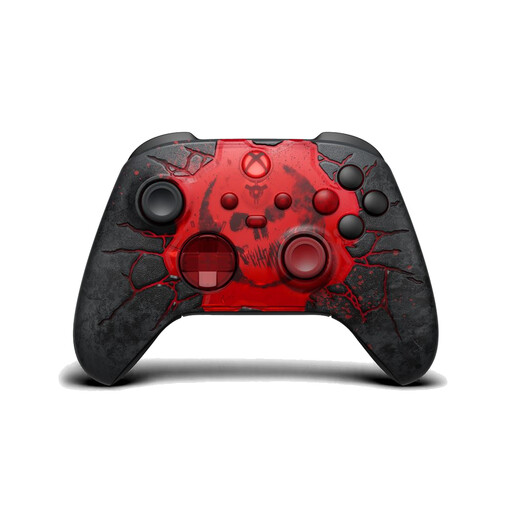 No image available
If you’re looking for a traditional gamepad with a D-pad, first check that the stated Xbox or Windows compatibility suits your system.
The product description lists Xbox Series X|S, Xbox One and Windows 10/11, as well as a hybrid D-pad, Xbox Wireless, Bluetooth and a USB-C wired connection.
 No image available
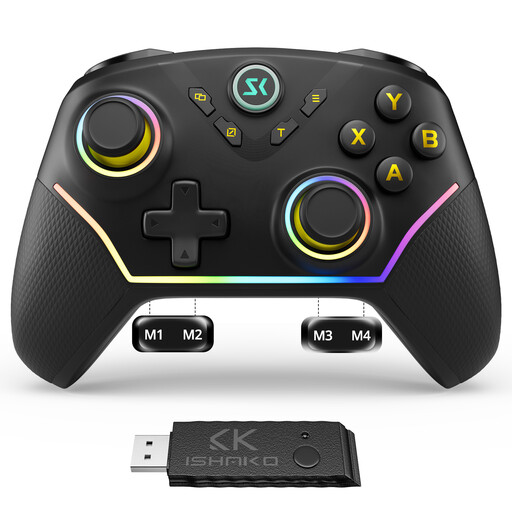
If you’d rather have a gamepad than an arcade controller, check that the platforms listed in the description include your gaming system.
The product description lists PC and Nintendo Switch, four rear buttons, Hall effect sticks and triggers, plus Bluetooth, 2.4 GHz wireless and USB-C wired operation.
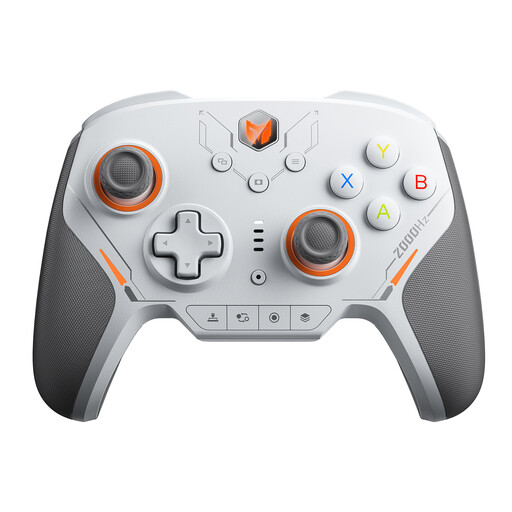 No image available
If you’re considering a gamepad with mechanical buttons, check that the listed system and controls suit the games you play.
Listed in the product title: PC, Switch, iOS and Android, 16 mechanical microswitches, TMR joysticks and a 2000 Hz polling rate.
 No image available
If you’re looking for a gamepad with extra customisable buttons, compare the listed platforms with your gaming system.
Listed in the product title: PC, iOS and Android, four customisable buttons and Hall effect triggers. The product description lists Bluetooth and a USB-C wired connection.
No, the game version matters. PlayStation Support Germany lists DUALSHOCK 4 and officially licensed third-party gamepads for supported PS4 games on PS5; for a PS5 game, also check that the full controller variant is approved.
Check your TV’s game mode. Sony describes model-specific settings for reducing input delay on certain BRAVIA, Android TV and Google TV models; the menu steps won’t necessarily apply to every TV.
It depends on the model and console. For the F500 FLAT Elite, MAYFLASH requires a converter, sold separately, for the stated PS5 use, which is limited to fighting games. For certain other consoles, the manufacturer specifies that a wired controller must be connected.
The consumer advice centre distinguishes your statutory rights against the seller from a voluntary guarantee. According to the consumer advice centre, online orders generally come with a 14-day cancellation period from delivery, although exceptions may apply. The European Union states that covered purchases of goods have a statutory minimum guarantee of two years from receipt.