Detail-focused builders
If you want very small joints or surface details to be clear in the finished video, look for the right lens and check how close you can get to your subject.


For very small components, the lens matters more than the camera body’s 4K resolution. Sony Germany lists a 1:1 reproduction ratio for the E 30 mm F3.5 Macro, while Canon Germany gives a maximum magnification of 0.16x for the RF-S 18–45 mm at 45 mm with autofocus. As well as checking the framing, consider the monitor, audio connections and recording conditions for overhead shots. A compact camera saves you from changing lenses, but you can’t fit it with a different lens for close-ups.
If you want very small joints or surface details to be clear in the finished video, look for the right lens and check how close you can get to your subject.
If you’re building and explaining at the same time, you’ll need a frame you can control, easy-to-reach controls and clear audio.
If you want to switch between an overview and close-ups of your work by a window without changing lenses, a camera with a fixed lens could be a good fit. Check that it can show your smallest details clearly enough.
When filming miniature-building tutorials by a window, your priorities depend on which details need to be visible in the video and how you want to operate the camera at your workbench.
A good fit if: You want very small parts to fill more of the frame and want to choose the lens and shooting distance to suit your needs.
The trade-off: Choosing and mounting a lens takes more planning. A standard zoom supplied with the camera isn’t automatically a macro lens.
A good fit if: You want to film both an overview of your workbench and closer shots of your work without changing lenses.
The trade-off: You can’t swap the lens for a higher-magnification macro lens. A short minimum focusing distance on its own doesn’t confirm a particular reproduction ratio.
A good fit if: You often switch between your workbench and moving viewpoints, and prefer a compact camera setup.
The trade-off: Check the focusing distance of the specific model and whether it shows your components large enough in the frame from that distance.
| What you need | What to check before buying | Who it matters most to |
|---|---|---|
| Show small components | Compare the minimum focusing distance and maximum reproduction ratio of the specific lens; check the framing with a component at its actual size. | If tiny joints need to be clear in the finished video, the lens’s magnification matters more than the 4K rating alone. Around 28% of consumers put detail reproduction first. |
| Make consistent use of window light | Check whether you can adjust the white balance and exposure for video, and record a test using your actual lighting. | If the window light changes during your tutorial or you add room lighting, you’ll want to be able to control colour and exposure. Around 22% of consumers prioritise consistent lighting and controllable colour reproduction. |
| Operate an overhead setup solo | Check the tripod mount, how easy it is to reach the record button and whether you can see the monitor with your planned camera setup. | If you’re building and filming over your workbench on your own, you’ll need a frame you can control and easy-to-reach controls. Around 22% of consumers prioritise a fixed overhead setup they can use solo. |
| Record long explanations with audio | Check the recording conditions and microphone connections for the specific model; test the audio from where you’ll actually be speaking. | If a step takes longer and you want your explanations to be clear in the video, check recording time and audio options together. Around 17% of consumers prioritise long takes and speech. |
| Switch easily between different shots | Compare a built-in lens with an interchangeable-lens system for your smallest components, and take your planned mounting setup into account. | If you want to switch between overviews and close-ups with minimal equipment, a simple setup matters—as long as it can still handle close-ups. Around 11% of consumers prioritise a straightforward setup. |
How large a component appears in the frame also depends on the lens you’re actually using. Canon Germany lists a maximum magnification of 0.16x for the RF-S 18–45 mm at 45 mm with autofocus; Sony Germany lists a 1:1 reproduction ratio for the E 30 mm F3.5 Macro.
Before choosing a camera body, compare the specifications of the supplied lens with the framing you want.
The ZV-E10 II is an APS-C interchangeable-lens camera for a setup you can build on at your workbench; the ZV-1 II has a fixed lens.
The EOS R50 V is a video-focused interchangeable-lens option for solo filming and future lens upgrades.
The Z 30 is an interchangeable-lens camera for video tutorials where longer recordings and clear speech matter.
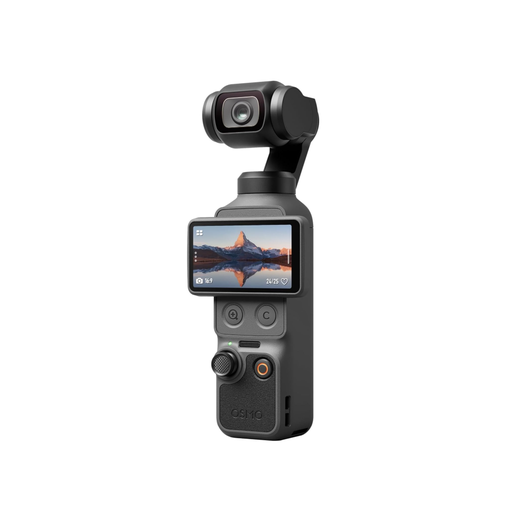
The Osmo Pocket 3 is a small gimbal camera for changing viewpoints.
The LUMIX G100D is a Micro Four Thirds interchangeable-lens alternative; for detailed close-ups, consider a macro lens separately.
This selection includes compact and lightweight cameras, as well as an APS-C camera for filming tutorials at your workbench. When filming small components, check whether the specific model and lens can achieve the framing you want.
 No image available
This model could be a good option if you’re looking for a small gimbal camera for changing viewpoints at your workbench.
Check the framing with a component at its actual size to see if it suits your tutorial.
 No image available
This handheld POV camera could suit video recording from a range of viewpoints.
The product title specifies 2K video and a 360° rotating lens.
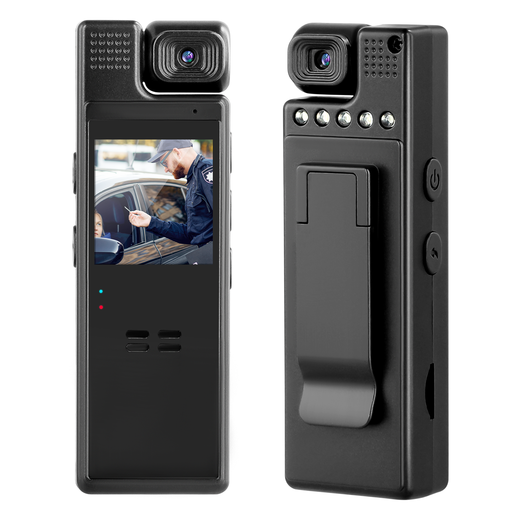 No image available
According to the product title, this compact camera is designed for recording both video and audio.
The title specifies 1080P video and a manually rotating 180° lens. Check whether the framing is good enough for your smallest components.
 No image available
This APS-C camera comes with a zoom lens and could suit a setup where you want to adjust the framing.
The product title specifies 4K video and a tilting display. Check whether the supplied lens can get close enough to show your smallest components.
 No image available
This pocket gimbal camera could suit video tutorials that need a range of viewpoints.
The product title specifies a 1″ CMOS sensor, 4K/240fps, 3-axis stabilisation, 2× lossless zoom, 107 GB of built-in storage and a rotating 2″ screen. Check the framing on your actual subject to make sure it works for your smallest components.
No. How large the component appears in the frame also depends on the specific lens and the closest distance from which it can focus. Canon Germany lists a maximum magnification of 0.16x for the RF-S 18–45 mm at 45 mm with autofocus; Sony Germany lists a 1:1 ratio for the E 30 mm F3.5 Macro.
Record a test using your actual lighting and check the white balance. Nikon Germany notes that mixed light sources can create different colour temperatures in the same frame; any additional lights should suit the effect you want.
Yes. Check the specifications for the specific model and make a test recording. Nikon Germany lists up to 125 minutes of uninterrupted footage for the Z 30, and says you can use an external microphone. Bear the recording conditions in mind and test the audio from where you’ll actually be speaking.
According to the European Union’s consumer information, goods come with a statutory guarantee of at least two years against the seller. For a standard online distance purchase, you generally have 14 days from delivery to cancel; exceptions and the rules on return costs apply. A voluntary manufacturer’s guarantee does not replace your statutory rights.