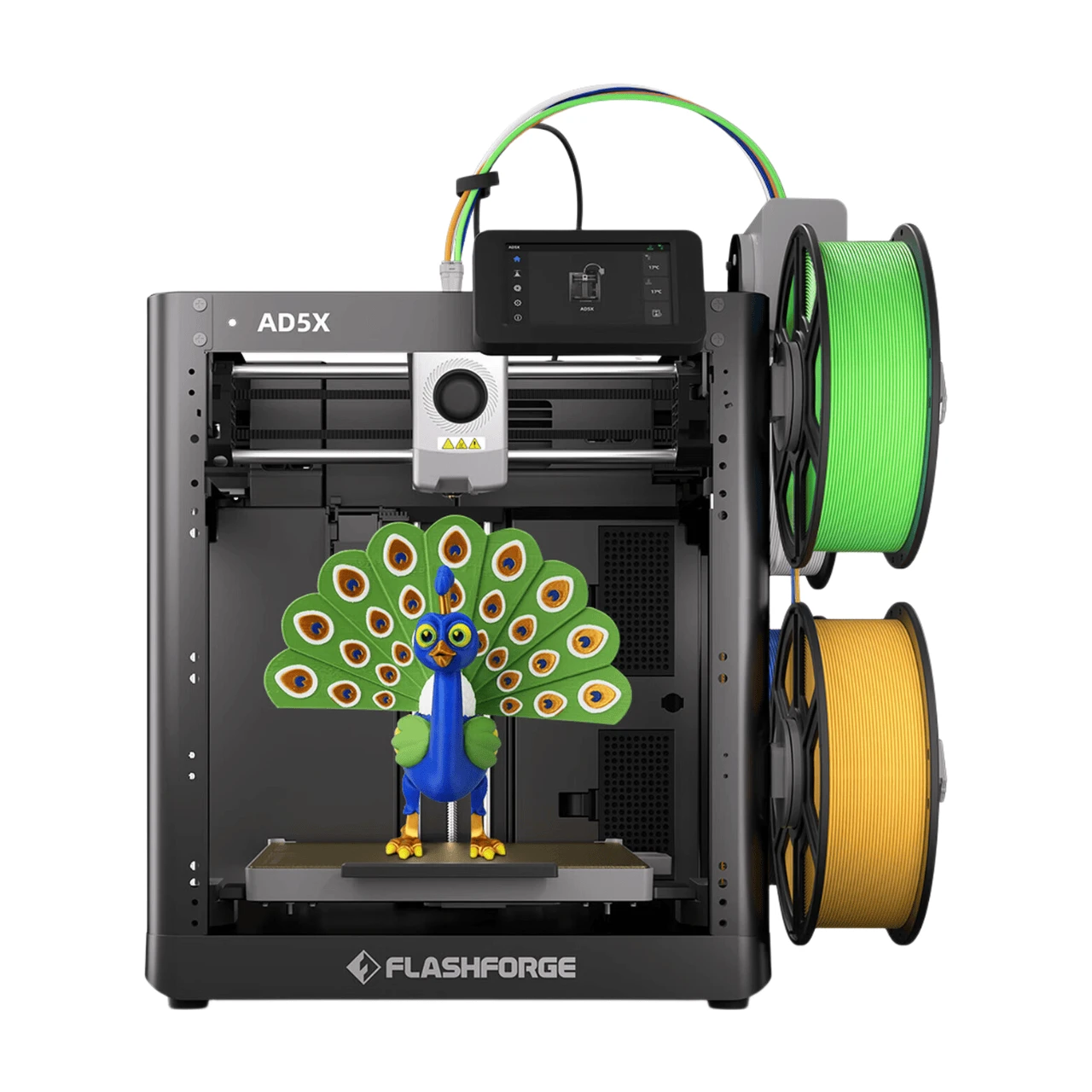
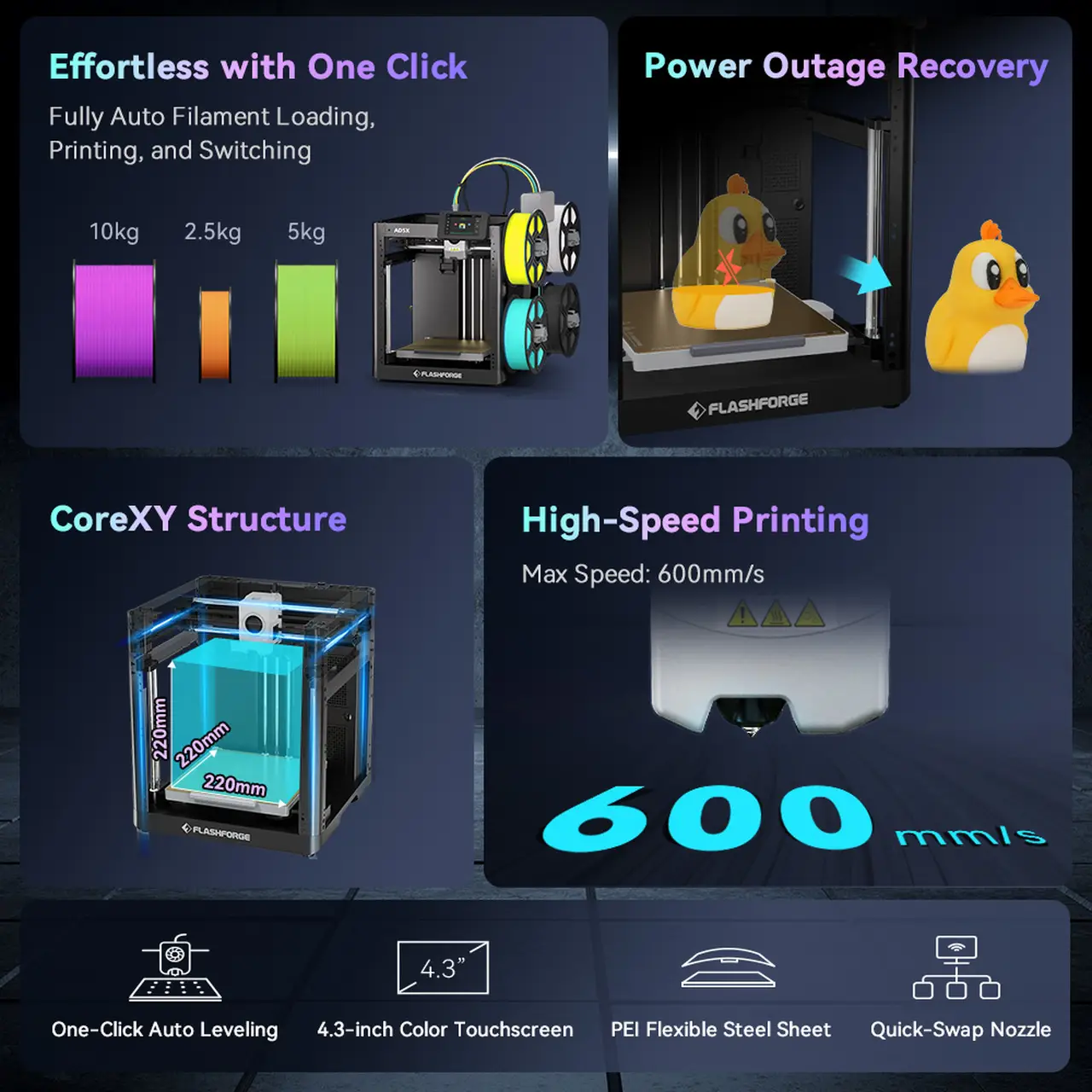
The FlashForge AD5X is a CoreXY 3D printer for creating detailed models, prototypes and multicolour prints with up to four colours at once. Its 220 × 220 × 220 mm build volume, speeds up to 600 mm/s and one-click bed levelling help streamline everyday printing. Choose from four interchangeable nozzle sizes to prioritise fine detail or larger prints, while automatic filament handling and power-loss recovery add convenience. It suits makers, designers and small workshops looking for a versatile printer with less manual setup.
How to Choose the Right 3D Printer
Start with what you plan to print, how often you will use the machine and how much space you have. Comparing print technology, build size, material compatibility and ongoing costs will help you find a 3D printer suited to your needs in Germany.
Key Features to Consider
Use these criteria to compare specifications and judge whether a printer will be practical for your projects.
- Print technology and materials: For general-purpose models and prototypes, an FDM printer is often a practical starting point; check which filament types it supports and whether they need a heated bed or enclosure. Resin printers can suit small, detailed pieces, but factor in resin handling, ventilation and post-processing.
- Build volume and print quality: Check the usable build area against the largest parts you expect to make, allowing for supports and room around the model. Consider layer height and user feedback on print consistency, and treat headline speed figures as a comparison point rather than a guarantee of finished print time.
- Ease of use and ongoing costs: Features such as automatic bed levelling, a clear interface and dependable print recovery can make setup and longer jobs easier, particularly for beginners. Compare the price and availability of compatible filament or resin, replacement parts and maintenance supplies from sellers serving Germany, as well as the printer’s footprint and operating noise.
Bring Colour and Speed to Every Creation
Four-Colour Printing with a Smoother Setup
Create expressive models and prototypes with the FlashForge AD5X’s support for printing in up to four colours at once. Its CoreXY design provides the foundation for an engaging, capable printing workflow, while automatic filament feeding and retraction help coordinate material changes as your project takes shape. One-click automatic bed levelling adds a convenient step to preparation, so you can get your print ready with a simple command. From colourful display pieces to functional ideas, these features make it easier to move from a creative concept to a finished print.
High-Speed Printing with Detail on Your Terms
Bring projects to life at speeds of up to 600 mm/s, with vibration compensation helping the printer manage movement as it works. The 300°C direct-drive extruder supports a versatile printing setup, while dual cooling fans help manage cooling during the printing process. Choose between interchangeable 0.25, 0.4, 0.6 and 0.8 mm nozzles to suit the job: a finer nozzle for intricate details or a larger option for faster, broader prints. This flexibility makes it easy to tailor the AD5X to a wide variety of models and prototypes.
Helpful Automation for a Confident Print Workflow
Enjoy practical support throughout your printing sessions, from preparation through to completion. One-click automatic bed levelling helps make setup straightforward, and automatic filament feeding and retraction help keep material changes organised. The AD5X also features power-loss recovery, adding a useful layer of continuity to longer projects. Pair these conveniences with its multicolour capability and choice of nozzles to explore everything from vibrant creative models to considered prototypes. Together, the printer’s automated functions and adaptable toolset help make each stage of the process more approachable and rewarding.
FlashForge AD5X 3D Printer: Who It Suits
Multicolour Model Makers
When you want a model with colour built into a single print,
use the AD5X’s multicolour printing and automatic filament
feeding and retraction to reduce manual changes between
colours, so your finished model comes together with less
hands-on work.
Prototype Developers
When you need to check design changes as physical prototypes,
use the fast CoreXY printer to produce iterations sooner,
while vibration compensation helps keep print motion
controlled, so you can move through design reviews with less
waiting.
Makers Switching Between Print Styles
When your projects range from fine details to larger prints,
change the nozzle to suit each job: a narrower option supports
finer detail, while wider options let you prioritise larger,
faster prints, so one printer can adapt to different making
tasks.
Makers Who Want Simpler Setup
When you want to spend less time preparing and restarting
prints, use one-click automatic bed levelling to simplify
setup and power-loss recovery to resume after an interruption,
so more of your time goes into making rather than managing the
printer.
Frequently Asked Questions
What size models can the FlashForge AD5X print, and can it print in multiple colours?
The FlashForge AD5X can print models up to 220 × 220 × 220 mm and supports up to four colours in one print. That gives you room for compact prototypes and multicolour parts without splitting every design into separate jobs. Its build volume is 220 mm on each axis, so compare your model dimensions before starting.
How fast does the FlashForge AD5X print, and which nozzle sizes can I use?
The AD5X reaches print speeds of up to 600 mm/s, with a CoreXY frame and vibration compensation designed to support fast printing. Choose from interchangeable 0.25, 0.4, 0.6 and 0.8 mm nozzles: the smaller option suits finer detail, while larger nozzles can help produce broader, quicker prints. One-click automatic bed levelling simplifies setup.
How do I avoid burns when using the FlashForge AD5X?
The AD5X’s direct-drive extruder reaches 300°C, so keep your hands clear of the nozzle and hot print head during printing and while they cool. Place the printer on a stable, heat-resistant surface and keep children away from hot components. Once the print head has cooled, you can handle the printer and remove a finished model more safely.
Don't just buy, Joybuy
Discover more of your favourite brands on Joybuy with great offers