If you want to sketch without a computer, a standalone tablet with a compatible pen is the obvious choice – but first check that your floor plan app offers the features you need on that particular device. If you already work on a computer, a graphics tablet without a screen may be enough. A pen display shows your plan directly beneath the pen, but one-cable operation requires compatible video and power features on your computer.
Which drawing solution is right for you?
Sketch on site without a computer
If you want to sketch rooms at the location itself, you’ll need a standalone device, a compatible pen and a suitable floor plan app. Samsung, XPPen and Wacom describe standalone Android devices; the magicplan Support Centre lists manual drawing and tracing methods for Android.
Work on a computer you already own
If your drawing or floor plan software already runs on a computer, a graphics tablet without its own screen can serve as an input device. Huion describes the Inspiroy 2 M as having a battery-free pen and customisable buttons; Wacom notes the requirements for a one-cable connection with the Cintiq 16.
Share measurements and files
If a dimensioned plan or a particular file format is important, check the entire process in your chosen app. The magicplan Support Centre describes manual drawing and tracing an imported JPG on Android, as well as PDF and DXF export formats.
What matters when you have limited sockets?
First, work out whether you need to use the device without a connected computer. Then consider app features, drawing area and what’s included with the pen and accessories.
| What you need |
What to check before buying |
Who should pay particular attention? |
| Work without an extra socket |
Whether the device works independently or needs a computer; the device’s charging requirements; the computer’s connection requirements. |
If I need to sketch on site without a computer running, a standalone device matters more than a battery-free pen alone. Around 36% of consumers put being able to work without an extra socket first. |
| Measurements and suitable file formats |
Drawing rooms or tracing; the measurement and export features you need; any app subscription required. |
If I want to add dimensions to rooms or share a plan, the app needs to suit the way I work. Around 29% of consumers prioritise measurement and export features. |
| Drawing area and computer workflow |
A graphics tablet without its own screen or a pen display; for one-cable operation, the video and power features of the computer port. |
If I already draw on a computer, I want to know whether I can work on a separate surface or see the line directly beneath the pen tip. Around 21% of consumers prioritise integration with their computer workflow. |
| Pen, charging accessories and ongoing app costs |
What’s included with the exact model; whether you need a charging adapter; the app features and subscription required for the export you want. |
If I need to factor in a pen, charging accessories or app features before getting started, the complete package matters. Around 14% of consumers first consider accessories and potential ongoing costs. |
Pitfalls when buying a tablet for floor plans
-
Assuming USB-C automatically means one-cable operation
A USB-C port alone doesn’t tell you whether a pen display will receive video and power through it. For one-cable operation with the Cintiq 16, Wacom specifies DisplayPort Alt Mode and USB Power Delivery on the computer.
Before planning to use a single cable, check the documented features of the specific computer port.
Depending on your computer, you may need additional connection or power equipment.
-
Confusing a drawing app with a dimensioned floor plan app
Freehand drawing alone doesn’t automatically cover room measurements, tracing an existing plan or the file export you need. The magicplan Support Centre describes different drawing, tracing and export features.
Test your workflow with a sample plan of your own and check whether the export format you want is available with the right subscription.
Some app features may require a paid subscription; magicplan describes its Sketch Plan as available with monthly or annual payments.
-
Assuming every tablet has scanning features
For Android, the magicplan Support Centre describes manual methods rather than scanning features. Choosing a tablet doesn’t guarantee that scanning will be available.
Before buying, decide whether you want to sketch manually or scan rooms, then check the specific device and app features.
-
Assuming everything you need is included
Pens, charging adapters and app features vary by model and workflow. Apple lists an iPad and USB-C cable with the iPad Air; Samsung says the Galaxy Tab S10 FE includes an S Pen but no charging adapter.
Check what comes with the exact version and make a note of any extra parts or app features you’ll need for your floor plan workflow.
Buying a compatible pen, charging adapter or app subscription separately can mean extra steps before you’re ready to get started.
Relevant brands and device types
Apple
A standalone iPadOS option for floor plan apps.
- Apple lists an 11-inch display for the iPad Air M4, with support for Apple Pencil Pro and Apple Pencil (USB-C).
- The listed contents include the iPad and USB-C cable, but no Pencil. Check that the specific device supports the app features you need.
Samsung
A standalone Android option, with an S Pen included with the Galaxy Tab S10 FE.
- Samsung lists a 10.9-inch display for the Galaxy Tab S10 FE and says an S Pen is included.
- Samsung says a charging adapter isn’t included. For magicplan, the current Android device help describes manual methods rather than scanning features.
XPPen
A standalone Android drawing device with a 12.2-inch display.
- XPPen describes the Magic Drawing Pad as a standalone Android device with a battery-free pen.
- Check that your chosen floor plan app offers the features you need on the device.
Huion
A graphics tablet for use with a computer you already own.
- Huion lists a battery-free PW110 pen, plus driver-customisable buttons and a scroll wheel for the Inspiroy 2 M.
- The Inspiroy 2 M isn’t a standalone solution for drawing without a computer.
Wacom
The standalone MovinkPad 11 or the Cintiq 16 as a pen display connected to a computer.
- Wacom says the MovinkPad 11 includes a battery-free Pro Pen 3 and can be used without a PC.
- The Cintiq 16 needs a compatible computer. For one-cable operation, Wacom specifies DisplayPort Alt Mode and USB Power Delivery as requirements.
Joybuy products for floor plan sketches
The range includes everything from a basic LCD writing tablet to standalone Android tablets with a pen. For each device, check that it supports the app features you need for working with dimensioned floor plans.
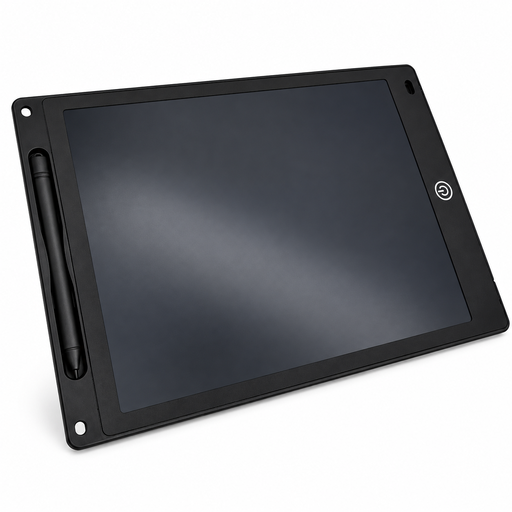 Image unavailable
12-inch LCD writing and drawing tablet with pen
For simple freehand sketches on a reusable LCD drawing surface.
12 inches; 5 mm thick; black; includes a pen, erase button and lock function. According to the product description, a button cell powers the erase function and may not be included.
If you need measurements or file export, check whether a basic writing tablet will work for your floor plan workflow.
Joybuy
 Image unavailable
TECLAST ArtPad Pro 2025, 13.4 inches, 2K
A standalone Android tablet for sketching without a connected computer; check your floor plan app’s compatibility before buying.
The product title lists Android 15, a T-Pen, a 13.4-inch 2K display, 4096 levels of pressure sensitivity and a 10,000-mAh battery.
For magicplan, the Android device help describes manual methods rather than scanning features.
Joybuy
 Image unavailable
TECLAST ArtPad Pro, 12.7 inches, 2K, with keyboard and protective case
A standalone Android tablet with a pen for sketching without a connected computer; check app compatibility for your specific floor plan workflow.
The product title lists Android 15, a T-Pen, a 12.7-inch 2K display, 4096 levels of pressure sensitivity, 256 GB of storage and a 10,000-mAh battery. The keyboard and protective case are listed as included in the title.
According to the device help, magicplan doesn’t support scanning features on Android; manual methods are described instead.
Joybuy
Frequently asked questions
Is a battery-free pen enough to draw floor plans without a socket?
No. A battery-free pen doesn’t turn a computer input device into a standalone tablet. If you want to draw without a computer, check whether the specific device can work independently and what it needs to charge.
Can I use a Wacom Cintiq 16 with just one cable?
Yes, if the connected computer meets Wacom’s requirements: DisplayPort Alt Mode and USB Power Delivery. Check the documented features of the specific computer port; USB-C alone isn’t enough to confirm compatibility.
Can I trace a floor plan on Android and export it as a DXF?
The magicplan Support Centre describes manual drawing and tracing an imported JPG on supported Android devices; DXF is listed as an export format. Check device support and which subscription you need for your workflow.
Does the tablet come with a pen and charging adapter?
It depends on the exact model and what’s included. Samsung lists an S Pen and USB-C cable with the Galaxy Tab S10 FE, but no charging adapter. Apple lists the iPad and USB-C cable with the iPad Air, and lists compatible Pencil models separately.
Can I scan rooms with magicplan on Android?
No, magicplan’s current device help doesn’t support scanning features on Android devices. For Android, the provider describes manual methods such as drawing rooms or importing a JPG to trace.


