For reading fine print and discussing plans together, a larger standard tablet can be a good choice, provided the app you use runs on it and you’ll mainly be using it in sheltered conditions. If you often work around dust or moisture, or while wearing gloves, choose a device with protection and controls suited to the job. Specialist software requirements may also determine which operating system you need. Before buying, test the actual plan in the app you intend to use, including offline access and annotation features.
Which tablet is right for you?
Plan reviewers who need to see the detail
If you read fine print or discuss floor plans together on site, consider the screen size and whether the right plan app is available. Apple lists the iPad Air M4 in 11- or 13-inch sizes; the Wi-Fi models weigh 464 g and 616 g respectively.
Teams working on demanding construction sites
If you’re dealing with dirt, changeable weather or glove operation, specified protection and control features matter. Samsung lists IP68 protection and glove operation for the Galaxy Tab Active5 Pro; Panasonic gives the TOUGHBOOK G2 an IP65 rating and lists touch modes for gloves, pen and rain.
Users tied to specialist software
If a project requires a particular planning or Windows application, check compatibility, file and pen features, and offline access before choosing a device. Microsoft lists Windows 11 Pro for the Surface Go 4 for Business; PlanRadar describes limitations affecting files available offline and PDF annotations.
What should you look for?
First, check that the app you need can open the actual plan. Then consider screen size, device protection and access when you’re offline.
| What to look for |
What to check |
Who it matters most to |
| Plan readability |
Open a real project plan in the app you intend to use, then check text, layers and zoom in typical lighting conditions. |
If I need to read fine print or view plans with others, the usable screen area matters to me. Around 33% of consumers put plan readability first. |
| Protection and controls |
Compare the protection rating for the exact model variant with your working conditions, and try using the controls with your gloves. |
Anyone working around dirt or moisture, or wearing gloves, needs protection and controls suited to the job. Around 27% of consumers prioritise this durability. |
| Offline access |
Download the plan you need in advance, then check the file, version and annotations without an internet connection. PlanRadar says that newer versions of files marked for offline use aren’t downloaded automatically, and PDF annotations aren’t shown offline. |
If I need to open the right plan and the information I need on site without a connection, I check the offline features in the specific app. Around 20% of consumers put offline access first. |
| Specialist software |
Check that the specific app version works with the operating system and device model, and confirm support for your plan format, pen features and, where relevant, business management tools. |
If my project requires a particular application, the tablet needs to run it reliably. Around 20% of consumers prioritise compatibility with their specialist software. |
What pitfalls should you watch out for?
-
Available offline doesn’t always mean up to date or complete
PlanRadar doesn’t automatically download newer versions of files marked for offline use, and PDF annotations aren’t shown offline.
Before your site visit, open the plan you need without a connection and check its version and annotations.
-
A Windows tablet isn’t automatically suitable for demanding construction sites
Panasonic lists an IP65 rating for the TOUGHBOOK G2; the Microsoft product page checked for the Surface Go 4 for Business doesn’t list comparable IP protection.
Choose the software platform you need first, then check the stated protection is suitable for your working conditions.
Depending on where you’ll use it, you may need an additional protective case or a different class of device.
-
Pen compatibility doesn’t mean a pen is included
Apple lists the supported Pencil models; Microsoft describes the pen for the Surface Go 4 for Business as an accessory.
Check what’s included with the exact variant and test the pen features in your plan app.
You may need to buy a pen separately. Also check that your app supports the annotations you want to make.
Key brands at a glance
Apple
The iPad Air M4 is an option for viewing plans on iPadOS, provided the project app you need is available for it.
- Apple lists 600 nits for the 13-inch model and a weight of 616 g for the Wi-Fi version; the 11-inch model offers 500 nits and weighs 464 g.
- These specifications don’t guarantee readability in every level of sunlight or provide built-in protection for construction site use.
Samsung
The Galaxy Tab Active5 Pro is worth considering if you often use an Android tablet outdoors and while wearing gloves.
- Samsung lists IP68 protection, a 10.1-inch 600-nit display, glove operation and replaceable batteries for this model.
- Check that your app runs on it and that the smaller plan view is large enough for your work.
Panasonic
The TOUGHBOOK G2 combines a Windows software option with specified features for more demanding working environments.
- Panasonic lists IP65 protection, a 10.1-inch display and touch modes for gloves, pen and rain.
- Optional keyboards and extensions aren’t necessarily included as standard with every configuration.
Microsoft
The Surface Go 4 for Business is a compact Windows option for site visits in more sheltered conditions.
- Microsoft lists Windows 11 Pro and a built-in kickstand.
- The pen and Type Cover are described as accessories. The German product page checked listed the device as out of stock and didn’t specify comparable IP protection.
Lenovo
The ThinkPad X12 Detachable Gen 2 is a larger Windows 2-in-1 option for plan discussions in less demanding environments.
- Lenovo describes a 12.3-inch device with a detachable keyboard and pen, plus an LTE option.
- The product page doesn’t list an IP rating; general claims about durability don’t prove that it’s protected from rain.
Tablets for reviewing floor plans at Joybuy
This selection includes tablets with larger displays for viewing plans, as well as models whose product names say they come with a pen or a folio case with a stand. If you’ll be working around dust or moisture, or in direct sunlight, check the usage guidance for each model.
 No image available
13.4-inch Android tablet with keyboard, mouse and passive stylus
The 13.4-inch display gives you plenty of room to view floor plans. The product name says the package includes a keyboard, mouse, passive stylus and folio case with stand.
Android 16; FHD+; 24 GB RAM (8 GB + 16 GB virtual); 256 GB storage.
The product description advises against using it around dust or moisture, or in direct sunlight for extended periods.
View at Joybuy
 No image available
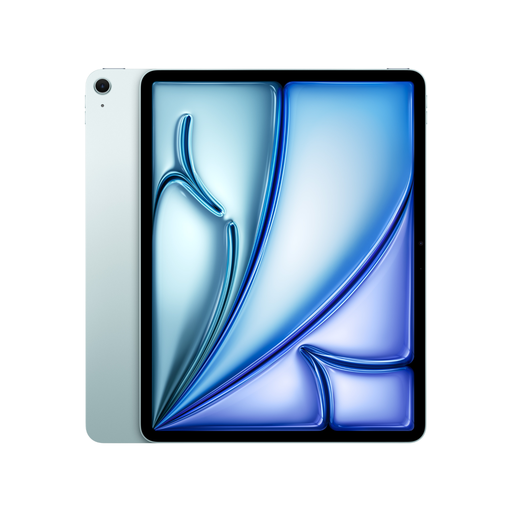
Apple 13-inch iPad Air (M4, 2026), Wi-Fi, 128 GB, Blue
The 13-inch version gives you plenty of room for plans. Apple lists a weight of 616 g and an anti-reflective coating for the Wi-Fi model.
The product information lists a resolution of 2732 × 2048 pixels and support for Apple Pencil Pro and Apple Pencil (USB-C); check whether the pen is included.
The product information doesn’t list an IP rating and advises against exposing the device to liquids.
View at Joybuy
 No image available
TECLAST T65, 13.4-inch, Android 16
The 13.4-inch display gives you plenty of room to view plans. The product name says a folio case is included.
120 Hz; Dual SIM 4G and Wi-Fi 5G.
The product description advises against using it around dust or moisture, or in direct sunlight for extended periods.
View at Joybuy
 No image available
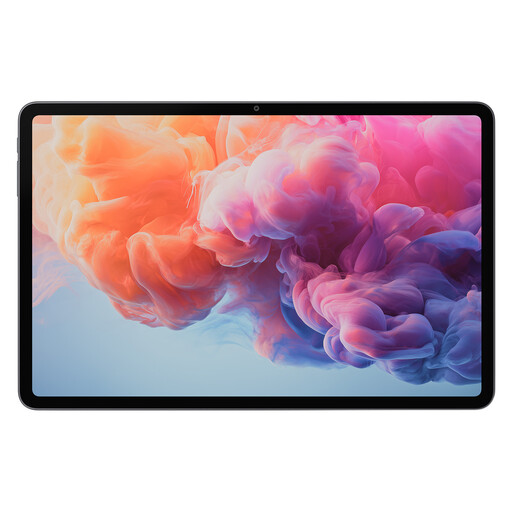
ALLDOCUBE iPlay 70 Pad Pro MTK G100, 12.1-inch
The 12.1-inch display gives you room to view plans. If you work with large floor plans, check that this screen is spacious enough for you.
8 GB RAM; 128 GB storage; 10,000 mAh battery.
View at Joybuy
 No image available
TECLAST ArtPad Pro, 12.7-inch, 2K
The 12.7-inch display gives you room to view plans; the product name specifies a T-Pen with 4096 pressure levels.
Android 15; 20 GB RAM (8 GB + 12 GB virtual); 256 GB storage.
The product name says the package includes a stylus, protective case and English Bluetooth keyboard.
View at Joybuy
Frequently asked questions
Is opening a floor plan in the app once enough to check it offline?
Not necessarily. PlanRadar requires you to make files available offline deliberately. Newer versions aren’t downloaded automatically, and PDF annotations aren’t shown offline. Test the features in your app with a project plan.
Can I add annotations during a site visit while wearing gloves or in the rain?
It depends on the device and app. Samsung lists glove operation for the Galaxy Tab Active5 Pro; Panasonic lists touch modes for gloves, pen and rain on the TOUGHBOOK G2. Also check that your app saves the annotations you want to make.
What extra costs and terms should I check when buying?
Check whether you need a pen, case, mobile data plan or app licence, and whether these are included in the specific offer. For consumer purchases, your statutory rights against the seller are separate from any voluntary guarantee. Different contract terms may apply to business purchases.
Do data protection rules apply to construction site data stored on a tablet?
If plans, photos or notes contain personal data, their processing for work purposes must be assessed under the GDPR and, where relevant, supplementary German data protection law. You can’t tell from the tablet model alone whether a particular floor plan contains such data or what organisational requirements apply.


