Discussing floor plans
If you want to show a prepared plan clearly at a café table and discuss details by zooming in, rather than drawing on it extensively.


A compact tablet of around 11 inches is often enough for viewing a prepared floor plan, as long as you can read and zoom in on your file easily. If you want to note changes by hand, the stylus and app need to work with your specific model. For DWG files or working without Wi-Fi, you should also check how files are handled and whether they’re available offline. A larger display shows more of the plan, but takes up more space at a café table.
If you want to show a prepared plan clearly at a café table and discuss details by zooming in, rather than drawing on it extensively.
If you want to mark changes directly on the plan, choose your stylus, tablet and annotation app together.
If you use DWG files or need to work without a reliable connection, check the file format, app and offline availability before your meeting.
Try your own plan file in the app you intend to use, then decide whether screen space, a stylus, portability or a particular CAD workflow matters most to you.
A good fit if: You mainly want to view plans and occasionally annotate them with a compatible Apple Pencil. Apple lists the 11-inch iPad (A16) at 500 nits and 477 g for the Wi-Fi model.
Bear in mind: The Pencil isn’t included in the listed tablet package. Check the app and stylus version separately.
A good fit if: Making annotations during discussions is important. Samsung lists an included S Pen and a 10.9-inch display for the Galaxy Tab S10 FE.
Bear in mind: At the same zoom level, a smaller screen shows less of the plan than a larger one. Check that the PDF or DWG app you need is available.
A good fit if: You often want to view larger areas of a plan at once, or look at details with someone else. Lenovo lists the Idea Tab Pro as having a 12.7-inch display.
Bear in mind: A larger screen needs more room on the table and in your bag. Make sure the display and stylus package match the version you choose.
A good fit if: The application you need runs on the Windows hardware you’ve chosen and you genuinely need a Windows-based workflow.
Bear in mind: Autodesk lists x64 as a system requirement for AutoCAD Mobile on Windows. This doesn’t mean the Snapdragon version of the documented 11th Edition Surface Pro for Business is suitable for the app.
| Buying priority | What to look for | Who is this most important to? |
|---|---|---|
| Plan area and readability | Open a typical file of your own and check the labels, zoom and reflections in the place where you’ll normally use it. | If you want to see lines and labels clearly while discussing a plan, test your file on the specific device. Around 27% of consumers put plan readability first. |
| Stylus annotations | Check that the specific stylus is compatible, what’s included and what annotation features the app offers. | If I want to mark changes during a discussion, the stylus and app need to work together. Around 27% of consumers prioritise handwritten annotations on plans. |
| Offline access | Download the file in advance and try opening it without a network connection. If you’ll be working on it with others, check how it syncs afterwards too. | If you don’t want to rely on café Wi-Fi during your meeting, try offline access beforehand. Around 20% of consumers prioritise availability without a reliable connection. |
| Portability at the table | Compare the dimensions and weight of the specific version with the space available on the table and how you’ll carry it. | If I take my tablet with me often or have limited table space, a manageable size matters. Around 13% of consumers prioritise compact equipment. |
| File and app compatibility | Work out whether you need to read PDFs, save annotations or edit DWG files, then check the app on the specific device. | If you need a particular plan app or DWG editing, check the requirements for the workflow you’ll actually use. Around 13% of consumers prioritise this CAD workflow. |
The devices considered range from 10.9 to 12.7 inches. A larger screen shows more of the plan, but takes up more space at a café table.
Open a typical file and check the labels and zoom before making your decision based on screen size alone.
Compatibility and what’s included vary by model and package. You’ll also need to check the annotation features in the app you use.
Before buying, check the exact model and stylus names, as well as what’s in the box. If you’re considering a Xiaomi Pad 7, confirm that the specific stylus version is compatible.
Depending on the model and package, you may need to buy a compatible stylus separately.
Autodesk lists x64 as a requirement for AutoCAD Mobile on Windows. The documented Surface Pro 11 series uses Snapdragon processors, which doesn’t prove that this version supports the app.
Before choosing a device for this workflow, check that the application you need runs on the specific version.
Autodesk’s offline workflow requires you to download the drawing to your device while connected to the internet. If your files are confidential, you should also consider the risks of using public Wi-Fi.
Download the file before your meeting and try opening it without a connection. When syncing it later, follow the security requirements for your documents.
The 11-inch iPad (A16) is a compact iPadOS option for viewing plans and working with a specifically compatible Pencil.
The Galaxy Tab S10 FE is an Android option if stylus annotations are a priority.
The Pad 7 is an Android option with an 11.2-inch display. When choosing a stylus, make sure you check the exact version.
The Idea Tab Pro is worth considering if you’d prefer to see more of the plan than you can on a device of around 11 inches.
The 11th Edition Surface Pro for Business is only an option if you genuinely need a Windows-based workflow.
This selection includes tablets for viewing plans at a café table, from compact displays to larger screens for viewing more extensive areas of a plan.
 No image available
The 11-inch version is a good option if you want to view a plan on a compact display.
The display is listed as having a resolution of 1920 × 1200 pixels.
 No image available
The 11-inch display offers a compact screen for opening a prepared plan at the table.
The title lists Android 15, 2176 × 1600 pixels, 16 GB RAM (8 + 8 virtual) and 256 GB of storage.
 No image available
The 11-inch version is designed for viewing plans at a café table. Check how easy it is to read your own file.
The title lists Android 14, a 90 Hz display, 4 GB RAM and 128 GB of storage.
 No image available
The larger display may be useful for viewing more extensive areas of a plan, but takes up more space at a small café table.
The title lists a 12.7-inch 2K display, an included T-Pen, an English Bluetooth keyboard and a protective case.
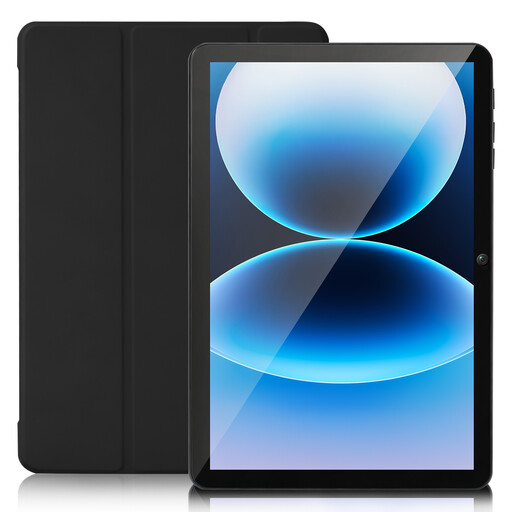 No image available
The 10-inch tablet is a more compact option for viewing plans, although you may need to zoom in more often on larger ones.
The description lists an HD touchscreen. The title specifies Android 15, 8 GB RAM and 128 GB of storage.
First, download the drawing to your device in AutoCAD Mobile while connected to the internet. Autodesk says it can then be available offline, with changes made offline syncing once you reconnect. Test the specific file before your meeting.
No. You can’t determine that from the operating system alone. Autodesk lists x64 as an architecture requirement for the Windows mobile app. Check the specific app version and device architecture; the Snapdragon specifications for the Surface mentioned here don’t prove compatibility.
Germany’s Federal Office for Information Security recommends avoiding access to confidential data over public Wi-Fi networks where possible. If you can’t avoid it, it recommends using a VPN if possible. This is a security recommendation, not a general legal requirement to use a VPN.
According to the Verbraucherzentrale, your statutory rights regarding faults apply against the seller and are separate from any voluntary guarantee. For many online purchases made by consumers, you generally have a 14-day right to cancel from the date you receive the goods. Exceptions apply, and the terms of the specific purchase should be checked.
No. Apple lists compatible Pencil models for the 11-inch iPad (A16), but doesn’t include a Pencil in the listed tablet package. Samsung says the S Pen is included with the Galaxy Tab S10 FE. Even so, check what’s included with the specific offer.