Flower artists who value detail
If you want to use flower shapes and subtle colour variations as a reference, check that the printer supports A4, works with suitable photo paper and has the colour settings you need.


Start by choosing the print size you need. For clearly visible flower structures and larger worksheets, consider an A4 inkjet photo printer. For individual postcard-sized images, a compact dye-sublimation printer could be a better fit. Mini printers take up very little room, but show details on a much smaller image area. Then compare the paper, consumables, connectivity and the space needed for paper input and output – especially if you print regularly.
If you want to use flower shapes and subtle colour variations as a reference, check that the printer supports A4, works with suitable photo paper and has the colour settings you need.
If you print repeated studies and colour variations, consider the paper and ink you’ll need, as well as maintenance, when choosing a printer. Make sure you have enough consumables for the number of prints you expect to make.
If you only need small reference images from time to time, compare postcard and mini image sizes with the space available on your desk.
| Consideration | What to check before buying | Most important for |
|---|---|---|
| Image size and detail | Compare the supported print size with the size you want for your reference image. For instant prints, check the actual image area. | If I want to see flower structures clearly in my print, I need a large enough image area. Around 36% of consumers put image size and detail first. |
| Supplies for repeated prints | Compare the ink, paper, ink-and-paper sets or film available for your chosen format and planned print volume. | Anyone printing series and colour variations will want to factor in the supplies they need. Around 29% of consumers put the cost of repeated prints first. |
| Space and how you’ll use it | Measure the space you have, including room for paper input and output. Think about whether you’ll print occasionally or regularly. | If my desk doubles as a workspace and drawing surface, I want a printer that takes up as little room as possible. Around 21% of consumers focus mainly on space and occasional use. |
| Small, portable image notes | Check the image area, film or paper type, and the app and connection you’ll use with your smartphone. | For small images to take with you or stick in a notebook, simple mobile printing matters more than a large reference image. Around 14% of consumers prioritise very small prints. |
According to Fujifilm, the image area on the Fujifilm instax mini Link 3 measures 62 × 46 mm. This may be too small for fine flower details.
First decide what size you need for your flower study, then compare it with the image area of the specific model.
Different printing methods use different consumables. Manufacturer estimates of print yields aren’t a substitute for working out how many prints you’re actually likely to make.
Compare the printer and its compatible supplies for the same chosen format and number of prints.
The independent 2021 comparison by Druckerchannel covered specific models, paper and settings – not every flower colour or printer.
Select suitable photo paper in the printer driver and print a test copy for colour-critical studies.
The instax mini Link 3 requires a smartphone app. HP doesn’t list macOS compatibility for the Sprocket Select.
Before buying, check that the app and connection work with the device you actually use.
The PIXMA G650 and SELPHY CP1500 ranges cover different image sizes and space requirements.
The EcoTank ET-8500 is designed for A4 photo printing. The ET-8550 is worth considering if you really need A3+.
The instax mini Link 3 is an option for small instant prints from your smartphone, not for large study sheets.
The Sprocket Select is an example of a small printer for self-adhesive ZINK prints.
The Joybuy products below are mobile printers for smartphone photos or small reference images. If you need to print larger flower studies up to A4, look specifically for a suitable inkjet photo printer instead.
 No image available
A portable option for small photo prints and notes. Before buying, check that the printing method and image area are suitable for your flower studies.
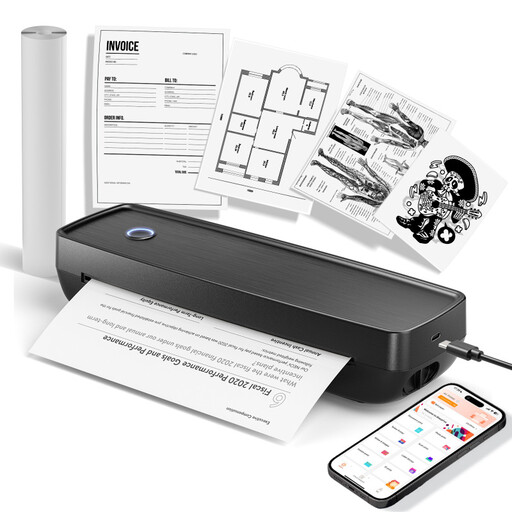 No image available
A portable printing option, provided you also check compatibility and format for the photo prints you have planned.
The product title lists US Letter and Legal formats, and compatibility with iOS, Android and laptops.
 No image available
A portable photo printer for printing on the go. Before buying, check that its image area and device compatibility suit your flower studies.
 No image available
A portable printer can be handy for small photo references you can stick into a notebook. If fine flower details matter, check the image area and compatible paper first.
 No image available
The stated output is black and white, so it won’t work as a colour reference for flower studies. Before buying, check that the print is suitable for how you plan to use it.
First decide how large you want the flowers and details to appear on the finished print. Canon lists photo printing up to A4 for the PIXMA G650 and 100 × 148 mm postcard prints for the SELPHY CP1500. Fujifilm gives the instax mini Link 3’s image area as 62 × 46 mm.
It depends on the printing method and format. The SELPHY CP1500 uses compatible ink cassette and paper sets, while film for the instax mini Link 3 is sold separately. For A4 inkjet prints, allow for enough paper and ink for the number of prints you plan to make.
For the EcoTank or Expression issues described, Epson recommends starting with a nozzle check and, if needed, cleaning the printhead using the maintenance function in the printer driver. This is the manufacturer’s guidance for those particular cases, not a claim that every device will develop the same problem.
Check that the app and connection work with your smartphone or computer, and that the image area and print medium are suitable for your studies. The instax mini Link 3 requires a smartphone app; according to HP Support, the Sprocket Select isn’t compatible with macOS.
No. The German Environment Agency advises that electrical and electronic waste should be collected separately and not put in household waste.