
Lieferung heute & morgen

Qualitätsgarantie

Willkommens-Angebote freischalten: KOSTENLOSE Lieferung | Bis zu 80 % RABATT | Kostenlose 30-Tage-JoyPlus-Testphase
App herunterladen
As a Joybuy Product Recommendation Officer, I analyse product information daily to provide you with clear and objective guidance. A foldable Bluetooth keyboard promises on-the-go productivity, but not every model delivers. Many users invest in a portable keyboard only to find it impractical, unstable, or incompatible with their devices. This guide highlights the most common pitfalls and explains which technical features truly matter.
Before you make a purchase, you should be aware of the typical flaws that often only become apparent after a few weeks of use.
To avoid these problems, focus on objective, technical parameters. These three aspects are essential for making an informed decision.
For users in Germany, a foldable QWERTZ keyboard layout is fundamental for working efficiently. Look for this specification explicitly in the product description. Additionally, the key mechanism is crucial for the typing feel. Scissor-switch keys, like those found in most modern laptops, offer a short, precise travel and high stability. They are generally superior to flat membrane keys and allow for more comfortable and faster typing.
A modern wireless keyboard with touchpad should support more than just a single connection. Check the following points:
The true quality of a travel keyboard is revealed in its design. A good portable keyboard is not just small, but also robust. Pay attention to the housing materials (e.g., aluminium alloy) and the construction of the hinges. Compare the dimensions when folded. A good mini keyboard should fit easily into a jacket pocket or a small compartment of your bag, yet feel stable and torsion-resistant when unfolded.
Here are some models tailored to specific user profiles that meet the criteria mentioned above.
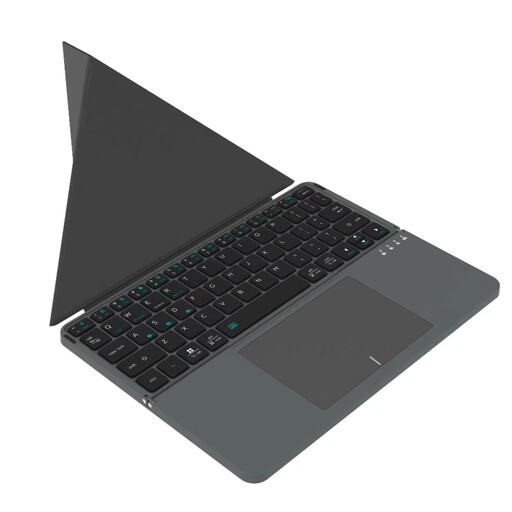
Why This Fits Their Persona: Ideal for users who need maximum portability. The tri-fold design and low weight make it a companion that fits in almost any bag. The integrated touchpad replaces a separate mouse, saving additional space.
The compact design makes no compromises on stability. When unfolded, the keyboard provides a solid base, thus avoiding the pitfall of wobbly, cheap models.
Extremely compact folded dimensions (approx. 15.8 x 9.8 cm) and an integrated touchpad for an all-in-one solution.
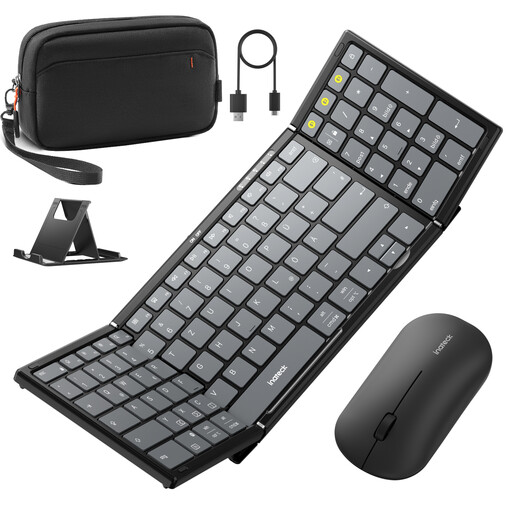
Why This Fits Their Persona: For users who refuse to compromise on typing efficiency, even on the go. The full 99-key layout with a number pad is ideal for data entry, programming, or writing long texts.
This model avoids the pitfall of an impractical, downsized layout. It offers a full-fledged typing experience comparable to a laptop, preventing frustration and loss of efficiency.
Full key layout with a dedicated number pad and multi-device connectivity for up to three devices.
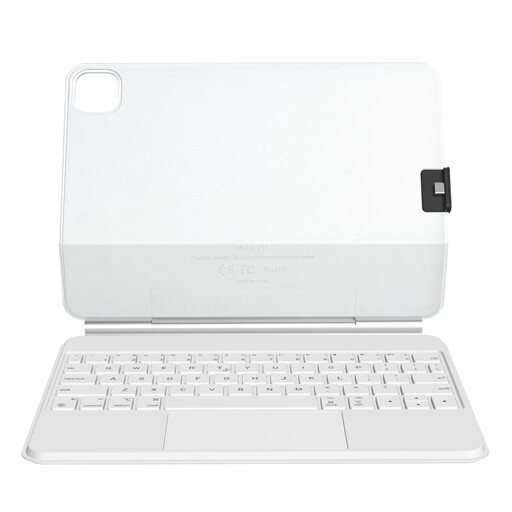
Why This Fits Their Persona: Designed specifically for iPad Pro or iPad Air users seeking a seamlessly integrated solution. This case transforms the tablet into a full-fledged laptop replacement, complete with protection and an adjustable viewing angle.
Instead of a universal but wobbly stand, this uses a strong magnetic connection. This avoids the pitfall of an unstable construction and ensures a firm, reliable unit.
Seamless magnetic integration with compatible iPad models and a precision trackpad optimized for iPadOS gestures.
We have compiled a complete, up-to-date list of products that fully meet these strict selection criteria and applicable regulations.
Most multi-device keyboards have dedicated keys (often labelled "BT1", "BT2", "BT3"). To pair a device, put the keyboard into pairing mode (usually by long-pressing one of the BT keys) and select it in the Bluetooth settings of your tablet or smartphone. Repeat this process for other devices on the other BT channels. Afterwards, you can switch seamlessly between the connected devices by briefly pressing the respective key.
Yes, for fluid and error-free writing in German, a QWERTZ layout is essential. The positions of keys like Y and Z are swapped, and umlauts (?, ?, ü) as well as important special characters (€, ?) are directly accessible. Using a QWERTY layout inevitably leads to frustration and requires constant readjustment or the use of cumbersome key combinations.
Focus less on the advertised standby time and more on the battery's capacity, measured in milliampere-hours (mAh), as well as the stated continuous usage time. A capacity of 140 mAh or more is a good benchmark for many hours of active use. Models with an automatic standby function, which puts the keyboard into a power-saving mode during inactivity, also help to extend battery life in daily use.